

 Salesforce
 Stripe
 HubSpot
 Chargebee
 Recurly
 PayPal
 Tango Card
 Webhooks
 Zapier



Learn more
Built for startups,
scaled for unicorns
Successfully submitted!
Error! Please try again
See what it takes to set up a referral/affiliate program
Explore GrowSurf's powerful referral marketing platform
Watch a video demo of setting up a referral/affiliate program
GrowSurf plugs into your existing tools
GrowSurf vs other referral software providers
Explore our free suite of referral marketing tools.
Explore our free suite of tools built for startups.
Get discounts on top software and services like Notion, Deel, Apollo, and 1Password.
Explore Deals →
Our free loyalty software lets you reward your customers when they leave reviews, share on social media, and mention your brand.
Get It Free →Can you guess which startups made these growth tactics famous? Test your knowledge of innovative marketing strategies that led to explosive growth.
Play Now →
Want the full setup walkthrough?
Use these docs for exact setup steps, supported fields, and troubleshooting.
GrowSurf's native Customer.io integration updates people records with referral attributes every time a participant is added or referred. That gives you current referral context inside Customer.io without wiring a second event pipeline.
Use this guide when you want Customer.io journeys to react to referral status, referral counts, or milestone progress. The fields that matter most for this workflow are {{customer.grsf_referral_status}}, {{customer.grsf_total_referral_count}}, {{customer.grsf_next_milestone}}, and {{customer.grsf_share_url}}.
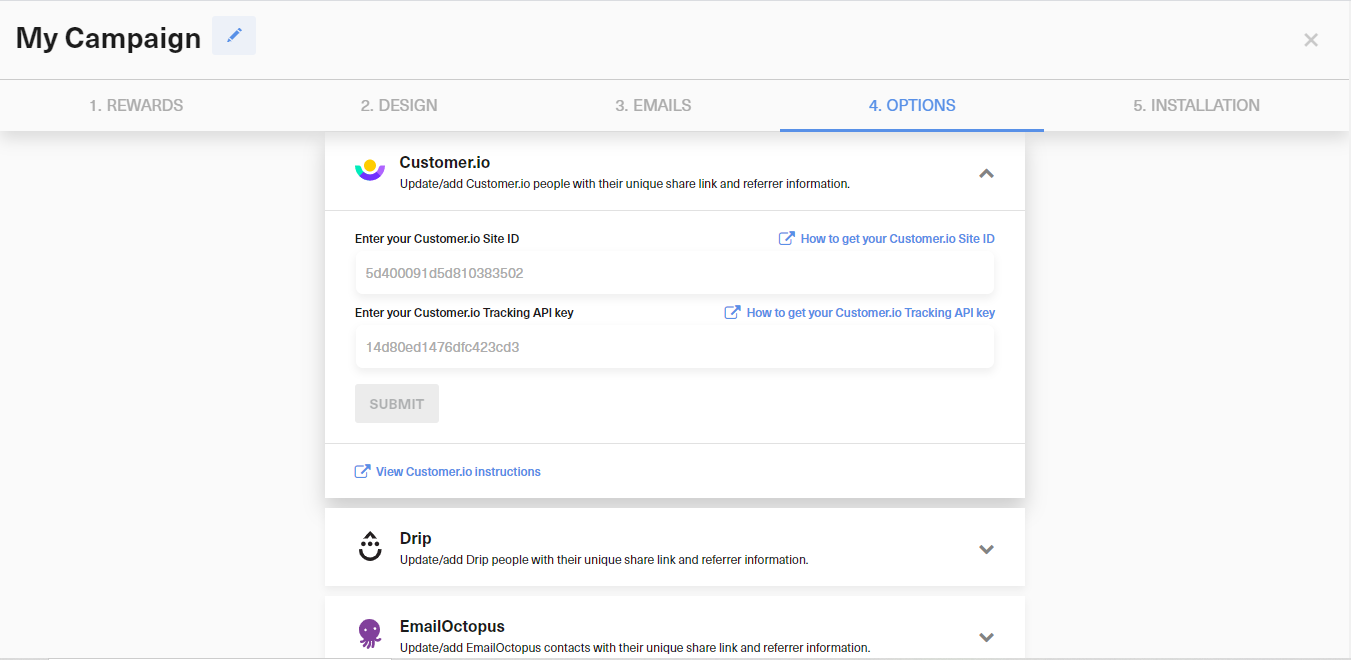
In GrowSurf, open the Customer.io integration card, add your Site ID and Tracking API key, then save the connection. This is the supported setup flow in both the GrowSurf docs and the current app UI.
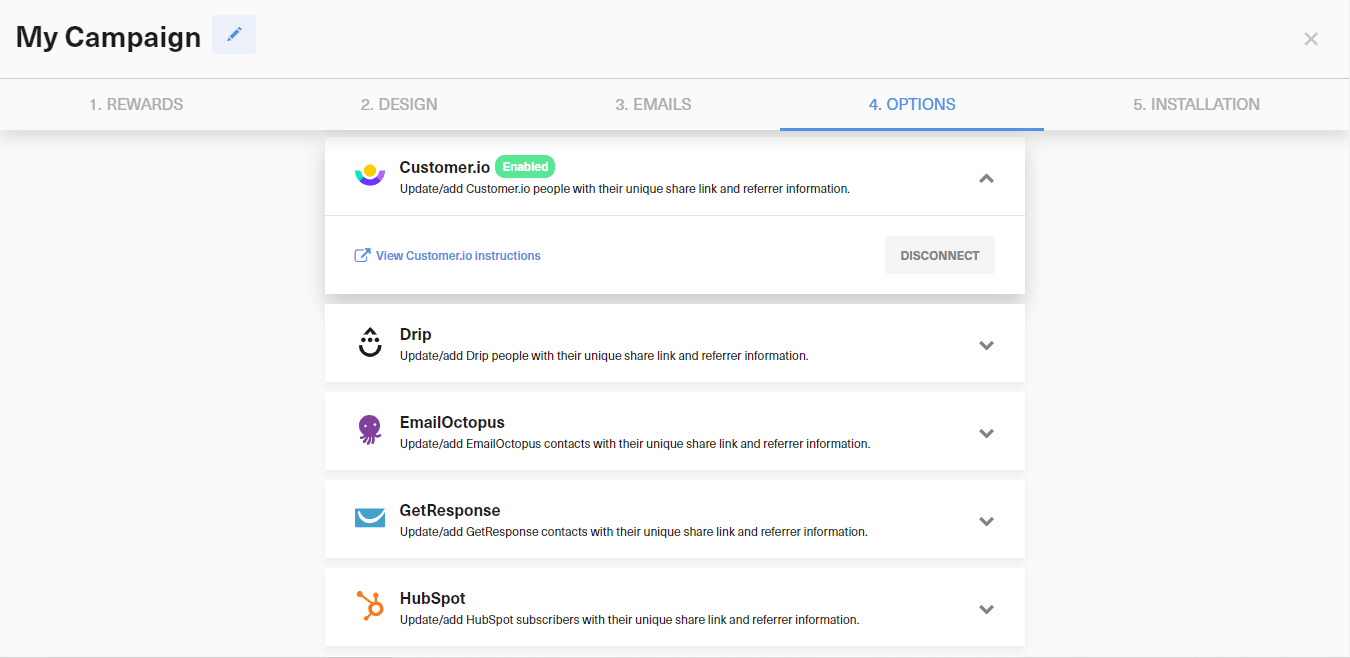
After the integration is live, GrowSurf adds or updates Customer.io people whenever participants join or are referred. If you connected late, use the documented export-and-import backfill process so older records receive the same attributes.
In Customer.io, build a segment around the referral state you actually want to message. Common starting points are people whose referral count is still zero, people whose referral status has changed, or people who are close to the next milestone.
{{customer.grsf_referral_status}} when you want the journey to react to pending versus awarded referrals.{{customer.grsf_total_referral_count}} when you want to distinguish new advocates from repeat referrers.{{customer.grsf_next_milestone}} when you want the journey to push people toward the next reward.Once the segment is defined, enroll it in a Customer.io journey for the actual outcome you want: first-share nudges, milestone reminders, or reward follow-ups. Customer.io's current docs describe this as a data-driven segment workflow, so you do not need a separate GrowSurf event bridge to start the journey.
Preview the segment and journey against a Customer.io person whose state you can confirm in GrowSurf. That keeps the automation grounded in the same referral data your team already trusts.
Connecting Customer.io first is the cleanest path because GrowSurf only syncs attributes after the integration is active. If you already imported people, use the documented backfill process instead of rebuilding the list by hand.
Pick a single referral state that matters, such as zero referrals or near-milestone participants, and prove that journey first before layering on more branches.
GrowSurf already maintains the referral status and counts in Customer.io, so it is safer to branch from those synced attributes than to invent a parallel tagging workflow.
Use GrowSurf-synced Customer.io attributes to send personalized referral emails with the right share link, counts, and milestone copy.
View Guide →
Turn synced GrowSurf profile properties into Klaviyo segments for new participants, active referrers, and people close to their next reward.
View Guide →
Use GrowSurf fields inside your Mailchimp Audience to create segments for new participants, active referrers, and people close to a reward.
View Guide →No native GrowSurf Customer.io integration is documented as a people-attribute sync. The supported workflow is to use the synced referral attributes on Customer.io people and build segments or journeys from those fields.
Start with rules based on referral status, total referral count, or next milestone text because those fields map cleanly to common referral follow-ups such as first-share reminders, milestone pushes, and reward emails.
You can backfill a fix for this case: connect the integration, export your Customer.io people as CSV, then import that CSV into GrowSurf so the referral attributes sync back onto those records.
Trusted by marketing and product teams at fast-growing B2C, fintech, and SaaS companies
Successfully submitted!
Error! Please try again
See referral programs that our customers have implemented.
