

 Salesforce
 Stripe
 HubSpot
 Chargebee
 Recurly
 PayPal
 Tango Card
 Webhooks
 Zapier



Learn more
Built for startups,
scaled for unicorns
Successfully submitted!
Error! Please try again
See what it takes to set up a referral/affiliate program
Explore GrowSurf's powerful referral marketing platform
Watch a video demo of setting up a referral/affiliate program
GrowSurf plugs into your existing tools
GrowSurf vs other referral software providers
Explore our free suite of referral marketing tools.
Explore our free suite of tools built for startups.
Get discounts on top software and services like Notion, Deel, Apollo, and 1Password.
Explore Deals →
Our free loyalty software lets you reward your customers when they leave reviews, share on social media, and mention your brand.
Get It Free →Can you guess which startups made these growth tactics famous? Test your knowledge of innovative marketing strategies that led to explosive growth.
Play Now →
Want the full setup walkthrough?
Use these docs for exact setup steps, supported fields, and troubleshooting.
GrowSurf's native Customer.io integration updates people with referral attributes every time a participant joins or earns referral activity. That gives you live referral context inside Customer.io without building your own share-link sync.
Use this guide when you want Customer.io emails to feel personal and timely. The most useful fields for this workflow are {{customer.grsf_share_url}}, {{customer.grsf_referral_status}}, {{customer.grsf_total_referral_count}}, and {{customer.grsf_next_milestone}}.
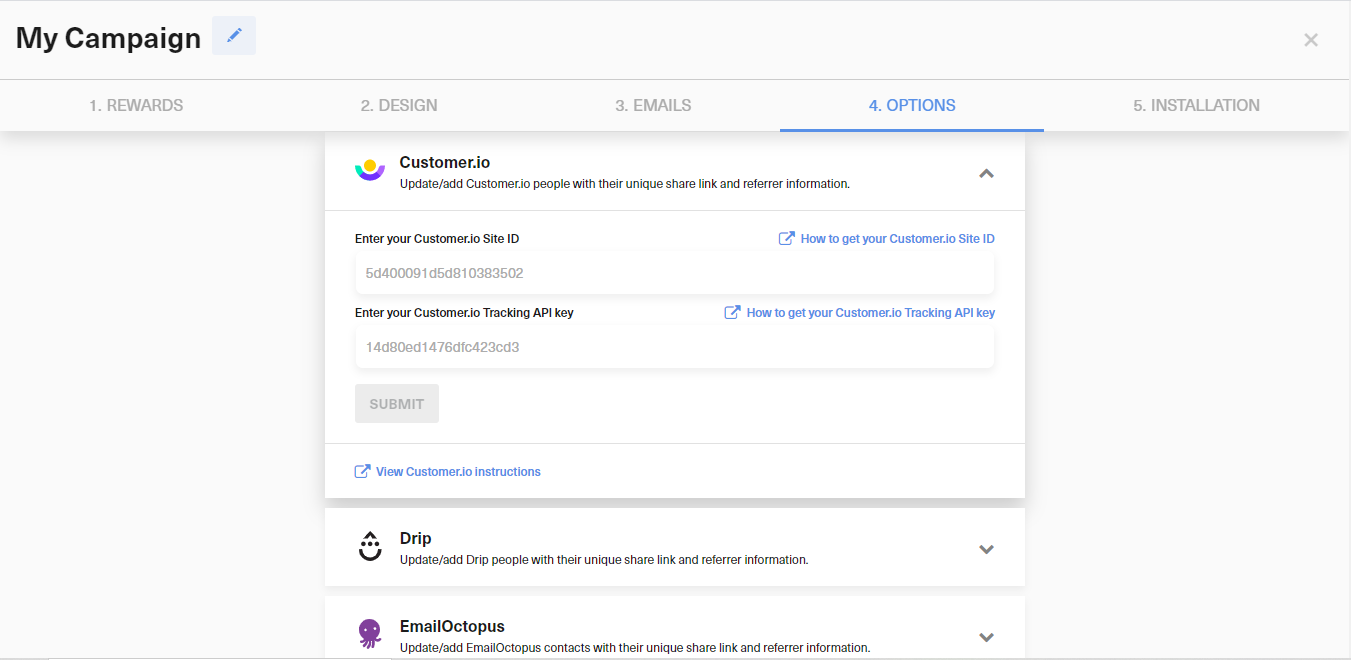
In GrowSurf, open the Customer.io integration card, enter your Customer.io Site ID and Tracking API key, then save the connection. GrowSurf's docs and the current app both show this as the required setup.
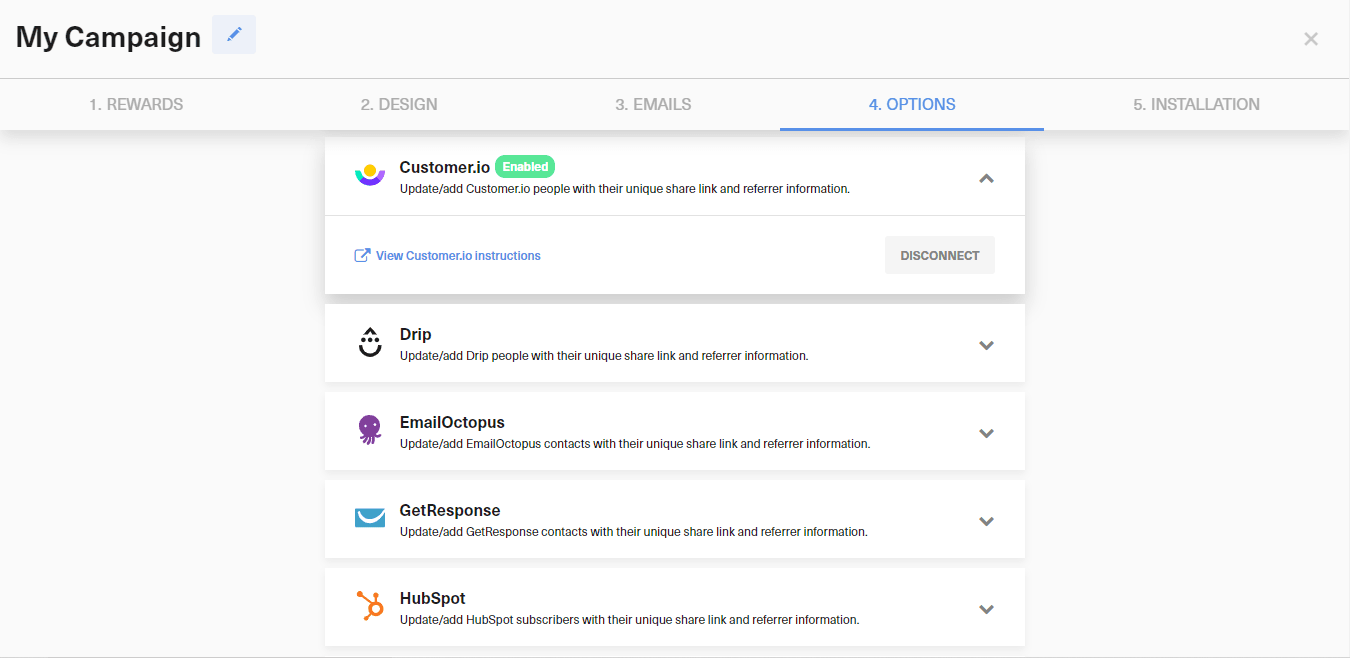
Once connected, GrowSurf adds or updates Customer.io people whenever participants are added or referred. If you already imported people before connecting, use the documented export-and-import backfill flow so those records receive the GrowSurf attributes too.
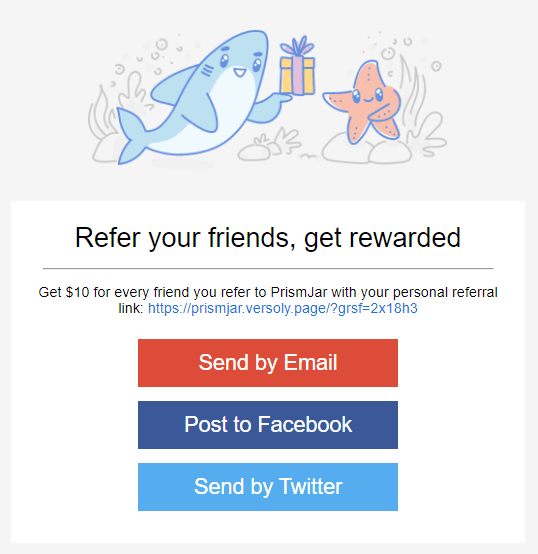
The most important personalized value is the participant's own referral link. In Customer.io email content, use {{customer.grsf_share_url}} anywhere the reader needs a one-click way to share, copy, or reopen the referral experience.
{{customer.grsf_referral_status}} when you want the message to reflect whether a referral is still pending or has been awarded.{{customer.grsf_total_referral_count}} to differentiate first-time sharers from proven advocates.{{customer.grsf_next_milestone}} when you want the email to remind people what reward they are closest to earning.Before sending, preview or test the email with a Customer.io person whose referral state you can verify in GrowSurf. That makes it easy to catch missing attributes, stale backfills, or broken CTA links before the campaign goes live.
<p>Your referral link: <a href="{{customer.grsf_share_url}}">{{customer.grsf_share_url}}</a></p>
<p>{{customer.grsf_next_milestone}}</p>Customer.io referral emails work best when the main button or link sends the reader straight to their own GrowSurf share experience instead of splitting attention across unrelated actions.
If you connected Customer.io after your list already existed, export those people from Customer.io, import them into GrowSurf, and let the native integration sync the referral attributes back.
A share link plus one timely detail such as referral count or next milestone is usually stronger than stuffing every available attribute into the same message.
Use GrowSurf-synced Customer.io attributes to build data-driven segments and start referral journeys without a separate event bridge.
View Guide →
Sync GrowSurf referral properties into Klaviyo profiles, then use them in email flows that keep each participant's link and reward progress current.
View Guide →
Sync participants into a SendGrid marketing list, then use GrowSurf referral fields inside reusable email templates.
View Guide →Use {{customer.grsf_share_url}}. That is the Customer.io attribute GrowSurf syncs for each participant's unique referral link.
Yes. Here is a backfill workflow: connect the integration first, export your Customer.io people as CSV, then import that CSV into GrowSurf so the referral attributes are added back to those records.
The most practical fields are the share URL, referral status, total referral count, and next milestone because they help you personalize the CTA and the surrounding message without extra custom logic.
Trusted by marketing and product teams at fast-growing B2C, fintech, and SaaS companies
Successfully submitted!
Error! Please try again
See referral programs that our customers have implemented.
