

 Salesforce
 Stripe
 HubSpot
 Chargebee
 Recurly
 PayPal
 Tango Card
 Webhooks
 Zapier



Learn more
Built for startups,
scaled for unicorns
Successfully submitted!
Error! Please try again
See what it takes to set up a referral/affiliate program
Explore GrowSurf's powerful referral marketing platform
Watch a video demo of setting up a referral/affiliate program
GrowSurf plugs into your existing tools
GrowSurf vs other referral software providers
Explore our free suite of referral marketing tools.
Explore our free suite of tools built for startups.
Get discounts on top software and services like Notion, Deel, Apollo, and 1Password.
Explore Deals →
Our free loyalty software lets you reward your customers when they leave reviews, share on social media, and mention your brand.
Get It Free →Can you guess which startups made these growth tactics famous? Test your knowledge of innovative marketing strategies that led to explosive growth.
Play Now →
Want the full setup walkthrough?
Use these docs for exact setup steps, supported fields, and troubleshooting.
GrowSurf gives Google Analytics 4 a structured referral event stream instead of forcing you to infer referral performance from generic pageviews. That makes it easier to see the difference between someone sharing a link, a referred friend signing up, and a qualified referral being triggered later.
The attribution part comes from choosing the right GrowSurf event, then comparing it against GA4 dimensions like landing page, campaign, source, or medium.
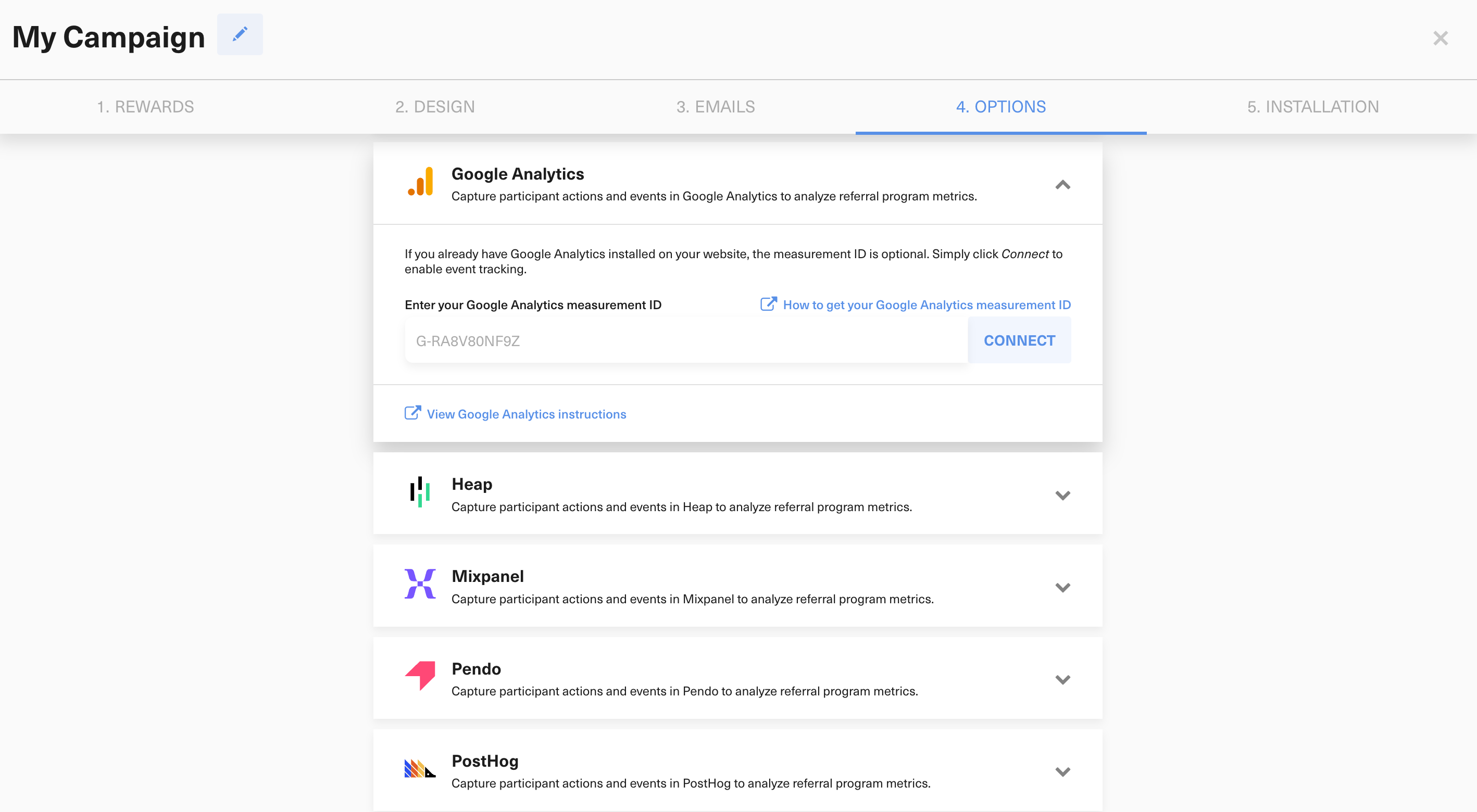
Connect Google Analytics in GrowSurf, keep the events enabled, and make sure the referral portal plus referred-friend landing page are covered by the same GA4 property.
Use growsurf_signup, growsurf_share, and growsurf_invite for referrer-side activity. Use growsurf_referral for referred-friend signup activity, and use growsurf_referral_trigger when a later qualifying action is what actually counts as a referral in your program.
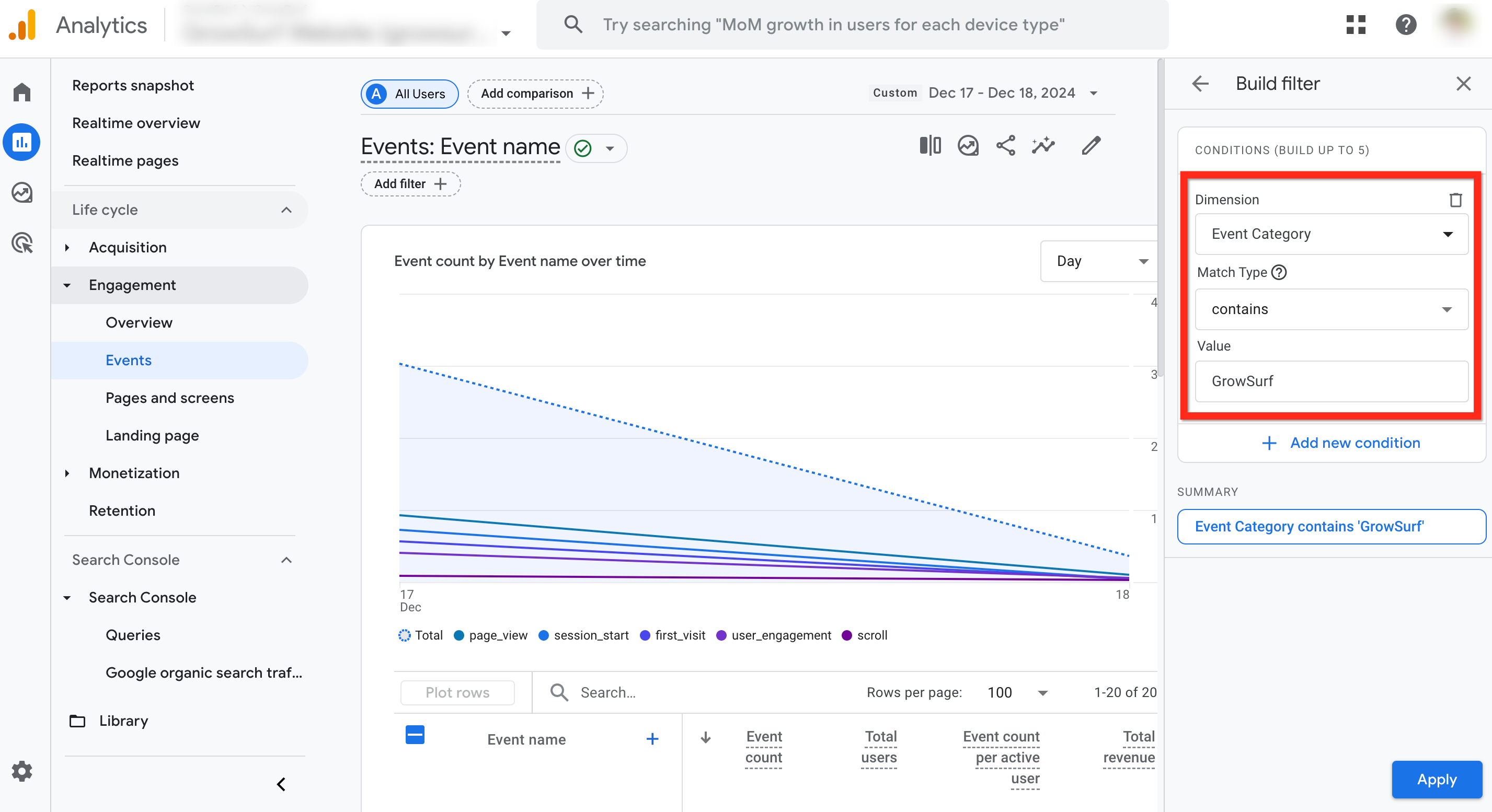
Create a filtered events report or exploration so only GrowSurf-tagged events are visible before you start reading attribution patterns.
If you care about referred-friend signups, attribute around growsurf_referral. If you care about a later qualifying action such as a purchase or approved signup, attribute around growsurf_referral_trigger. Then compare that event across dimensions like landing page, source, medium, campaign, or page path.
Run a known referral flow end to end, then confirm that the same participant path produces the GrowSurf events you expect in GA4. That is the fastest way to catch missing coverage or the wrong success event.
growsurf_referral is usually the right attribution event when a referred signup is enough. If your referral only counts after a later qualifying action, build attribution around growsurf_referral_trigger instead.
The most useful story comes from looking at sharing activity and friend conversions at the same time. A channel that produces lots of growsurf_share events but few growsurf_referral events probably needs a better landing-page experience.
Connect GrowSurf to GA4 so referrer signups, shares, invites, referred signups, and qualified referral triggers appear as GrowSurf-tagged events in your reports.
View Guide →Choose the GrowSurf event that matches success for your program, then promote it to a GA4 key event for cleaner reporting and downstream conversion use.
View Guide →
Use GrowSurf referral events in Mixpanel Funnels to see where participants drop between signup, sharing, invite, and qualified referral.
View Guide →Use growsurf_referral when a referred-friend signup is the conversion you care about. Use growsurf_referral_trigger when your program only counts a referral after a later qualifying action.
Yes. Once the GrowSurf events are in GA4, you can analyze them against standard dimensions like landing page, source, medium, page path, or campaign in reports and explorations.
No separate integration is needed. You just need the same GA4 property to cover the pages where the referred friend lands and completes the signup or qualifying action.
Trusted by marketing and product teams at fast-growing B2C, fintech, and SaaS companies
Successfully submitted!
Error! Please try again
See referral programs that our customers have implemented.
