

 Salesforce
 Stripe
 HubSpot
 Chargebee
 Recurly
 PayPal
 Tango Card
 Webhooks
 Zapier



Learn more
Built for startups,
scaled for unicorns
Successfully submitted!
Error! Please try again
See what it takes to set up a referral/affiliate program
Explore GrowSurf's powerful referral marketing platform
Watch a video demo of setting up a referral/affiliate program
GrowSurf plugs into your existing tools
GrowSurf vs other referral software providers
Explore our free suite of referral marketing tools.
Explore our free suite of tools built for startups.
Get discounts on top software and services like Notion, Deel, Apollo, and 1Password.
Explore Deals →
Our free loyalty software lets you reward your customers when they leave reviews, share on social media, and mention your brand.
Get It Free →Can you guess which startups made these growth tactics famous? Test your knowledge of innovative marketing strategies that led to explosive growth.
Play Now →
Want the full setup walkthrough?
Use these docs for exact setup steps, supported fields, and troubleshooting.
In GA4, the old Universal Analytics idea of a goal is now handled with key events. GrowSurf already sends the referral event stream you need, so the real setup decision is which GrowSurf event deserves to be treated as your primary success event.
That keeps the reporting aligned with your program model instead of counting every referral-related action as equally important.
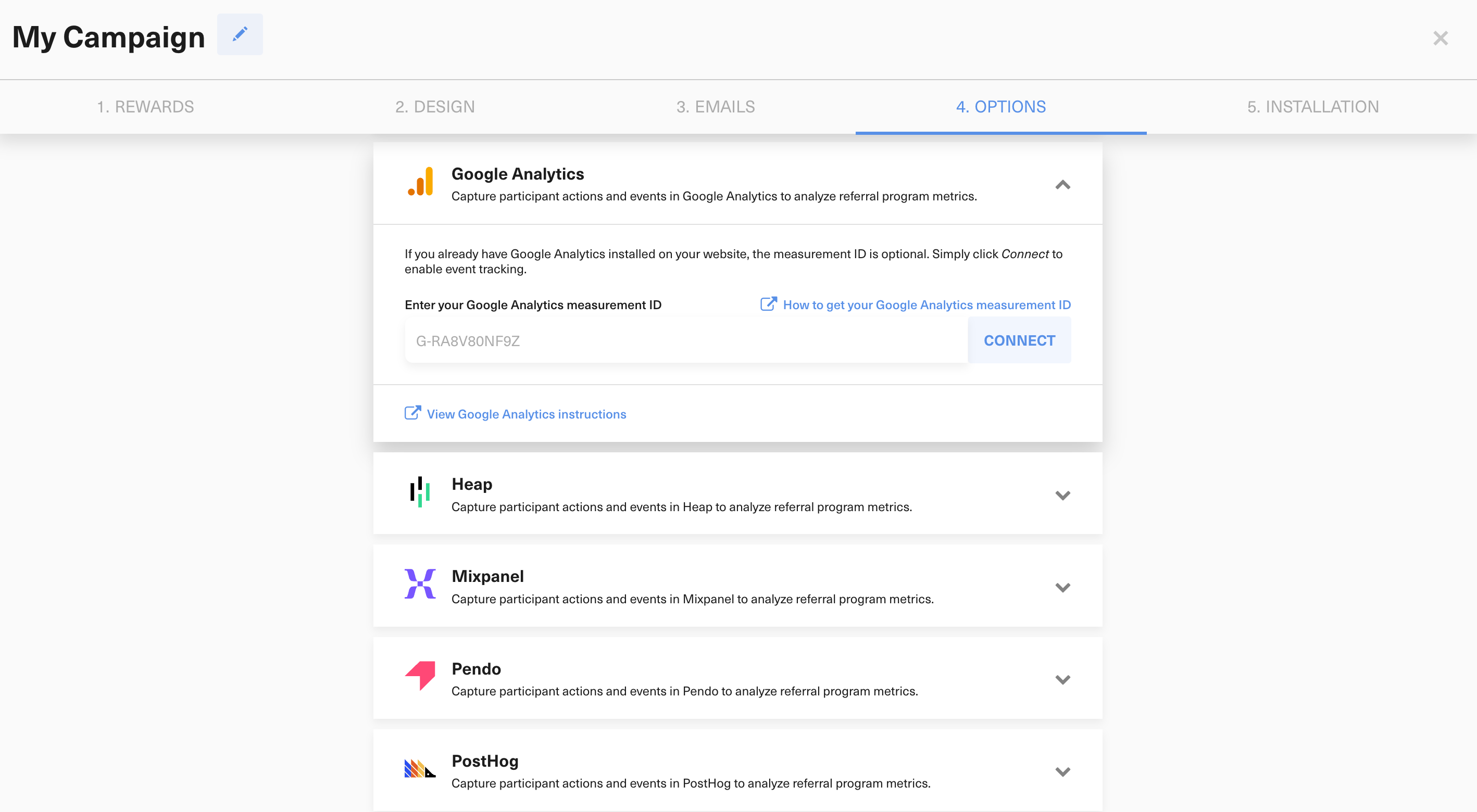
Connect the Google Analytics integration in GrowSurf, keep the relevant events enabled, and run one test referral flow so the event names are easy to confirm in GA4.
Use growsurf_signup if success means a new participant joined your program. Use growsurf_referral if success means a referred friend completed signup. Use growsurf_referral_trigger if a later qualifying action is what should count as the referral conversion.
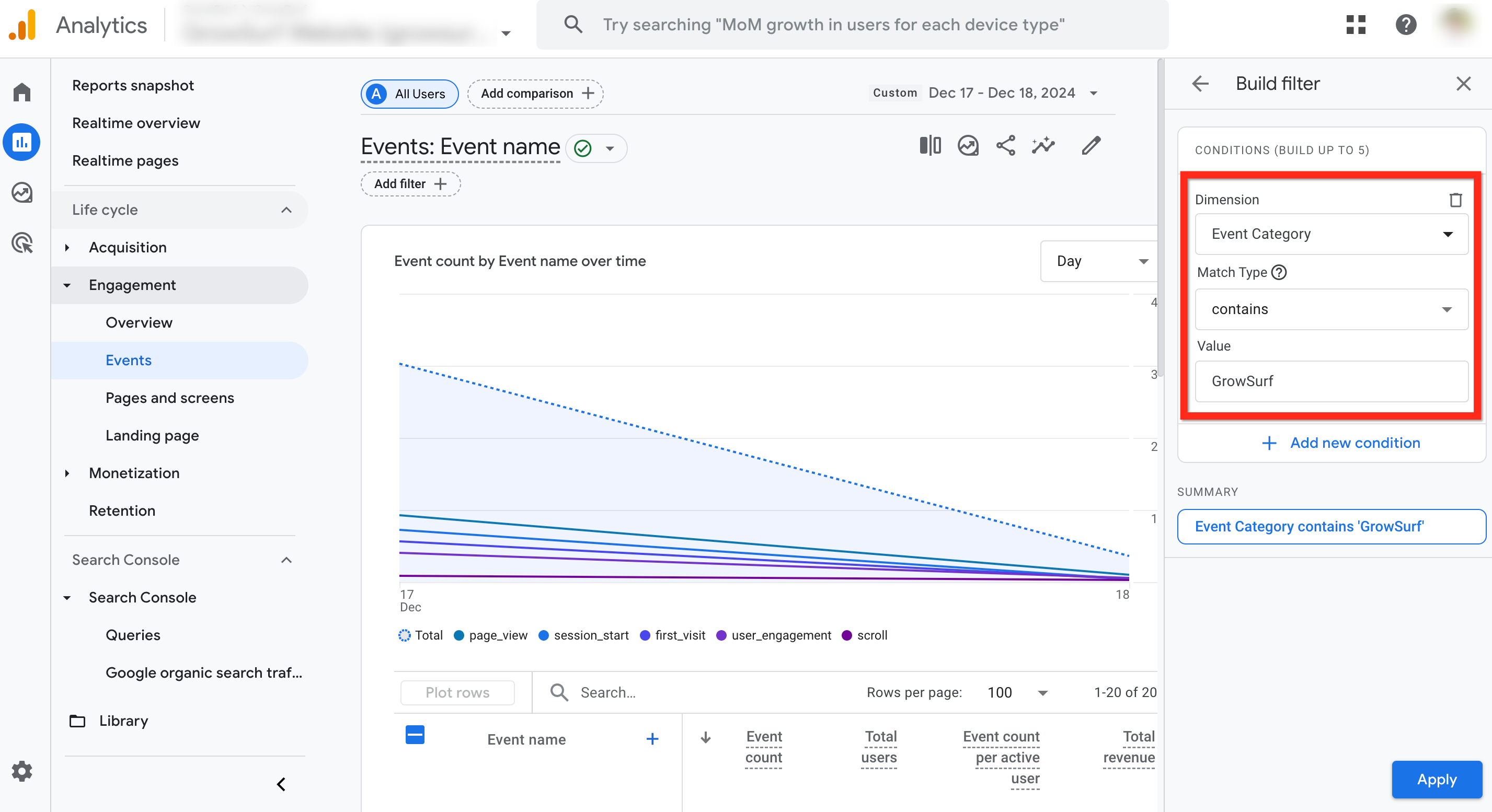
Open your GA4 events management or reporting view and confirm the exact GrowSurf event name you want to promote. Keeping the naming exact matters because key events are case sensitive.
In Google Analytics, mark the selected GrowSurf event as a key event. Keep the list focused on the one or two events that represent real referral success so reporting stays readable.
If you switch from counting referred-friend signups to counting a later qualified action, update the key event to match. Otherwise your dashboards will keep measuring the wrong success moment.
Keep key events reserved for the actions that represent real business success. Most programs only need one primary GrowSurf conversion event in GA4.
Google Analytics lets you create key events manually, but it is still smart to trigger one real referral flow first so you can copy the exact event name that GrowSurf is sending.
Connect GrowSurf to GA4 so referrer signups, shares, invites, referred signups, and qualified referral triggers appear as GrowSurf-tagged events in your reports.
View Guide →Use GrowSurf's GA4 events to separate referrer activity from referred-friend signups and the downstream actions that actually count as successful referrals.
View Guide →
Connect GrowSurf to Amplitude so you can verify referral events, inspect participant properties, and build reporting around referral activity.
View Guide →They serve the same job. Google Analytics 4 uses the term key events instead of the older Universal Analytics goal terminology.
Choose the GrowSurf event that matches the step you actually reward or report on: growsurf_signup, growsurf_referral, or growsurf_referral_trigger.
No. GA4 key-event configuration affects reporting from the point you create it forward, so it is worth setting the right event as soon as your referral tracking is stable.
Trusted by marketing and product teams at fast-growing B2C, fintech, and SaaS companies
Successfully submitted!
Error! Please try again
See referral programs that our customers have implemented.
