

 Salesforce
 Stripe
 Chargebee
 Recurly
 PayPal
 Tango Card
 Webhooks
 Zapier



Learn more
Built for startups,
scaled for unicorns
Successfully submitted!
Error! Please try again
See what it takes to set up a referral/affiliate program
Explore GrowSurf's powerful referral marketing platform
Watch a video demo of setting up a referral/affiliate program
GrowSurf plugs into your existing tools
GrowSurf vs other referral software providers
Explore our free suite of referral marketing tools.
Explore our free suite of tools built for startups.
Get discounts on top software and services like Notion, Deel, Apollo, and 1Password.
Explore Deals →
Our free loyalty software lets you reward your customers when they leave reviews, share on social media, and mention your brand.
Get It Free →Can you guess which startups made these growth tactics famous? Test your knowledge of innovative marketing strategies that led to explosive growth.
Play Now →
Want the full setup walkthrough?
Use these docs for exact setup steps, supported fields, and troubleshooting.
GrowSurf can listen for HubSpot deal stage changes and trigger referral credit when the associated contact's email matches an existing GrowSurf participant.
That makes HubSpot the source of the pipeline signal, while GrowSurf stays responsible for referral attribution, crediting, and reward logic.
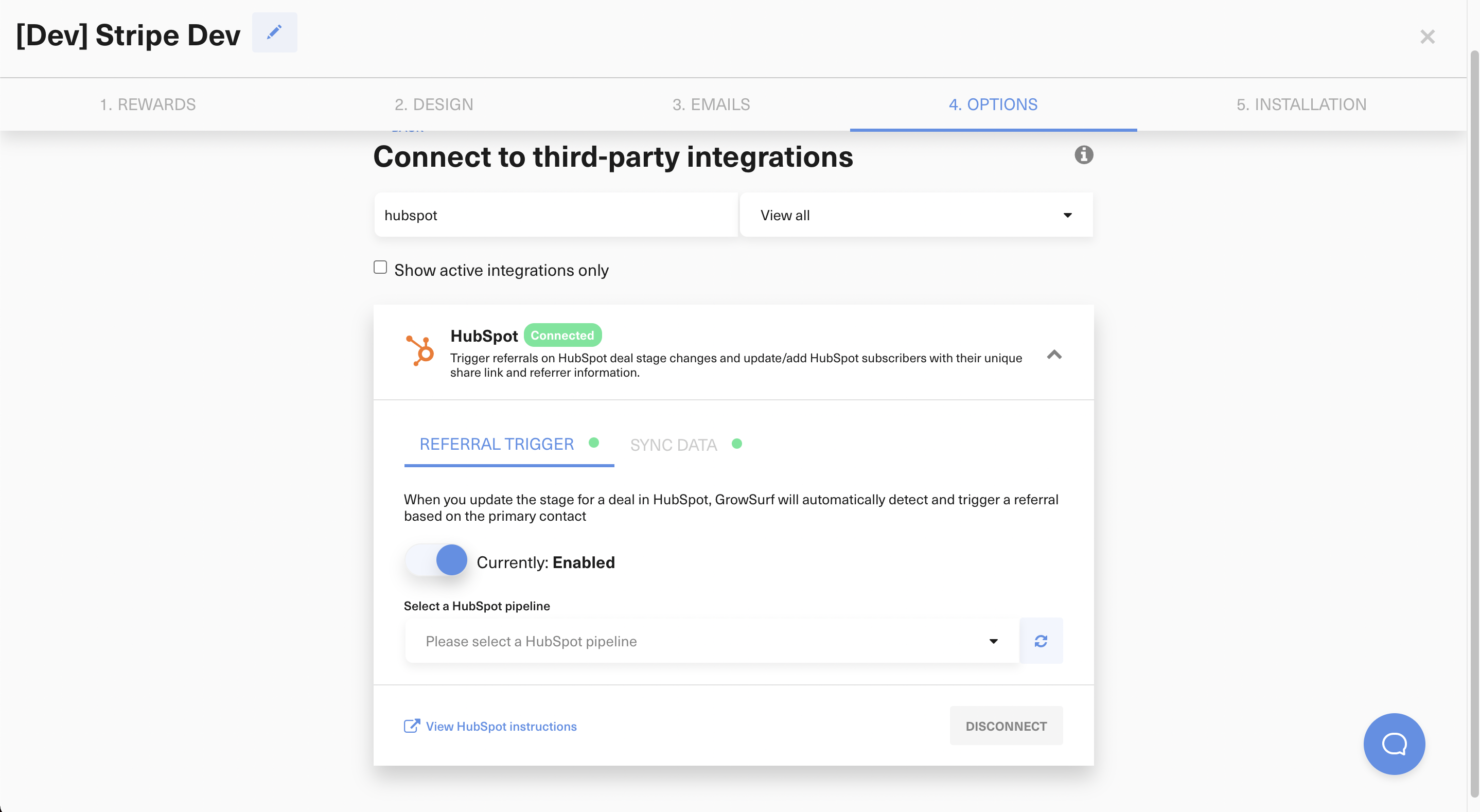
In GrowSurf, connect HubSpot and turn on Referral Trigger. You can use the HubSpot sync, the referral trigger, or both together depending on the workflow you need.
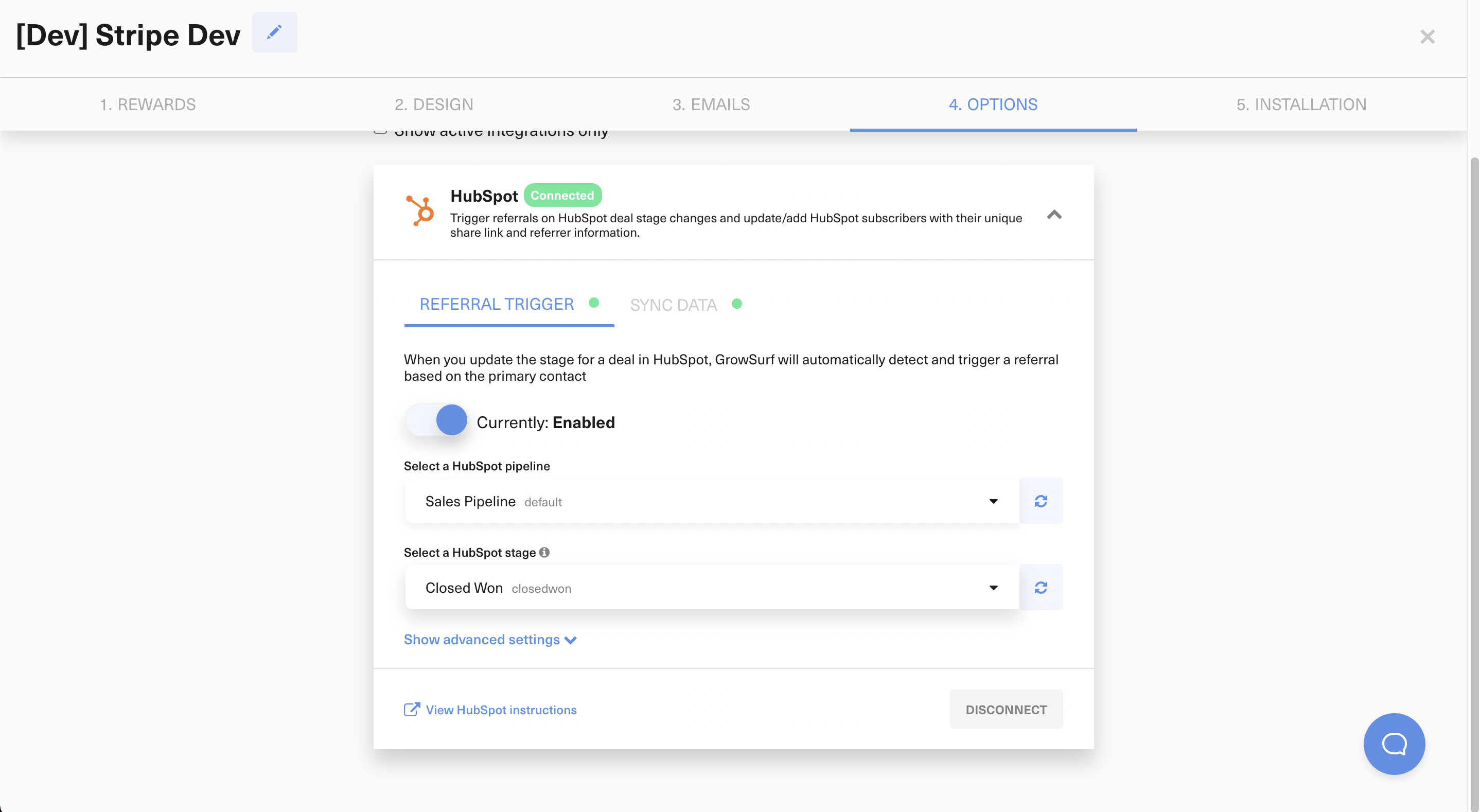
Pick the deal pipeline and stage that represent the real milestone for your referral program. In most teams, that is a stage closer to a qualified or closed outcome, not the first early-stage touchpoint.
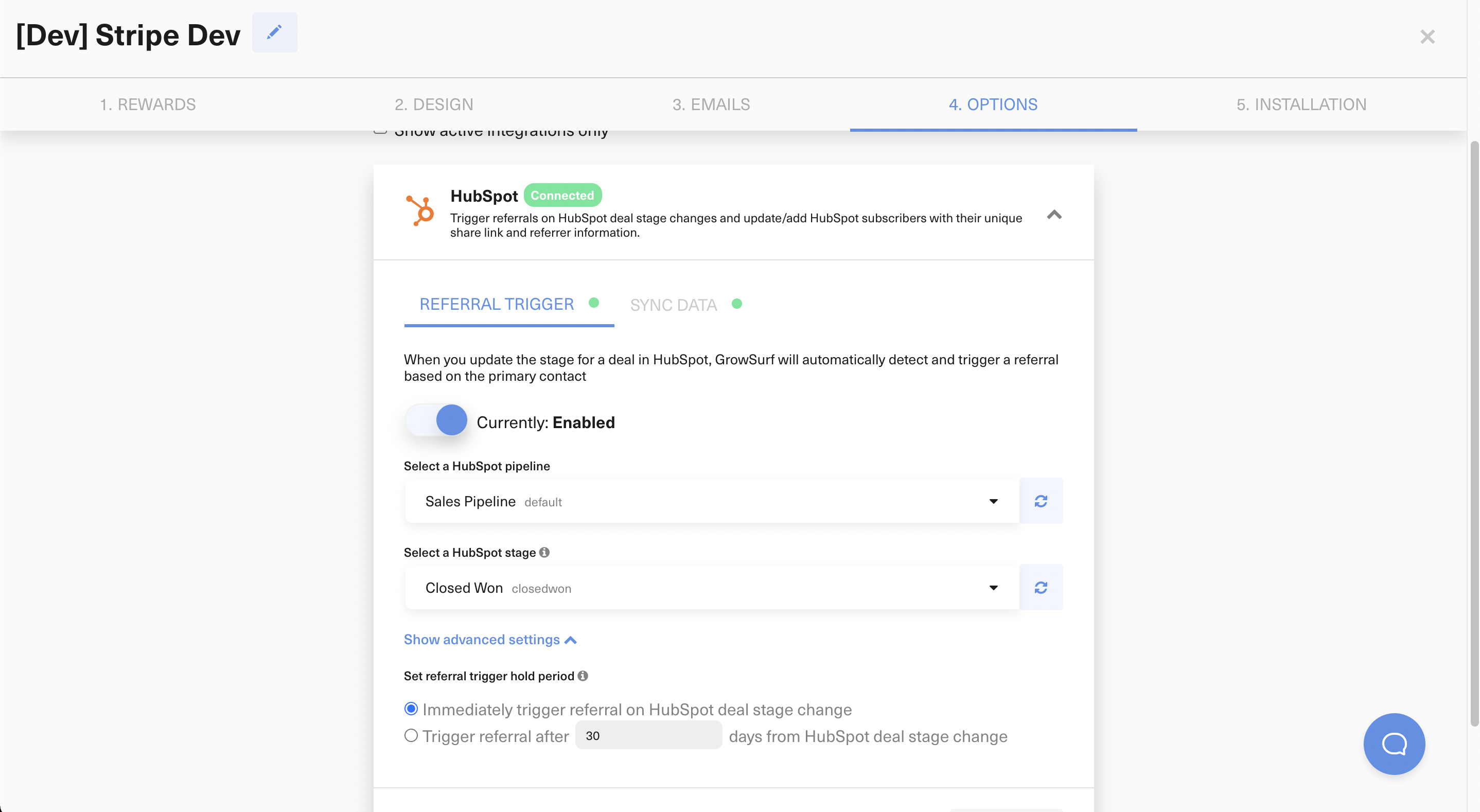
If deals often move backward after entering the selected stage, turn on the advanced hold period settings. GrowSurf will only award the referral if the deal remains in the qualifying stage for the time you choose.
HubSpot can only trigger a GrowSurf referral when the associated deal contact can be matched to a participant email GrowSurf already knows. If your campaign does not auto-add participants, make sure your signup flow, JavaScript install, or API integration creates the participant first.
HubSpot sends deal-stage events asynchronously, so do not expect referral credit to appear instantly. Move a test deal into the qualifying stage, then inspect the GrowSurf participant activity log to confirm when the trigger was received and processed.
If the stage is too early, you will award referrals before the opportunity is truly qualified. Use the stage that best represents the point where you want GrowSurf to count the referral.
GrowSurf checks the email address on the HubSpot deal's associated contact. If the wrong contact is attached to the deal, the referral trigger can match the wrong participant or fail to match anyone.
HubSpot events and GrowSurf queue processing are asynchronous. During testing, give the trigger at least a minute before assuming it failed, then read the participant activity log for the exact result.
Use the native HubSpot sync so your team can see share links, referral status, and referrer details on the contact record.
View Guide →Use GrowSurf contact properties in HubSpot emails and workflows so every participant sees their own referral link and referral context.
View Guide →Use GrowSurf contact properties inside HubSpot scores and segments so referral advocates surface faster for sales and lifecycle teams.
View Guide →No. GrowSurf already supports HubSpot deal-stage referral triggers natively. You choose the qualifying stage in GrowSurf, and GrowSurf handles the referral credit when HubSpot sends the event.
HubSpot sends stage-change events asynchronously, and GrowSurf processes them through a queue. A short delay is expected, so check the participant activity log before troubleshooting deeper.
The associated deal contact must already match a GrowSurf participant email. If your campaign does not auto-add participants, make sure your signup flow or API integration creates the participant record before the deal reaches the qualifying stage.
Trusted by marketing and product teams at fast-growing B2C, fintech, and SaaS companies
Successfully submitted!
Error! Please try again
See referral programs that our customers have implemented.
