

 Salesforce
 Stripe
 Chargebee
 Recurly
 PayPal
 Tango Card
 Webhooks
 Zapier



Learn more
Built for startups,
scaled for unicorns
Successfully submitted!
Error! Please try again
See what it takes to set up a referral/affiliate program
Explore GrowSurf's powerful referral marketing platform
Watch a video demo of setting up a referral/affiliate program
GrowSurf plugs into your existing tools
GrowSurf vs other referral software providers
Explore our free suite of referral marketing tools.
Explore our free suite of tools built for startups.
Get discounts on top software and services like Notion, Deel, Apollo, and 1Password.
Explore Deals →
Our free loyalty software lets you reward your customers when they leave reviews, share on social media, and mention your brand.
Get It Free →Can you guess which startups made these growth tactics famous? Test your knowledge of innovative marketing strategies that led to explosive growth.
Play Now →
Want the full setup walkthrough?
Use these docs for exact setup steps, supported fields, and troubleshooting.
GrowSurf's HubSpot sync writes referral data onto the HubSpot contact record, which means you can use that data in workflows, segments, and marketing emails without building a second sync layer.
This is the cleanest way to send first-share nudges, milestone reminders, and reward emails from HubSpot while letting GrowSurf stay in charge of referral attribution.
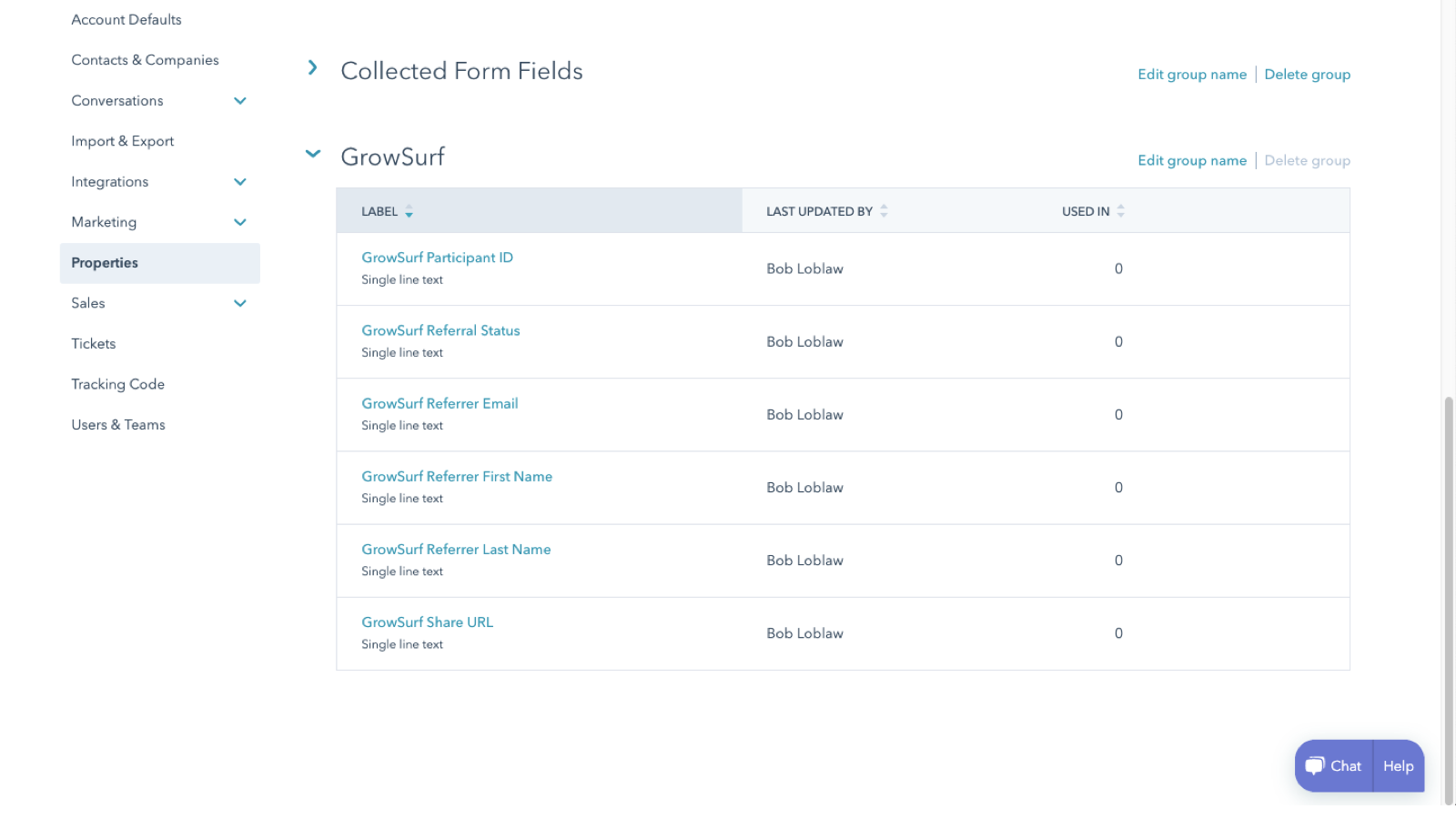
Connect HubSpot in GrowSurf before participants start flowing. After the connection is saved, open HubSpot contact properties and confirm the GrowSurf property group exists.
For most referral emails, start with:
GrowSurf Share URL for the participant's unique referral link.GrowSurf Total Referral Count to show progress and tailor the CTA for first-time sharers versus proven advocates.GrowSurf Next Milestone when you want the email to reinforce the next reward.GrowSurf Referral Status when the message depends on whether a referral is pending, awarded, or expired.Create contact-based workflows that branch on the GrowSurf properties. A common setup is a welcome sequence for new participants, a reminder for contacts whose referral count is still zero, and a reward or advocacy sequence for contacts whose referral status has moved forward.
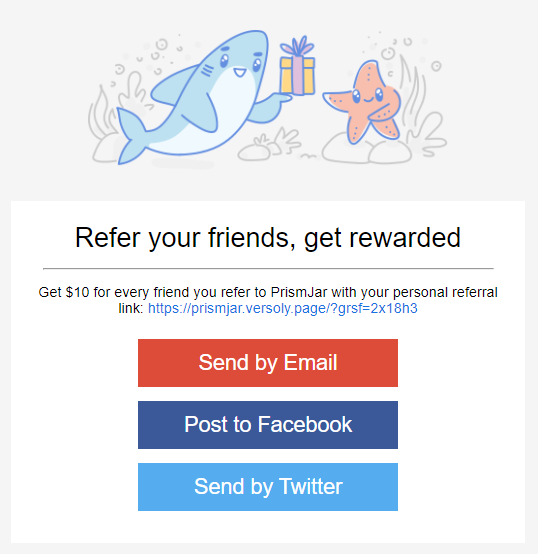

If you use HubSpot's custom HTML email editor, GrowSurf's tutorial examples give you a faster starting point for the layout and CTA copy. If you use HubSpot's standard editor, add the synced properties as personalization tokens in the places where the reader needs their share link or referral progress.
Before you send anything live, preview or test the email against a contact who already exists in GrowSurf and HubSpot. This confirms that the personalization token resolves, the fallback content makes sense, and the workflow is enrolling the right people.
HubSpot will leave a personalization token blank if the contact does not have a value for that property. Set sensible fallbacks for messages where an empty field would break the email.
If the purpose of the email is to drive more referrals, surface the participant's unique share link early and make the action obvious. Do not bury the link below generic lifecycle copy.
GrowSurf's HubSpot tutorials already show email patterns that work with the synced properties. Adapt the copy and design for your brand, but keep the merge data tied to the native GrowSurf fields on the HubSpot contact.
Use the native HubSpot sync so your team can see share links, referral status, and referrer details on the contact record.
View Guide →Use GrowSurf contact properties inside HubSpot scores and segments so referral advocates surface faster for sales and lifecycle teams.
View Guide →Use HubSpot deal-stage referral triggers in GrowSurf so a qualified deal stage can award referral credit without a custom workflow bridge.
View Guide →Yes. After the integration is connected, GrowSurf syncs the participant's share link into HubSpot as a contact property. You can use that property as a personalization token in HubSpot emails.
No. GrowSurf already syncs the supported referral properties to HubSpot contacts. Build your workflow logic in HubSpot on top of those synced properties instead of sending the same values through another tool.
Test enrollment, token rendering, and fallbacks with at least one real synced contact. You should confirm the share link resolves correctly and the workflow branches behave differently for contacts with different referral states.
Trusted by marketing and product teams at fast-growing B2C, fintech, and SaaS companies
Successfully submitted!
Error! Please try again
See referral programs that our customers have implemented.
