

 Salesforce
 Stripe
 HubSpot
 Chargebee
 Recurly
 PayPal
 Tango Card
 Webhooks
 Zapier



Learn more
Built for startups,
scaled for unicorns
Successfully submitted!
Error! Please try again
See what it takes to set up a referral/affiliate program
Explore GrowSurf's powerful referral marketing platform
Watch a video demo of setting up a referral/affiliate program
GrowSurf plugs into your existing tools
GrowSurf vs other referral software providers
Explore our free suite of referral marketing tools.
Explore our free suite of tools built for startups.
Get discounts on top software and services like Notion, Deel, Apollo, and 1Password.
Explore Deals →
Our free loyalty software lets you reward your customers when they leave reviews, share on social media, and mention your brand.
Get It Free →Can you guess which startups made these growth tactics famous? Test your knowledge of innovative marketing strategies that led to explosive growth.
Play Now →
Want the full setup walkthrough?
Use these docs for exact setup steps, supported fields, and troubleshooting.
GrowSurf keeps your selected Klaviyo list updated with referral-specific profile properties such as share URL, referral status, referral counts, and next milestone text.
Once those values exist on synced Klaviyo profiles, you can use them to build segments that target the right referral audience without maintaining duplicate lists or manual tags.
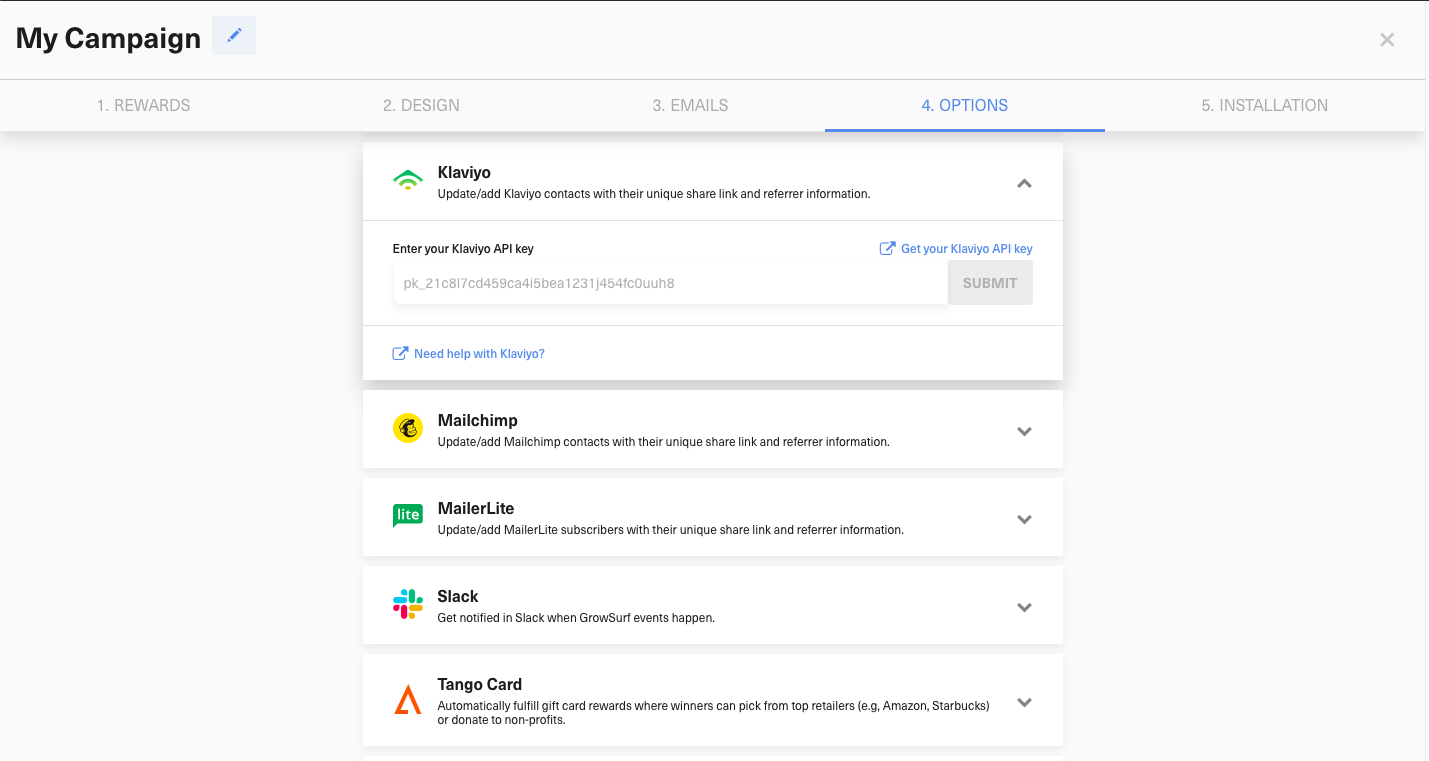
Open the Klaviyo integration in GrowSurf, enter your API key, and select the Klaviyo list that should receive participant updates.
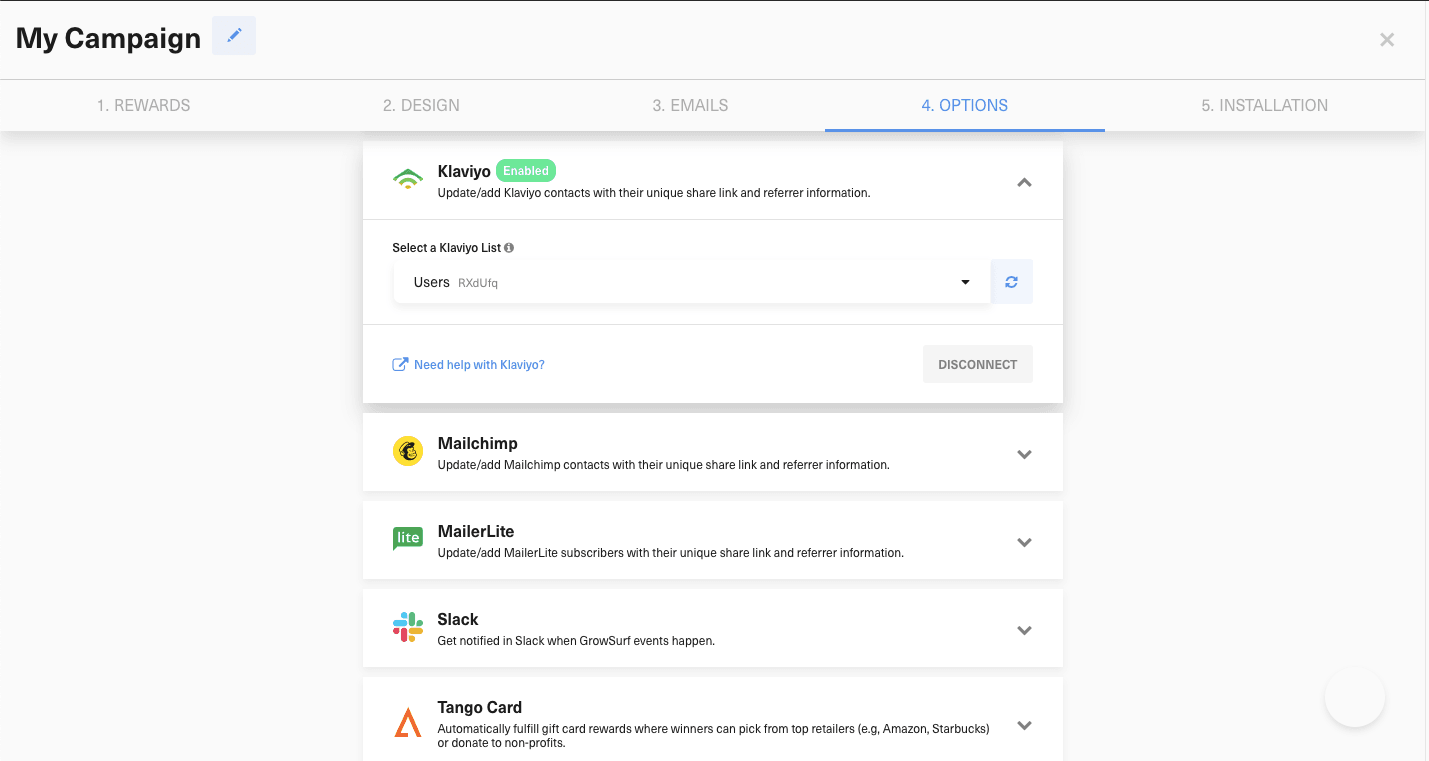
Give GrowSurf time to sync at least one real participant record so the GrowSurf properties are available on Klaviyo profiles for segmentation.
In Klaviyo, build segments from the synced GrowSurf profile properties instead of creating a second referral audience by hand.
GrowSurf Total Referral Count is 0 so you can send a first-share nudge.GrowSurf Referral Status is CREDIT_AWARDED when you want to reward or upsell your most active referrers.GrowSurf Next Milestone is populated when you want to send progress reminders tied to a real upcoming reward.Once the segment logic is working, plug the same audiences into your usual Klaviyo campaigns, automated flows, and suppression rules.
Test each segment against participant records you can verify in GrowSurf so your Klaviyo audience rules always match the referral data your team is already using elsewhere.
Klaviyo can only segment on properties that exist on profiles, so connect the integration early and confirm GrowSurf has synced real participant records before you build your audience rules.
Use the synced GrowSurf properties for referral audiences instead of layering a second manual tagging workflow on top of Klaviyo.
The strongest referral segments usually support one job at a time, such as first-share activation, milestone reminders, or celebrating newly credited referrers.
Sync GrowSurf referral properties into Klaviyo profiles, then use them in email flows that keep each participant's link and reward progress current.
View Guide →Use synced GrowSurf profile properties in Klaviyo SMS so every text sends the right referral link and a timely reason to tap.
View Guide →
Use GrowSurf fields inside your Mailchimp Audience to create segments for new participants, active referrers, and people close to a reward.
View Guide →After GrowSurf has synced those values onto at least one profile in the connected Klaviyo list. If you do not see the properties yet, verify that a real participant has already synced.
Start with audiences based on zero referrals, credited referrals, or participants with a next milestone to unlock. Those segments map cleanly to activation, celebration, and progress campaigns.
No. In most setups, one GrowSurf-synced list plus Klaviyo segments built from the GrowSurf profile properties is the cleaner approach.
Trusted by marketing and product teams at fast-growing B2C, fintech, and SaaS companies
Successfully submitted!
Error! Please try again
See referral programs that our customers have implemented.
