

 Salesforce
 Stripe
 HubSpot
 Chargebee
 Recurly
 PayPal
 Tango Card
 Webhooks
 Zapier



Learn more
Built for startups,
scaled for unicorns
Successfully submitted!
Error! Please try again
See what it takes to set up a referral/affiliate program
Explore GrowSurf's powerful referral marketing platform
Watch a video demo of setting up a referral/affiliate program
GrowSurf plugs into your existing tools
GrowSurf vs other referral software providers
Explore our free suite of referral marketing tools.
Explore our free suite of tools built for startups.
Get discounts on top software and services like Notion, Deel, Apollo, and 1Password.
Explore Deals →
Our free loyalty software lets you reward your customers when they leave reviews, share on social media, and mention your brand.
Get It Free →Can you guess which startups made these growth tactics famous? Test your knowledge of innovative marketing strategies that led to explosive growth.
Play Now →
Want the full setup walkthrough?
Use these docs for exact setup steps, supported fields, and troubleshooting.
GrowSurf keeps the referral data in your Mailchimp Audience up to date while Mailchimp handles the send logic. That split works well when you want automated referral reminders, progress nudges, or milestone follow-up without moving your email program out of Mailchimp.
Use this guide when you want Mailchimp automations or Customer Journeys to react to referral activity instead of sending the same message to every participant.
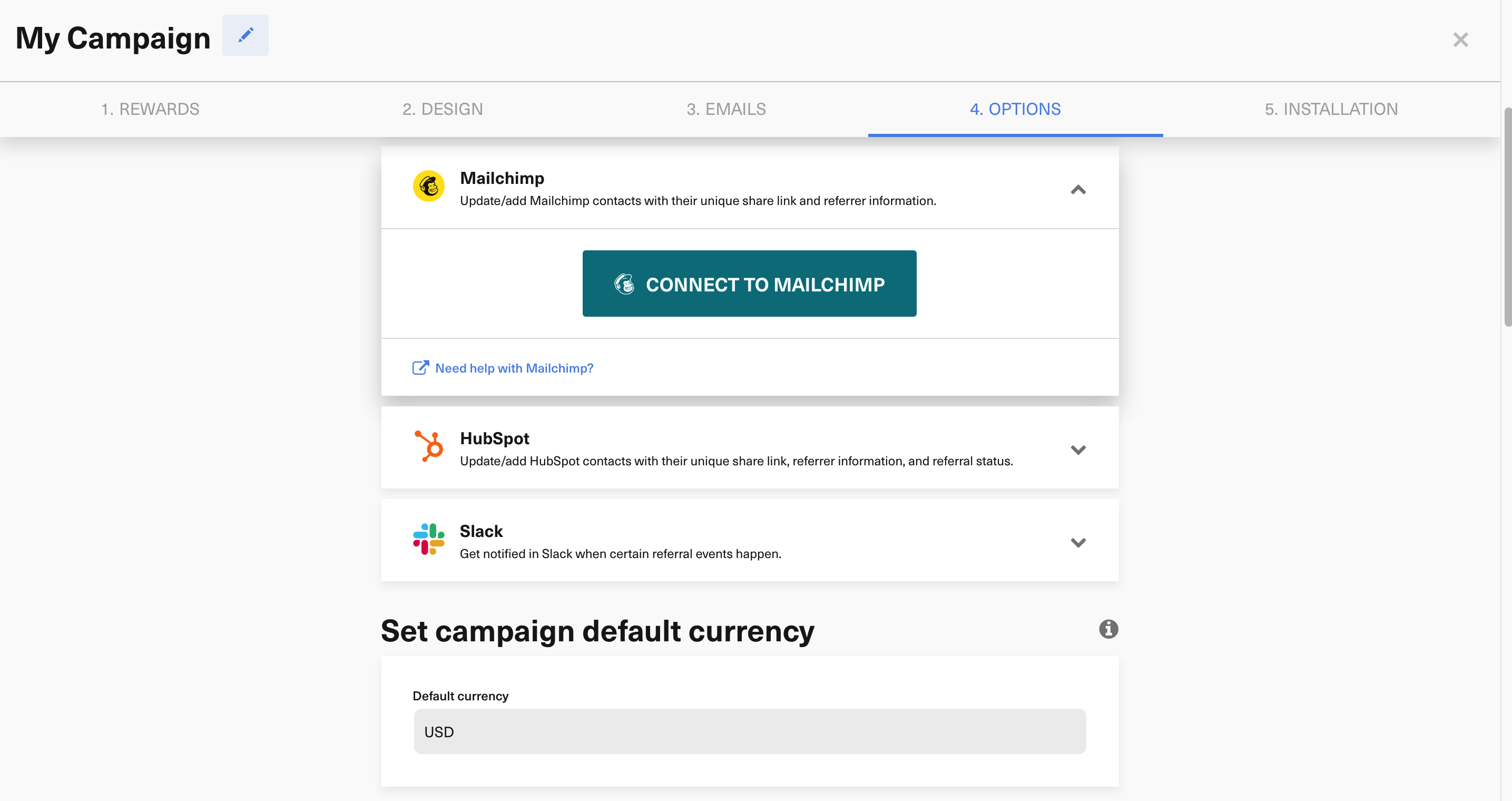
Inside GrowSurf, connect Mailchimp, choose the Audience you want to use, and save the integration before participants start flowing. That gives Mailchimp the referral fields it needs for automated branching and message personalization.
The strongest Mailchimp referral automations usually focus on a single job: remind people to share, congratulate people after they earn credit, or push people toward the next milestone. Keeping the flow narrow makes it easier to choose the right GrowSurf fields and write the right copy for each step.
*|TREFCOUNT|* to separate participants who have never referred anyone from people already sharing successfully.*|REFSTATUS|* when the message should change after a referral is credited.*|NXTREWARD|* or *|NXTMREWARD|* when you want the automation to reinforce the next milestone.
If the flow targets first-time sharers, keep the CTA centered on the personal share link. If the flow targets nearly-there advocates, use the next reward text to explain why one more referral matters. Let Mailchimp control timing and enrollment while GrowSurf provides the referral facts.
Run at least one automation test for a participant with zero referrals and one for a participant who has already moved forward in the program. That catches most branching mistakes before the flow goes live.
The cleanest setup is to keep referral fields sourced from GrowSurf and use Mailchimp only for enrollment, branching, and message cadence.
A simple reminder versus milestone split is easier to validate than a large automation with many paths and overlapping referral messages.
If you remove merge fields, make them required, or swap Mailchimp Audiences, run a fresh automation test so the GrowSurf values still resolve as expected.
Sync GrowSurf merge tags into your Mailchimp Audience so every referral email can show the right share link, progress update, and reward message.
View Guide →Use GrowSurf fields inside your Mailchimp Audience to create segments for new participants, active referrers, and people close to a reward.
View Guide →
Use GrowSurf referral fields in ActiveCampaign automations so new participants, active referrers, and reward earners get the right follow-up.
View Guide →No. GrowSurf syncs the referral data and merge-tag values into Mailchimp. Mailchimp still controls the automation, enrollment rules, and actual email sending.
*|SHAREURL|* or a referral portal button?Use *|SHAREURL|* when you want the simplest direct-link CTA. Use the referral portal URL format from GrowSurf's Mailchimp tutorials when you want a button that opens the participant's portal experience with subscriber details already passed through.
Usually the problem is either segment logic that does not match the GrowSurf field values, or Audience sync issues caused by required Mailchimp fields. Test with real synced participants and compare the Mailchimp record to the GrowSurf participant record before you expand the flow.
Trusted by marketing and product teams at fast-growing B2C, fintech, and SaaS companies
Successfully submitted!
Error! Please try again
See referral programs that our customers have implemented.
