

 Salesforce
 HubSpot
 Chargebee
 Recurly
 Tango Card
 Webhooks
 Zapier



Learn more
Built for startups,
scaled for unicorns
Successfully submitted!
Error! Please try again
See what it takes to set up a referral/affiliate program
Explore GrowSurf's powerful referral marketing platform
Watch a video demo of setting up a referral/affiliate program
GrowSurf plugs into your existing tools
GrowSurf vs other referral software providers
Explore our free suite of referral marketing tools.
Explore our free suite of tools built for startups.
Get discounts on top software and services like Notion, Deel, Apollo, and 1Password.
Explore Deals →
Our free loyalty software lets you reward your customers when they leave reviews, share on social media, and mention your brand.
Get It Free →Can you guess which startups made these growth tactics famous? Test your knowledge of innovative marketing strategies that led to explosive growth.
Play Now →
Want the full setup walkthrough?
Use these docs for exact setup steps, supported fields, and troubleshooting.
This guide covers GrowSurf's affiliate payout flow with PayPal: GrowSurf tracks commissions, applies your hold period and payout threshold, and then lets you send eligible affiliates a bulk PayPal payout from the admin dashboard.
Use it when you want commission approval and payout eligibility to stay in GrowSurf, while PayPal handles the actual money movement to affiliates.
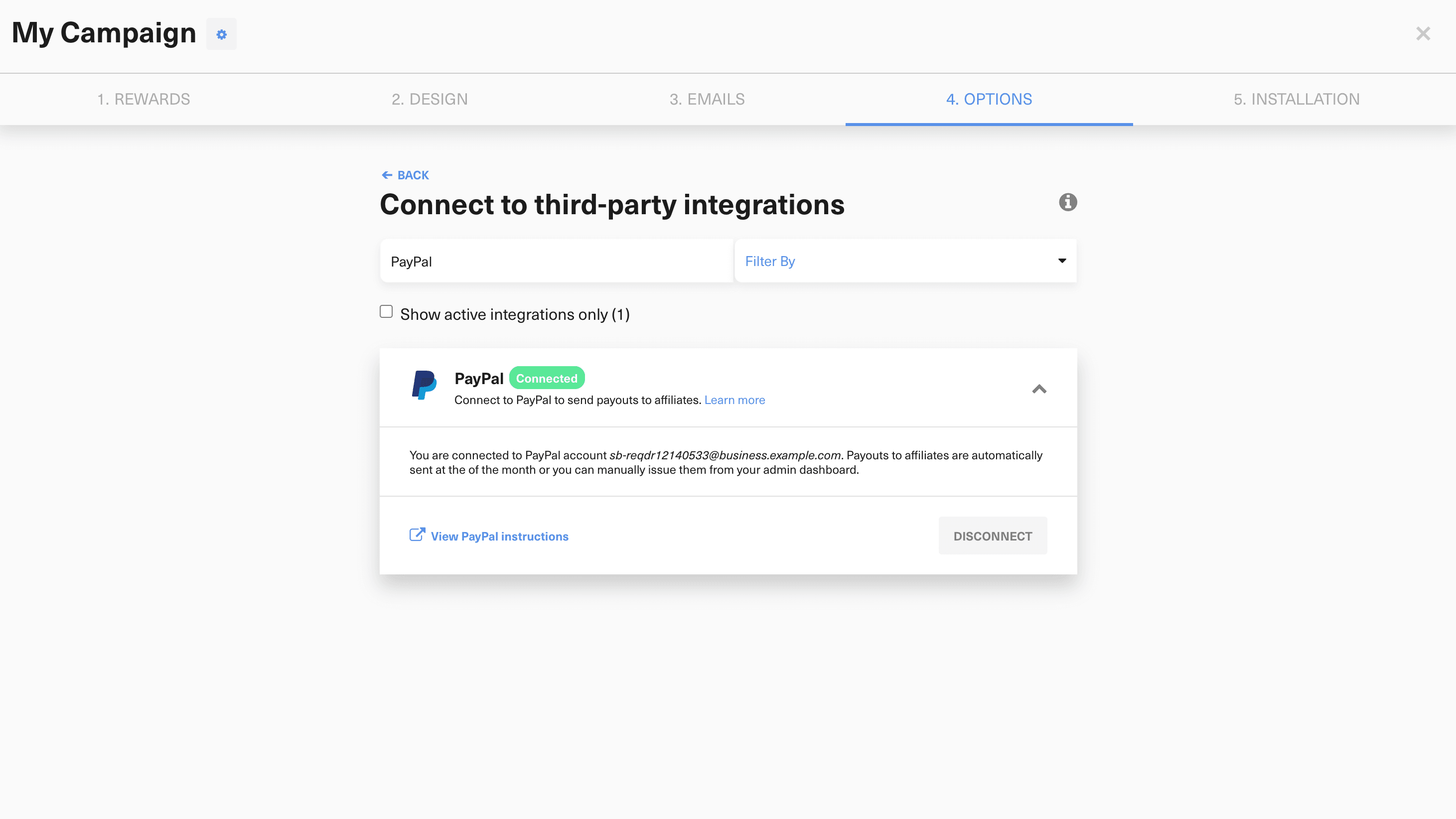
Before sending affiliate payouts, make sure you have a PayPal business account with access to PayPal Payouts, verified account details, sufficient funds, and a default currency selected for the GrowSurf campaign. As with referral payouts, GrowSurf recommends connecting with the primary PayPal account holder login.
In Campaign Editor > 4. Options > Integrations, connect PayPal to the affiliate campaign. GrowSurf then uses your affiliate program settings, including commission approval, hold period, and payout threshold, to determine when an affiliate becomes eligible to be paid.
Only commissions that have passed the hold period count toward the affiliate's upcoming payout total, which helps absorb refunds and chargebacks before money is sent.
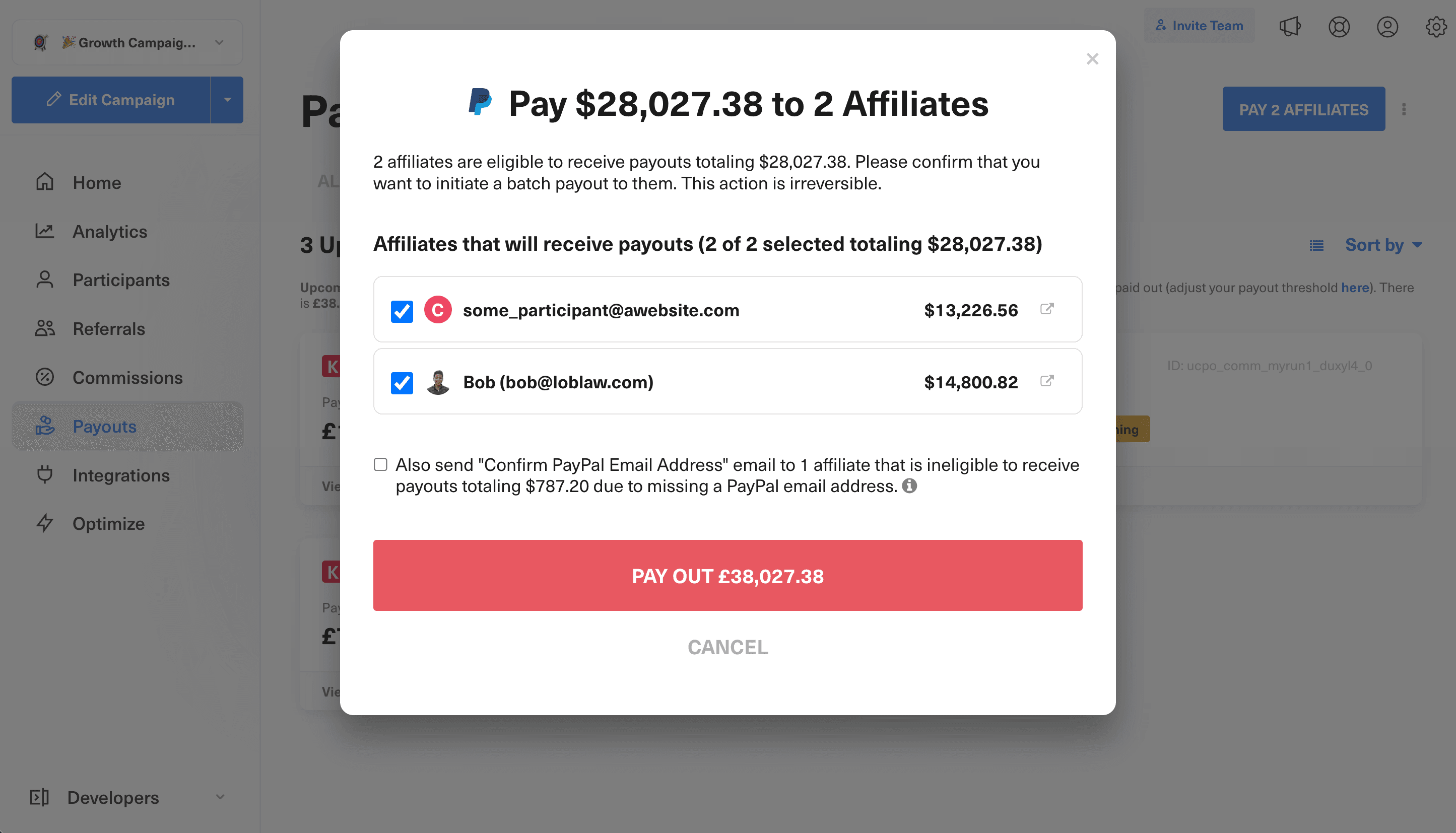
When commissions are ready, open the Payouts page in the GrowSurf admin dashboard and click Pay Affiliates. GrowSurf previews the affiliates who meet your threshold and the total payout amount before you confirm the batch payout.
If an affiliate does not yet have a PayPal email address on file, GrowSurf can send the Confirm PayPal Email Address email so they can become eligible for the next payout run.
After you confirm the payout, GrowSurf sends the PayPal batch payout and can email affiliates a New Payout Sent notification if that email is enabled in the campaign. GrowSurf also emails the campaign owner with the payout outcome.
If any payout fails, GrowSurf lists that failure in the admin dashboard under Payouts > Failed so your team can investigate and resend or handle it manually.
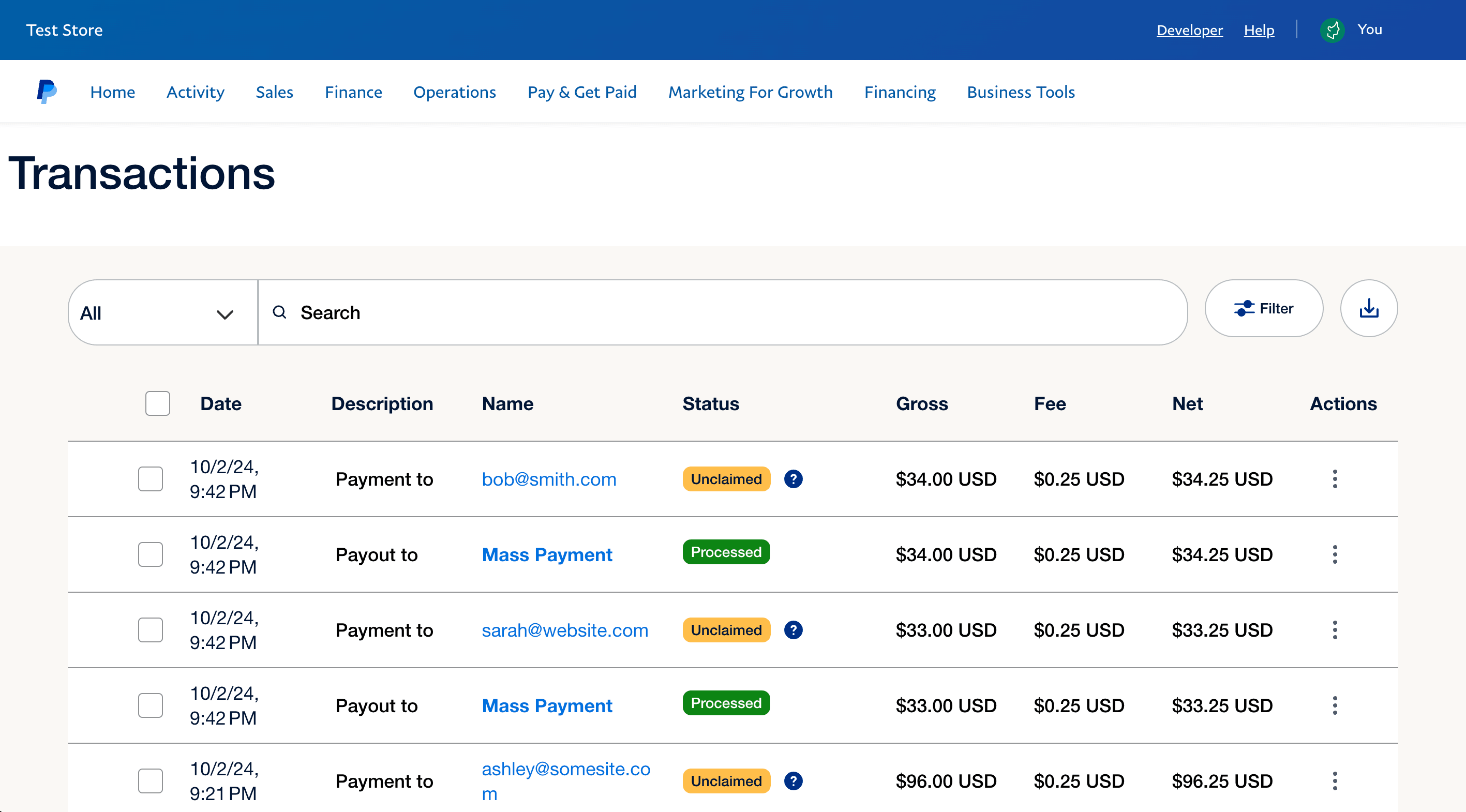
To confirm that the payout was sent, review PayPal Transactions History and filter for sent payments. GrowSurf's docs note that Mass Payment rows are not duplicate payments; they are PayPal's records of GrowSurf using the payouts API.
Affiliates only become eligible for a PayPal payout once they have a PayPal email address on file, so prompt them to complete that step before your regular payout window.
GrowSurf only includes approved commissions that have cleared the hold period, so the hold period is the control that protects you from paying on revenue that may still be reversed.
Let GrowSurf manage who is eligible and let PayPal handle disbursement. That keeps finance reviews and affiliate program rules in one place.
Use GrowSurf's native PayPal payouts integration to send one-time cash referral rewards after a reward is unlocked or approved.
View Guide →
Connect Stripe to your GrowSurf affiliate program so commissions are generated from real payments, then pay partners through your normal finance workflow.
View Guide →Use Stripe charge events as the qualifying referral action and keep the participant and referrer trail attached to the right customer record.
View Guide →GrowSurf includes commissions that have been approved, have passed the hold period, and have pushed the affiliate above your payout threshold. Pending commissions do not count toward the upcoming payout batch.
Yes. Affiliates only show up as eligible for PayPal payouts once they have a PayPal email address on file. If they are missing one, GrowSurf can send the confirmation email so they can add it before the next payout run.
GrowSurf sends a notification to the campaign owner and lists failures in Payouts > Failed. You can then cross-check PayPal Transactions History and, if necessary, issue the payment manually from PayPal.
Trusted by marketing and product teams at fast-growing B2C, fintech, and SaaS companies
Successfully submitted!
Error! Please try again
See referral programs that our customers have implemented.
