

 Salesforce
 HubSpot
 Recurly
 Tango Card
 Webhooks
 Zapier



Learn more
Built for startups,
scaled for unicorns
Successfully submitted!
Error! Please try again
See what it takes to set up a referral/affiliate program
Explore GrowSurf's powerful referral marketing platform
Watch a video demo of setting up a referral/affiliate program
GrowSurf plugs into your existing tools
GrowSurf vs other referral software providers
Explore our free suite of referral marketing tools.
Explore our free suite of tools built for startups.
Get discounts on top software and services like Notion, Deel, Apollo, and 1Password.
Explore Deals →
Our free loyalty software lets you reward your customers when they leave reviews, share on social media, and mention your brand.
Get It Free →Can you guess which startups made these growth tactics famous? Test your knowledge of innovative marketing strategies that led to explosive growth.
Play Now →
Want the full setup walkthrough?
Use these docs for exact setup steps, supported fields, and troubleshooting.
Use this guide when your referral program should send a cash reward through PayPal instead of issuing a coupon, account credit, or gift card.
GrowSurf handles the reward logic and can issue a one-time PayPal payout when the qualifying referral reward is unlocked. If the participant is receiving a PayPal payout for the first time, GrowSurf can send a confirmation email so they can choose the PayPal email address they want to use.
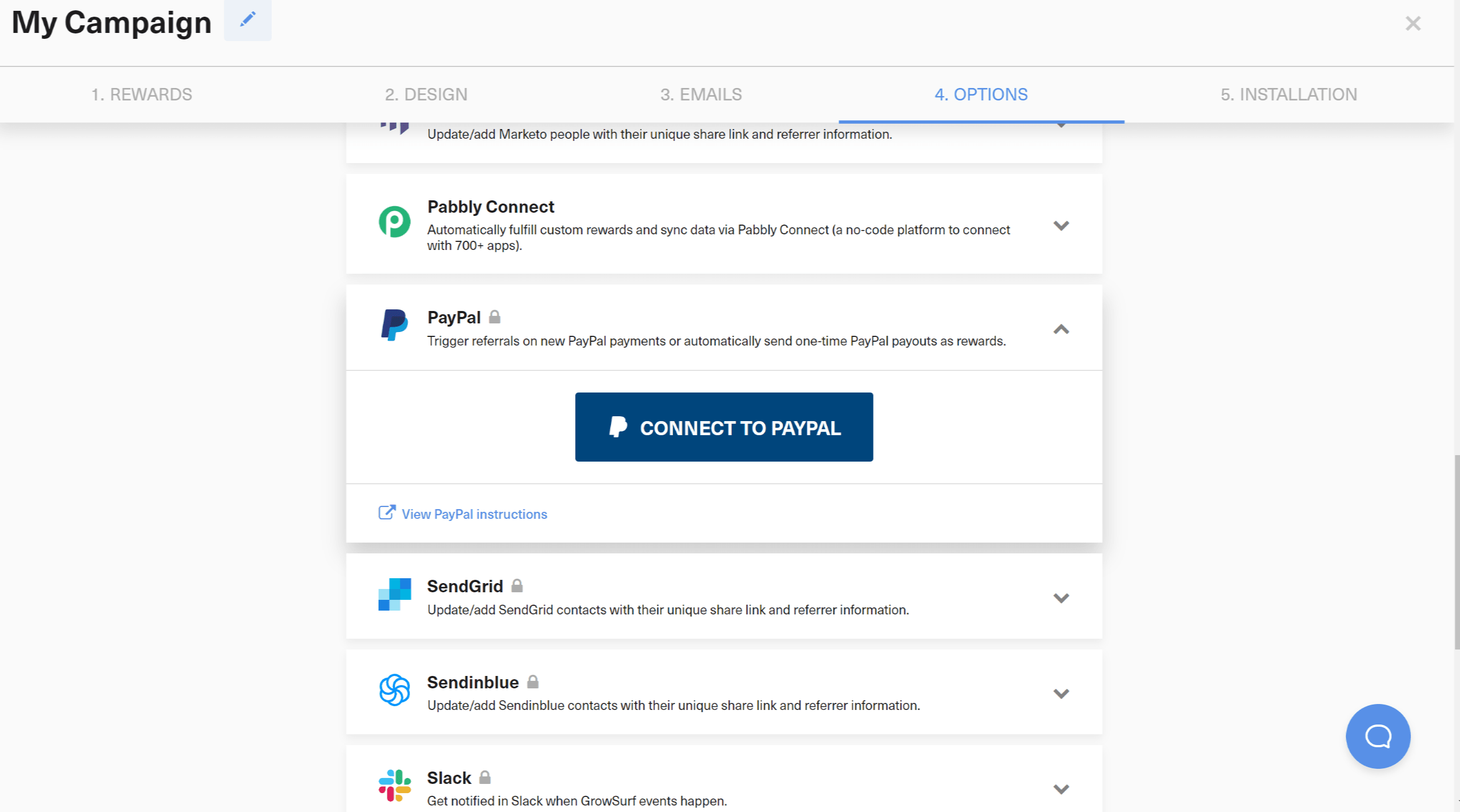
Before you connect PayPal, make sure you have a PayPal business account with access to PayPal Payouts, verified identity and email, a linked bank account, and enough funds to cover both rewards and fees. GrowSurf also requires a default campaign currency before PayPal can be connected.
When you connect the account inside GrowSurf, use the primary PayPal account holder login. The official docs note that using a team member login can cause payout permission issues later.
In Campaign Editor > 4. Options > Integrations, click Connect to PayPal. For referral programs, GrowSurf enables Referral Trigger by default after PayPal is connected, which lets GrowSurf trigger referrals from new PayPal charges when the customer email matches a GrowSurf participant.
If PayPal payments should be the event that triggers referrals, leave that setting enabled. If you already trigger referrals another way, turn the PayPal referral trigger off and keep PayPal only for payouts.
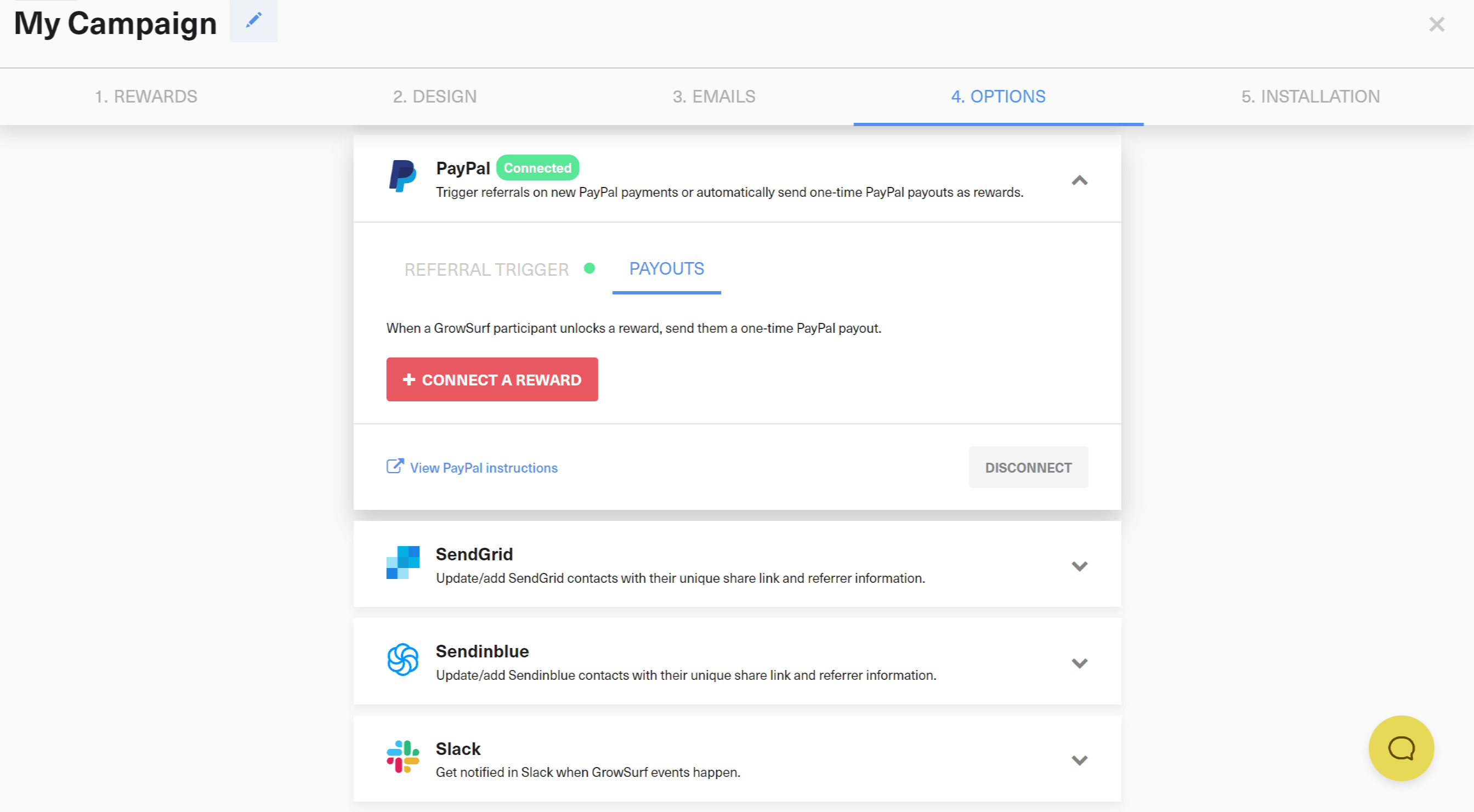
Open the Payouts tab, click Connect a Reward, and select the reward that should be delivered as cash. This is where you decide which reward in GrowSurf should result in a PayPal payout.
If your campaign uses manual reward approval, keep in mind that the payout is not sent until the reward is approved.
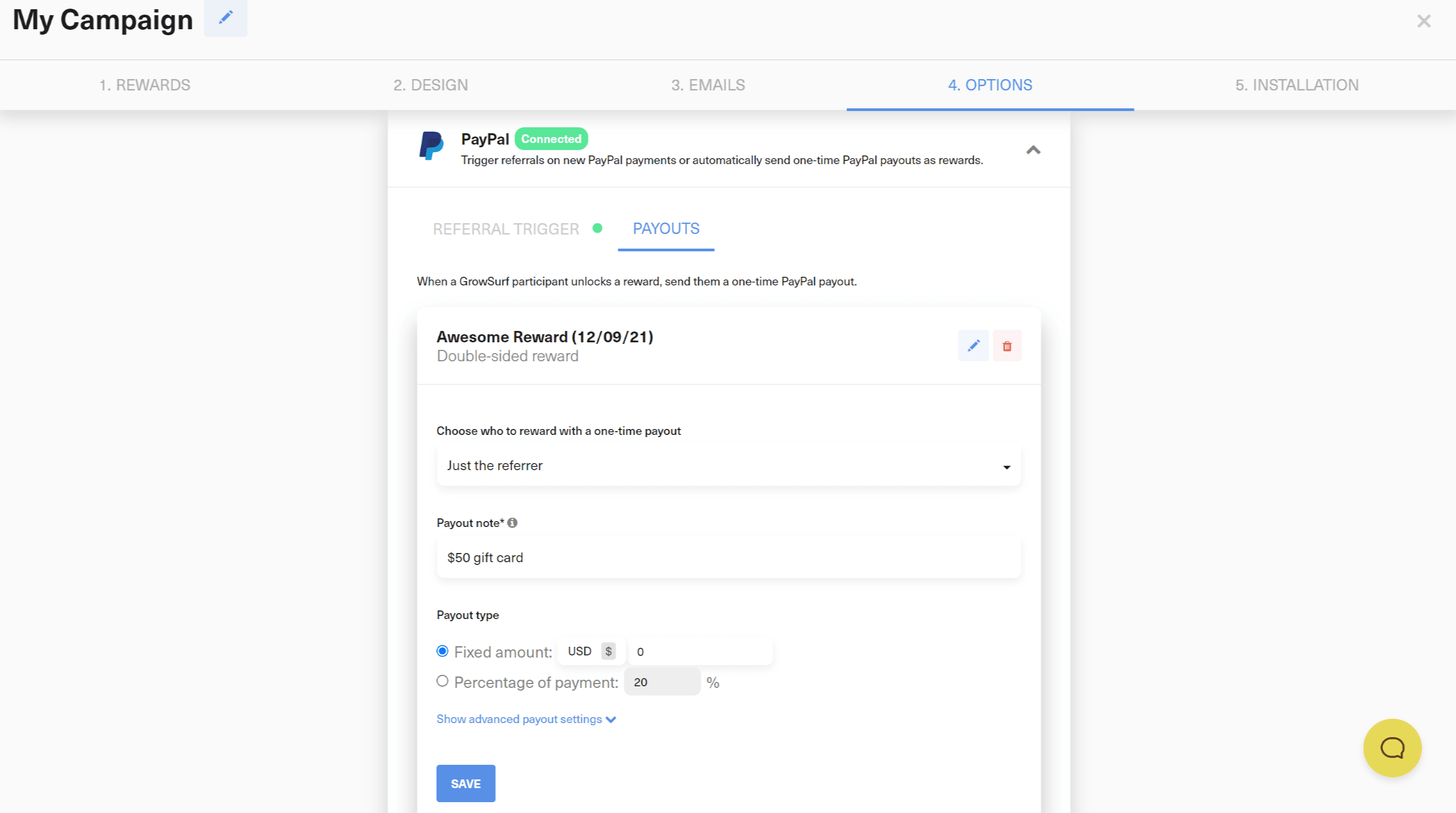
For the connected reward, enter the payout name and note that the PayPal recipient should see, then choose the payout type and amount. If you need different payout values for different referred customers or plans, GrowSurf's PayPal docs also support dynamic rewards for more advanced reward rules.
After you save the reward, GrowSurf shows the PayPal payout integration as enabled for that reward.
When a participant unlocks the reward, GrowSurf issues the PayPal payout tied to that reward. If first-time email confirmation is enabled, the participant will receive an email to confirm the PayPal email address to use before the payout is released.
To verify that the reward actually went out, check the participant detail or activity log in GrowSurf and then review PayPal Transactions History for the matching payment. If there is a failure, GrowSurf notes the issue for the campaign owner and you can manually issue the payout from PayPal if needed.
PayPal cannot be connected until the GrowSurf campaign already has a default currency selected.
This is the simplest way to avoid permissions issues when GrowSurf later tries to send payouts through the PayPal API.
If your campaign uses manual reward approval or first-time PayPal email confirmation, build that extra step into your reward operations so winners are not surprised by a short delay.
Use GrowSurf's Payouts page to send PayPal bulk payouts after affiliate commissions clear your hold period and payout threshold.
View Guide →
Use Stripe coupons or credits as subscription rewards so referred revenue unlocks a billing benefit without manual coupon creation.
View Guide →
Connect Chargebee credits or coupons to GrowSurf rewards so winning participants receive the right subscription incentive automatically.
View Guide →Yes. On referral campaigns, connecting PayPal enables Referral Trigger by default, and the same integration can also power one-time PayPal reward payouts. If another event already triggers referrals for your program, you can disable the PayPal referral trigger and keep PayPal only for payouts.
If the participant does not have a PayPal account, or their account is not confirmed, PayPal sends them an email prompting them to sign up or confirm the account before they can receive funds.
The most common reasons are manual reward approval still being pending, insufficient PayPal permissions or funds, or a short processing delay right after the reward unlocks. GrowSurf surfaces failures in the participant record and activity logs for troubleshooting.
Trusted by marketing and product teams at fast-growing B2C, fintech, and SaaS companies
Successfully submitted!
Error! Please try again
See referral programs that our customers have implemented.
