

 Stripe
 Chargebee
 Recurly
 PayPal
 Tango Card
 Webhooks
 Zapier



Learn more
Built for startups,
scaled for unicorns
Successfully submitted!
Error! Please try again
See what it takes to set up a referral/affiliate program
Explore GrowSurf's powerful referral marketing platform
Watch a video demo of setting up a referral/affiliate program
GrowSurf plugs into your existing tools
GrowSurf vs other referral software providers
Explore our free suite of referral marketing tools.
Explore our free suite of tools built for startups.
Get discounts on top software and services like Notion, Deel, Apollo, and 1Password.
Explore Deals →
Our free loyalty software lets you reward your customers when they leave reviews, share on social media, and mention your brand.
Get It Free →Can you guess which startups made these growth tactics famous? Test your knowledge of innovative marketing strategies that led to explosive growth.
Play Now →
Want the full setup walkthrough?
Use these docs for exact setup steps, supported fields, and troubleshooting.
GrowSurf's Salesforce integration handles two separate jobs: it can sync GrowSurf participant fields onto Salesforce contacts, and it can trigger a referral when an opportunity moves into the Salesforce stage you select.
For attribution, the important setup is the Referral Trigger. Salesforce supplies the opportunity-stage signal, while GrowSurf still decides whether the participant match is valid, credits the referrer, and unlocks any referral rewards tied to that conversion.
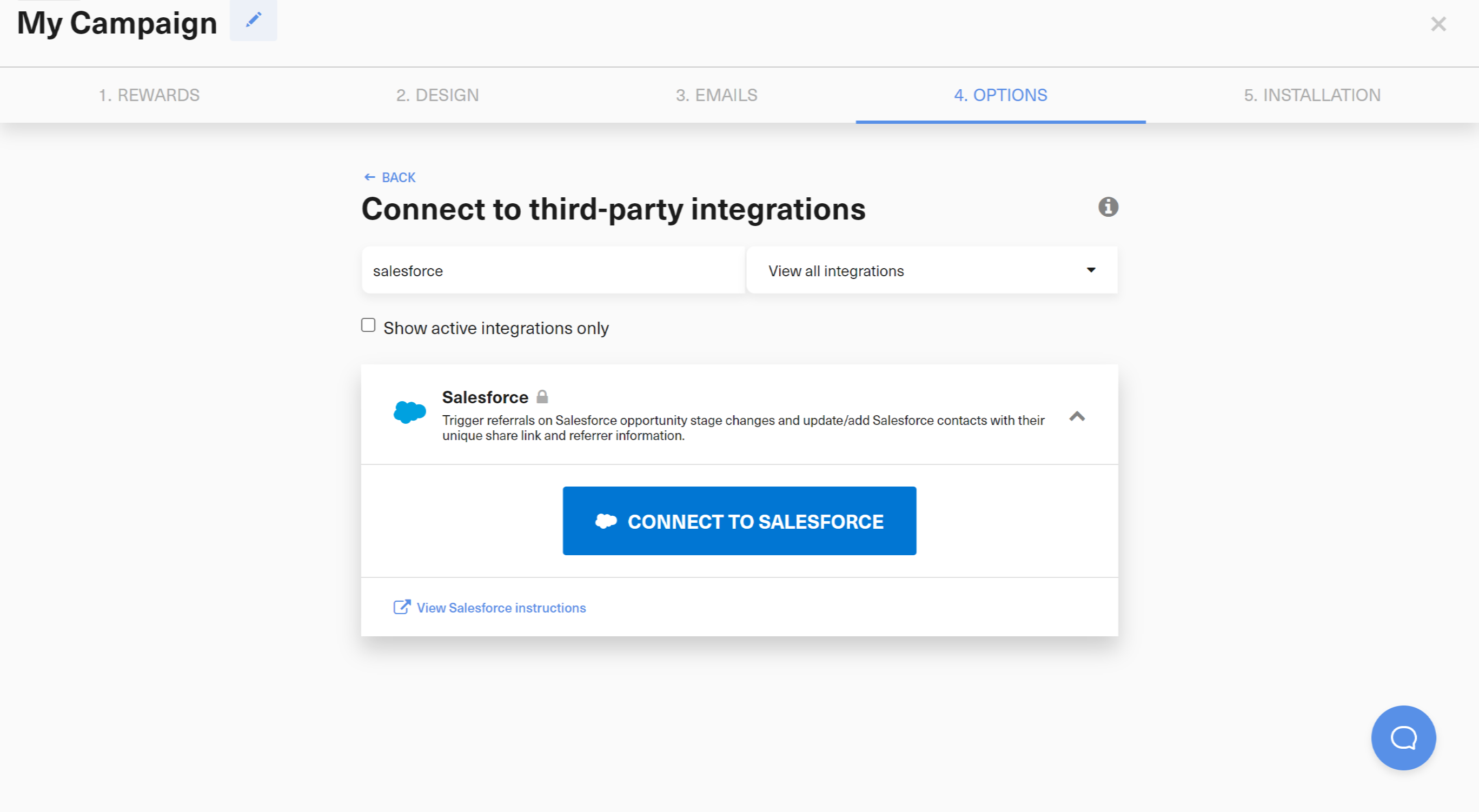
Connect Salesforce in GrowSurf first, and make sure the Salesforce user you authorize can create custom fields, assign field permissions, and manage contacts. GrowSurf uses that connection for both contact-field sync and referral-trigger settings.
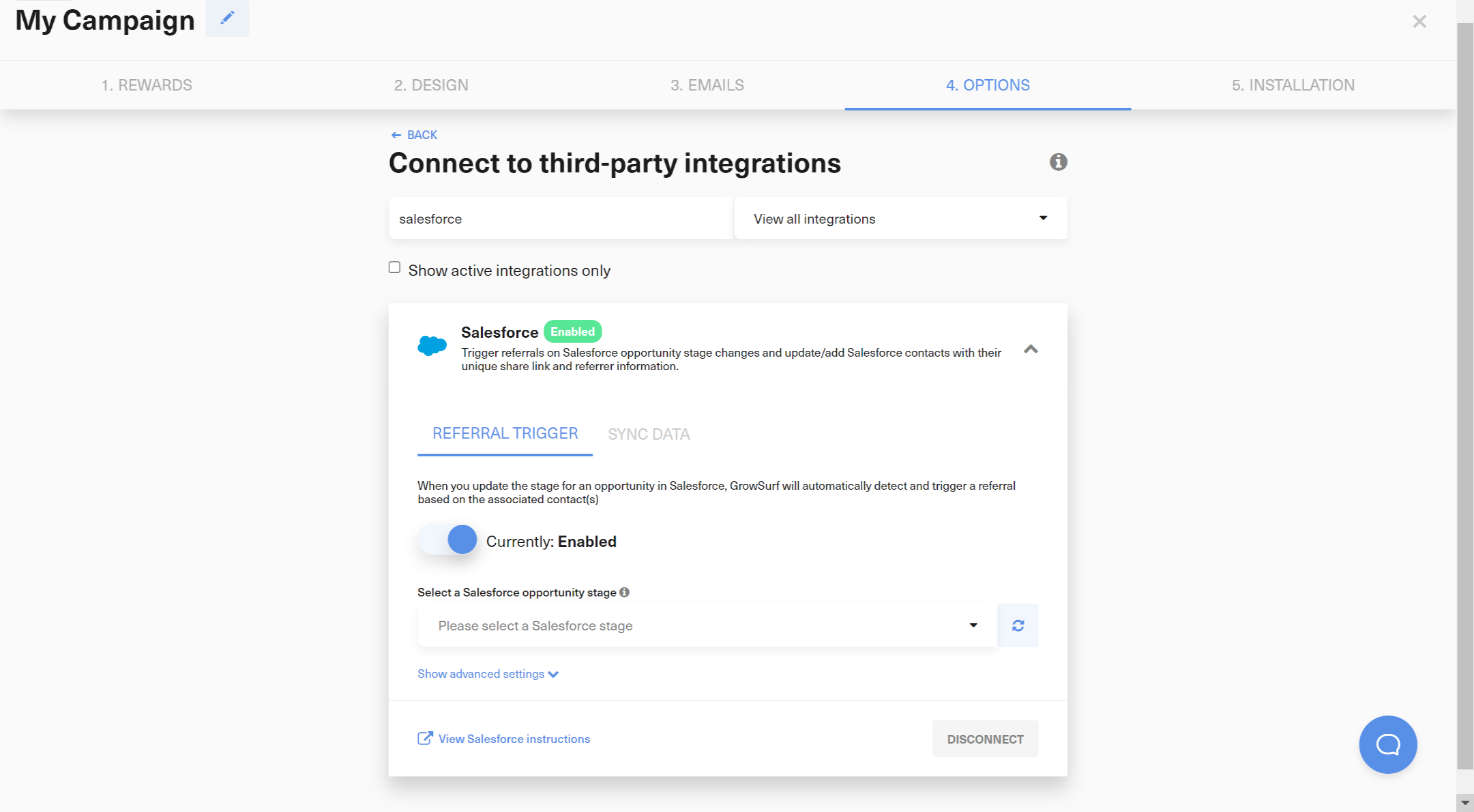
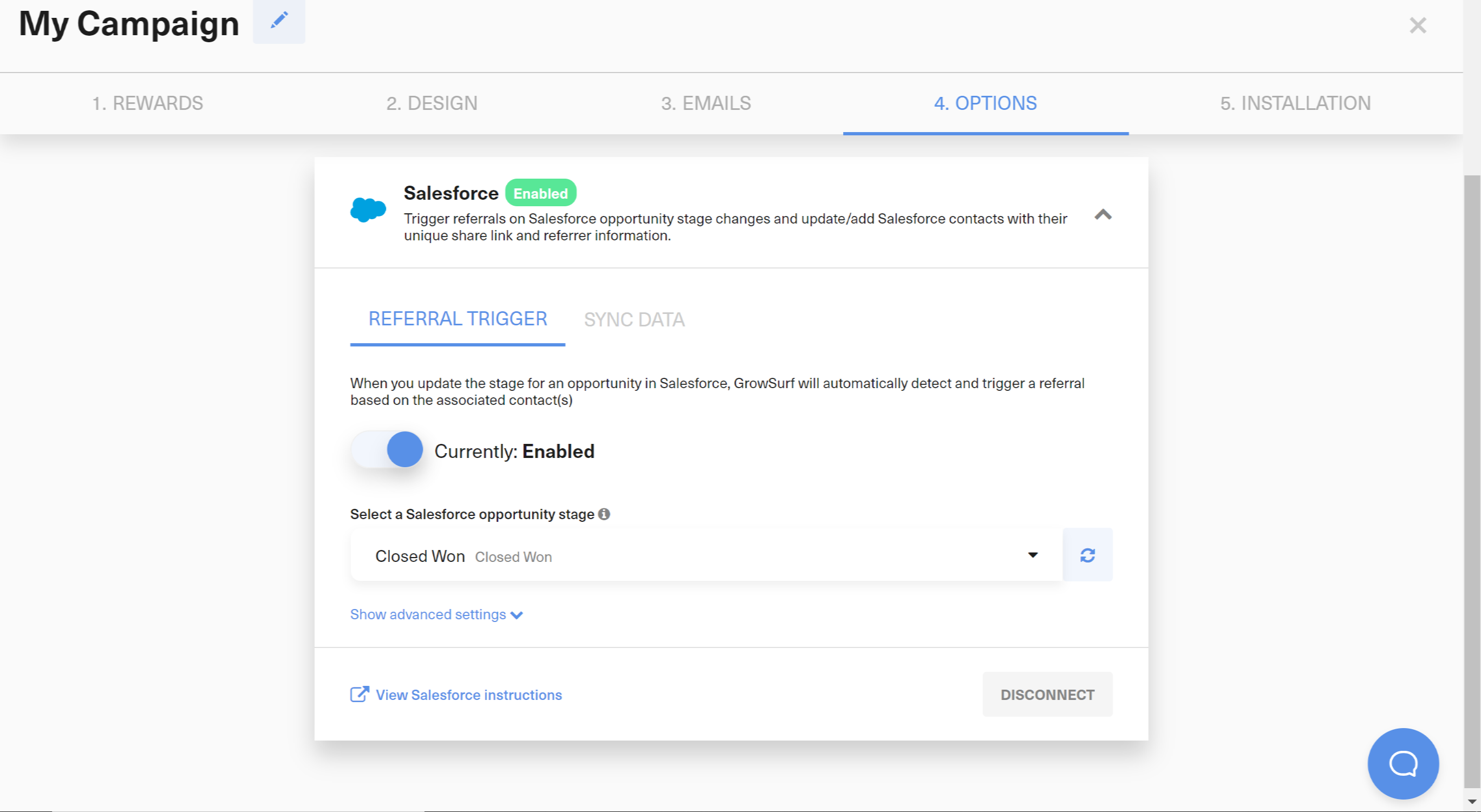
Choose the Salesforce opportunity stage that represents a real referral win for your business. Common choices are the first stage that proves sales acceptance, enrollment, or revenue qualification rather than an early exploratory stage.
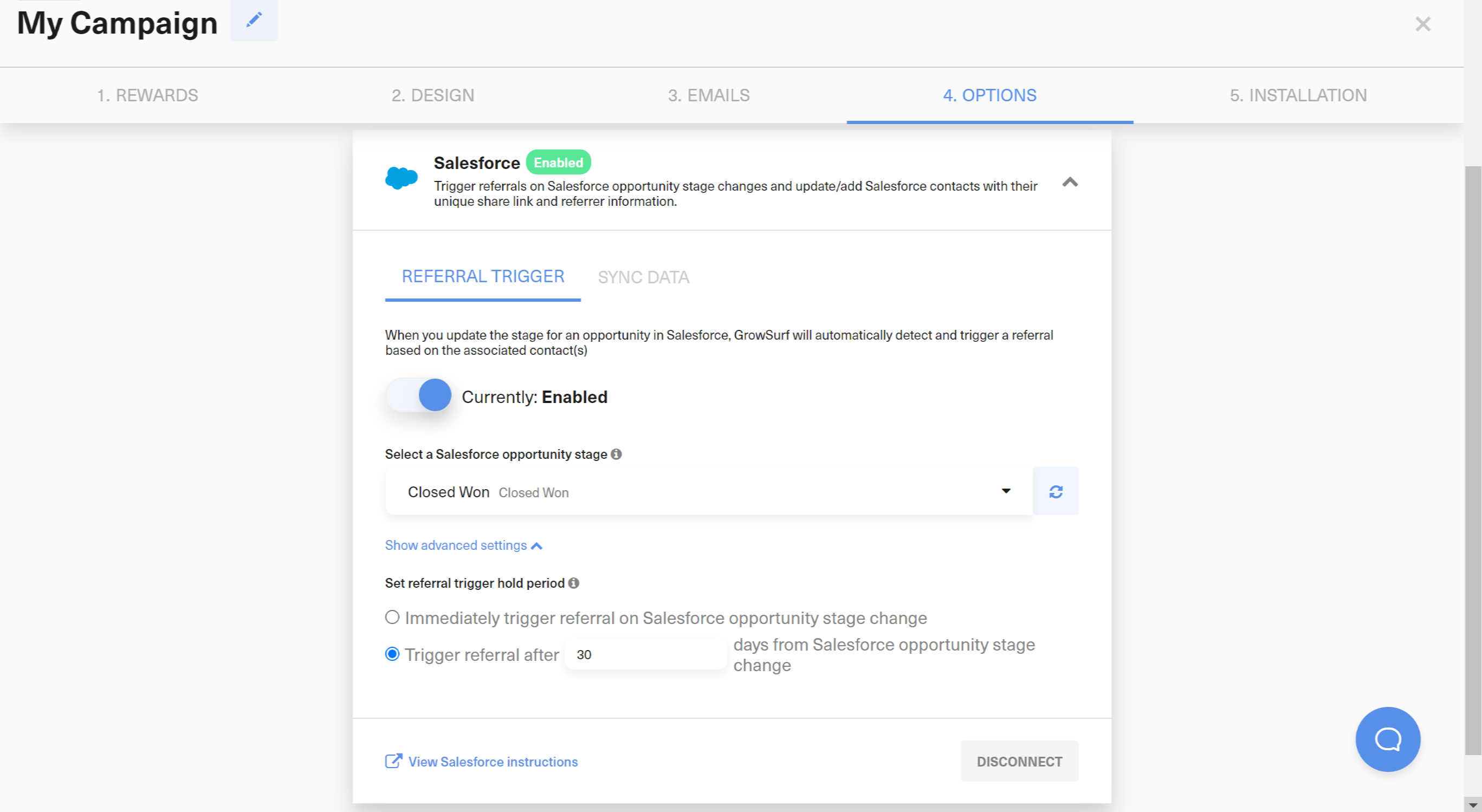
If your team sees opportunities reach a target stage and then drop back out, turn on a referral trigger hold period. GrowSurf will cancel the referral if the opportunity does not remain in the chosen stage through that hold window.
GrowSurf checks the email addresses on the contacts associated with the Salesforce opportunity. For attribution to work, at least one of those contacts must already exist as a participant in the GrowSurf campaign.
Salesforce stage-change events are processed asynchronously. During testing, update a known opportunity, wait for GrowSurf to receive the event, and inspect the participant activity log before you assume the referral should have credited instantly.
Pick the opportunity stage that represents your actual conversion point, not the earliest stage that merely signals interest. That keeps GrowSurf credit aligned with the business outcome you care about.
Salesforce should provide the opportunity-stage event and the CRM context. Let GrowSurf handle participant matching, referral credit, and reward eligibility so you do not create a second attribution system.
If a stage change does not appear immediately, open the participant's GrowSurf activity log first. Salesforce sends these updates asynchronously, and GrowSurf may need a short delay before it can process the event.
Sync GrowSurf referral fields into Salesforce contacts so sales and success teams can see share links, referral status, and referrer context without manual exports.
View Guide →Build Salesforce reports and dashboards on top of GrowSurf-synced contact fields so your team can separate referred pipeline from the rest of the CRM.
View Guide →
Use HubSpot deal-stage referral triggers in GrowSurf so a qualified deal stage can award referral credit without a custom workflow bridge.
View Guide →No. GrowSurf only triggers the referral when an opportunity exists, that opportunity has one or more associated contacts, and at least one of those contacts already matches a participant in the connected GrowSurf campaign.
Yes. The Salesforce Referral Trigger settings in GrowSurf include an optional hold period. If the opportunity drops out of the selected stage during that hold window, GrowSurf cancels the referral instead of crediting it.
No. Sync Data and Referral Trigger are configured separately. Use Sync Data when you also want GrowSurf fields such as share URL or referral status on Salesforce contacts, but the stage-based trigger itself is its own setting.
Trusted by marketing and product teams at fast-growing B2C, fintech, and SaaS companies
Successfully submitted!
Error! Please try again
See referral programs that our customers have implemented.
