

 Stripe
 Chargebee
 Recurly
 PayPal
 Tango Card
 Webhooks
 Zapier



Learn more
Built for startups,
scaled for unicorns
Successfully submitted!
Error! Please try again
See what it takes to set up a referral/affiliate program
Explore GrowSurf's powerful referral marketing platform
Watch a video demo of setting up a referral/affiliate program
GrowSurf plugs into your existing tools
GrowSurf vs other referral software providers
Explore our free suite of referral marketing tools.
Explore our free suite of tools built for startups.
Get discounts on top software and services like Notion, Deel, Apollo, and 1Password.
Explore Deals →
Our free loyalty software lets you reward your customers when they leave reviews, share on social media, and mention your brand.
Get It Free →Can you guess which startups made these growth tactics famous? Test your knowledge of innovative marketing strategies that led to explosive growth.
Play Now →
Want the full setup walkthrough?
Use these docs for exact setup steps, supported fields, and troubleshooting.
GrowSurf can automatically add or update Salesforce contacts with GrowSurf field labels when new participants enter your campaign. That keeps referral data on the Salesforce record your team already uses instead of burying it in separate spreadsheets or ad hoc exports.
The workflow here is native contact-field sync: connect Salesforce in GrowSurf, give the fields the right visibility, and place the fields on the page layouts your team works from every day.
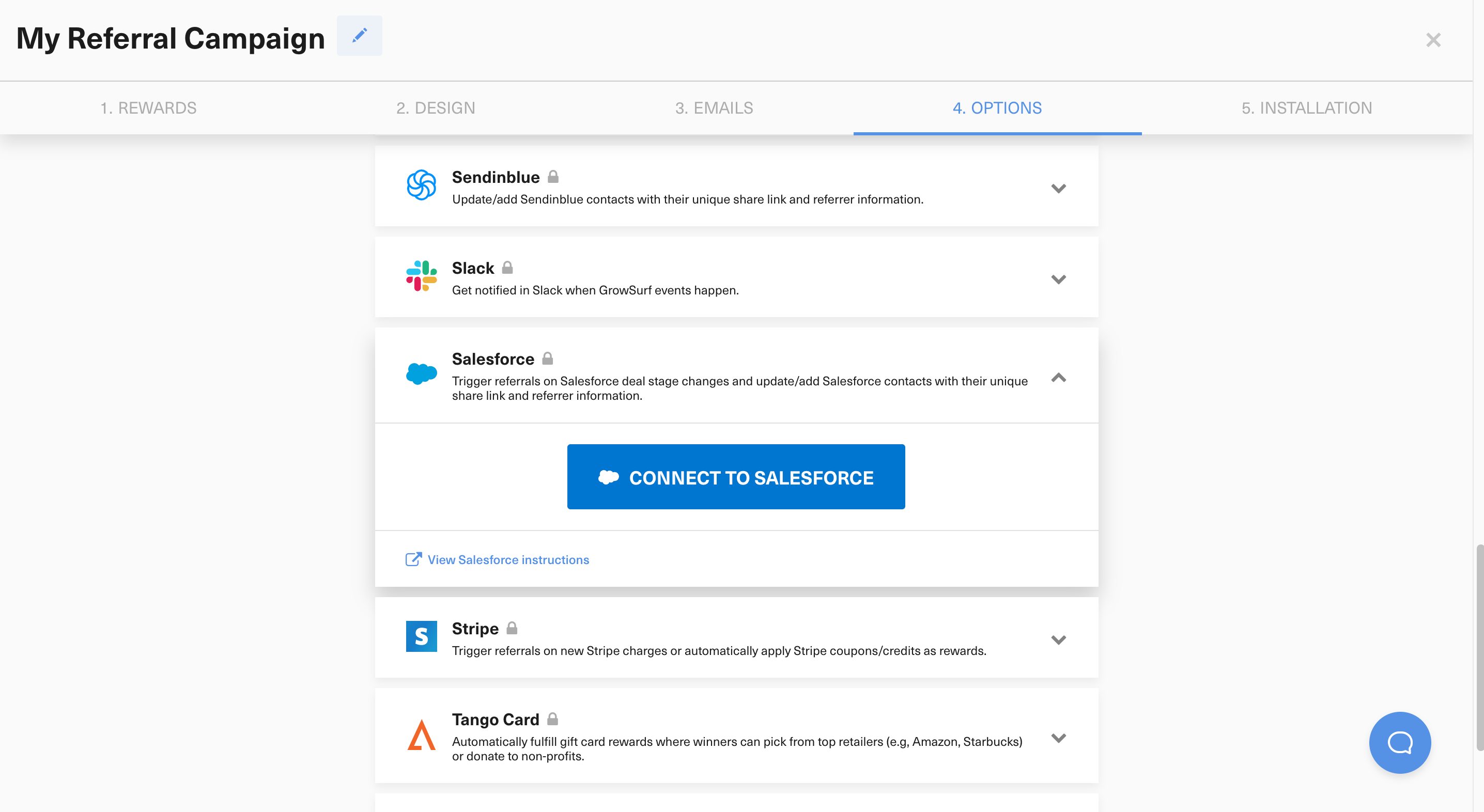
In Campaign Editor > 4. Options > Integrations, connect Salesforce before you import participants. GrowSurf only syncs Salesforce contact data after the integration is enabled, so connecting late creates unnecessary cleanup work.
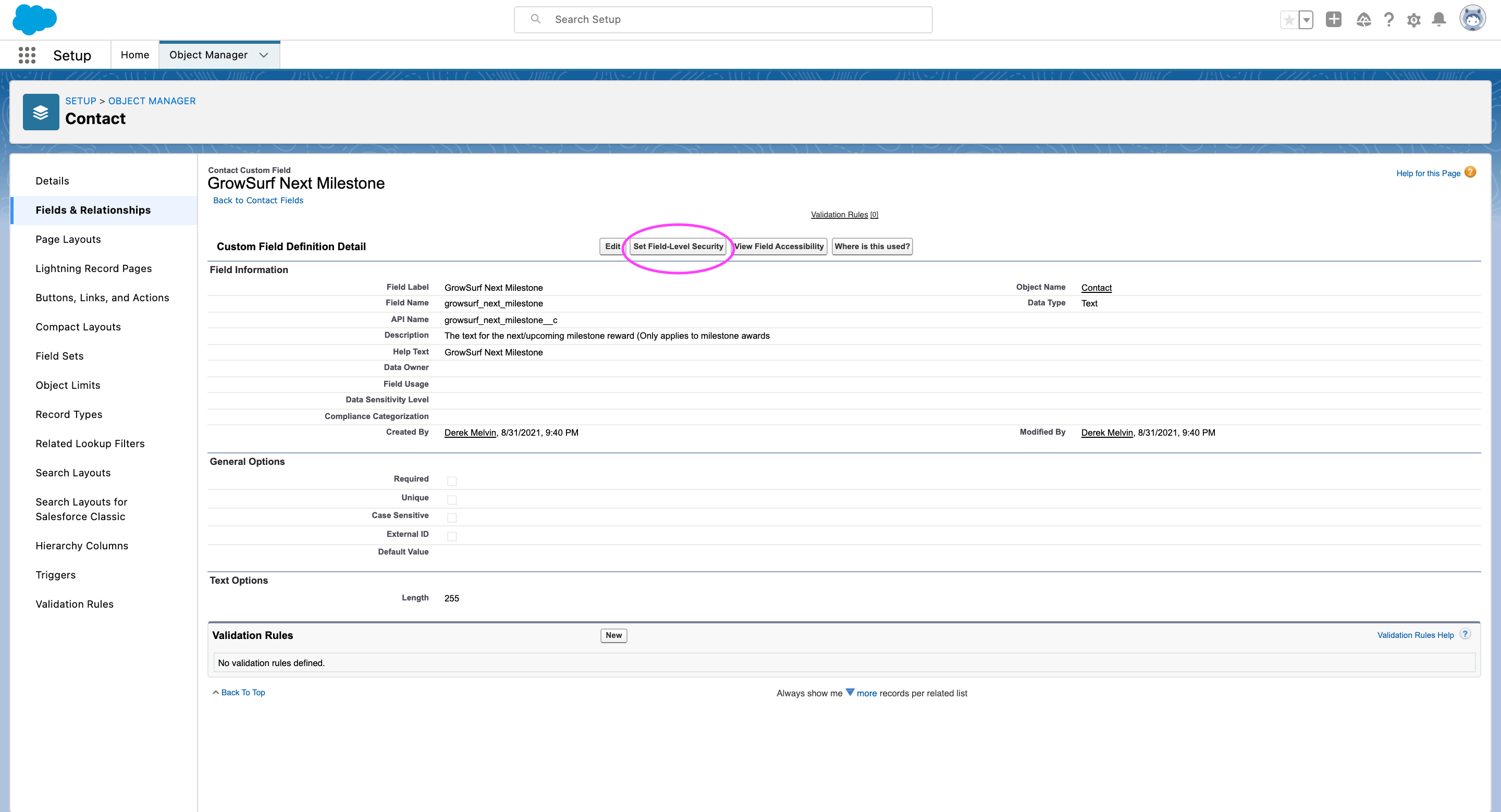
After the sync is live, GrowSurf fields are available in Salesforce automatically. If other users still cannot see them, open Setup > Object Manager > Contact > Fields and Relationships, review the GrowSurf fields, and confirm the right profiles keep access.
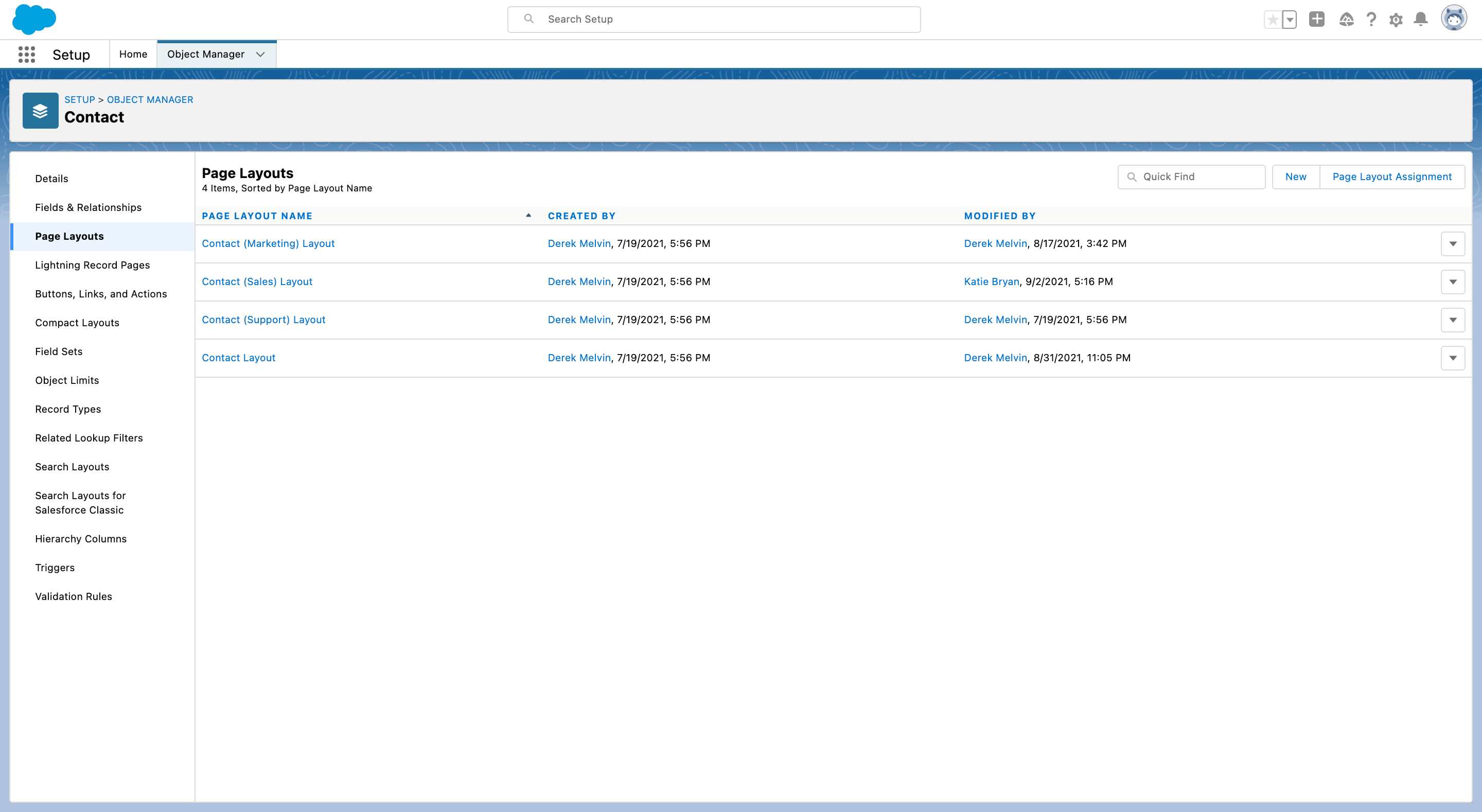
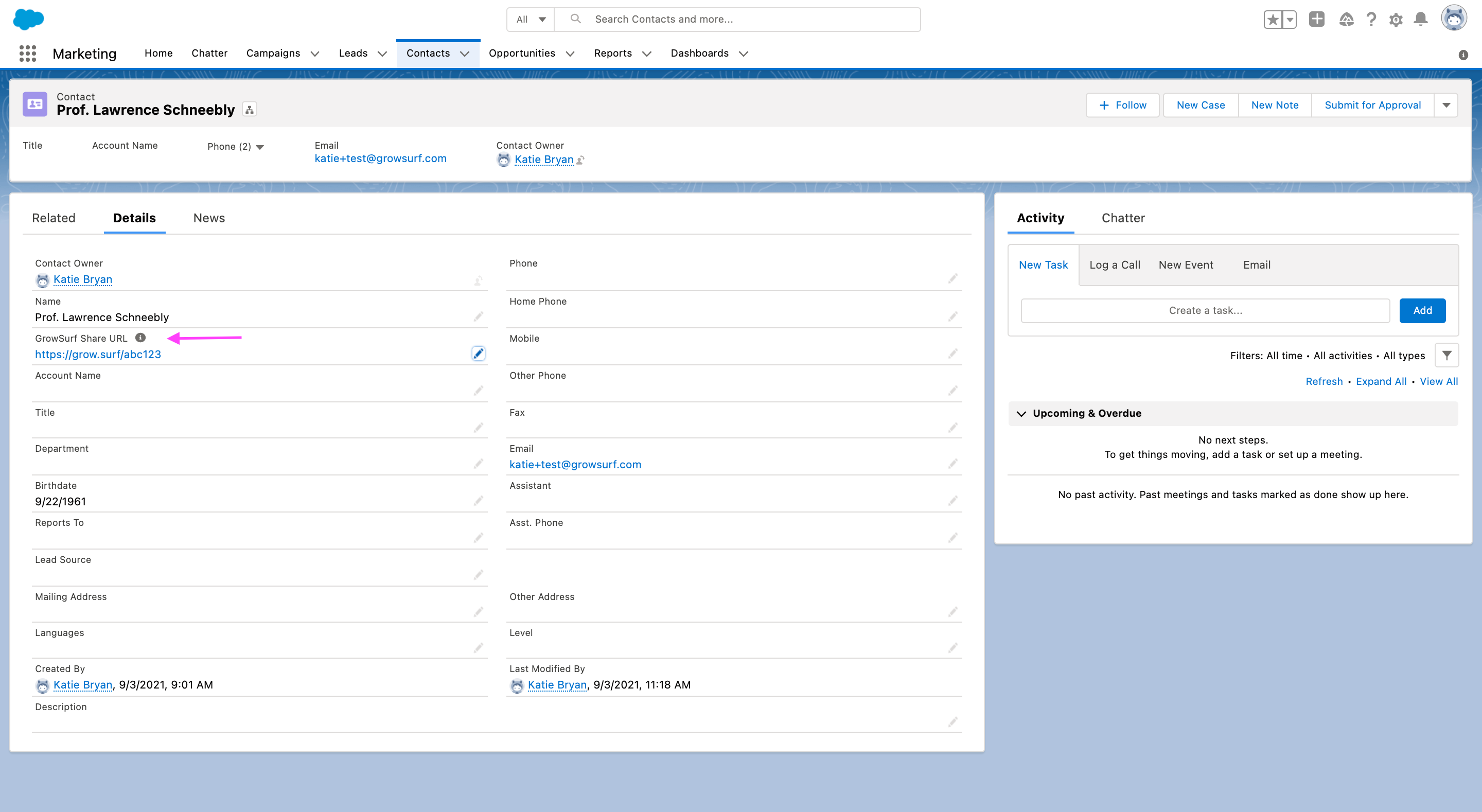
For most teams, the most useful fields to expose first are growsurf_share_url__c, growsurf_referral_status__c, growsurf_total_referral_count__c, growsurf_referrer_email__c, and growsurf_next_milestone__c.
Open a known participant in GrowSurf, then look up the same email in Salesforce. If the share URL, referral status, referrer email, and referral counts match, your CRM tracking layer is grounded in the same source of truth GrowSurf is using.
GrowSurf only syncs Salesforce contact data after the integration is connected. Enabling Salesforce late usually means you need to backfill participants or clean up missing contact records manually.
Do not hand-edit GrowSurf's custom contact fields in Salesforce. Treat them as system-managed referral context that other teams can read, filter, and report on.
If the connection fails or the fields are invisible to other users, start with Salesforce permissions. The connected Salesforce user needs API access plus permission to create custom fields, assign field security, and manage contacts.
Build Salesforce reports and dashboards on top of GrowSurf-synced contact fields so your team can separate referred pipeline from the rest of the CRM.
View Guide →Use GrowSurf's Salesforce Referral Trigger to credit referrals when an opportunity reaches the stage that actually matters to your pipeline.
View Guide →
Use the native HubSpot sync so your team can see share links, referral status, and referrer details on the contact record.
View Guide →GrowSurf creates contact fields for values such as share URL, participant ID, referral status, referrer details, referral counts, invite counts, impression counts, and milestone text. The most commonly used fields are the share URL, referral status, referral count, referrer email, and next milestone fields.
GrowSurf creates or updates Salesforce Contact objects. If your own forms or automations also create Salesforce Leads, you may see both a Lead and a Contact in Salesforce unless your team has already designed around that behavior.
Check field-level security and page-layout placement. The fields can exist in Salesforce but still be hidden from some profiles until an admin updates the field security and adds those fields to the layouts your team uses.
Trusted by marketing and product teams at fast-growing B2C, fintech, and SaaS companies
Successfully submitted!
Error! Please try again
See referral programs that our customers have implemented.
