

 Salesforce
 Stripe
 Chargebee
 Recurly
 PayPal
 Tango Card
 Webhooks
 Zapier



Learn more
Built for startups,
scaled for unicorns
Successfully submitted!
Error! Please try again
See what it takes to set up a referral/affiliate program
Explore GrowSurf's powerful referral marketing platform
Watch a video demo of setting up a referral/affiliate program
GrowSurf plugs into your existing tools
GrowSurf vs other referral software providers
Explore our free suite of referral marketing tools.
Explore our free suite of tools built for startups.
Get discounts on top software and services like Notion, Deel, Apollo, and 1Password.
Explore Deals →
Our free loyalty software lets you reward your customers when they leave reviews, share on social media, and mention your brand.
Get It Free →Can you guess which startups made these growth tactics famous? Test your knowledge of innovative marketing strategies that led to explosive growth.
Play Now →
Want the full setup walkthrough?
Use these docs for exact setup steps, supported fields, and troubleshooting.
Some referral emails should do more than announce the program once. Welcome messages, reminder emails, and progress updates all work better when the participant sees their real referral link and a clear path back to the referral portal.
GrowSurf's SendGrid integration gives you both ingredients: synced referral fields on the contact record and tutorial-backed examples for adding a share link, progress copy, and portal CTA to the email itself.
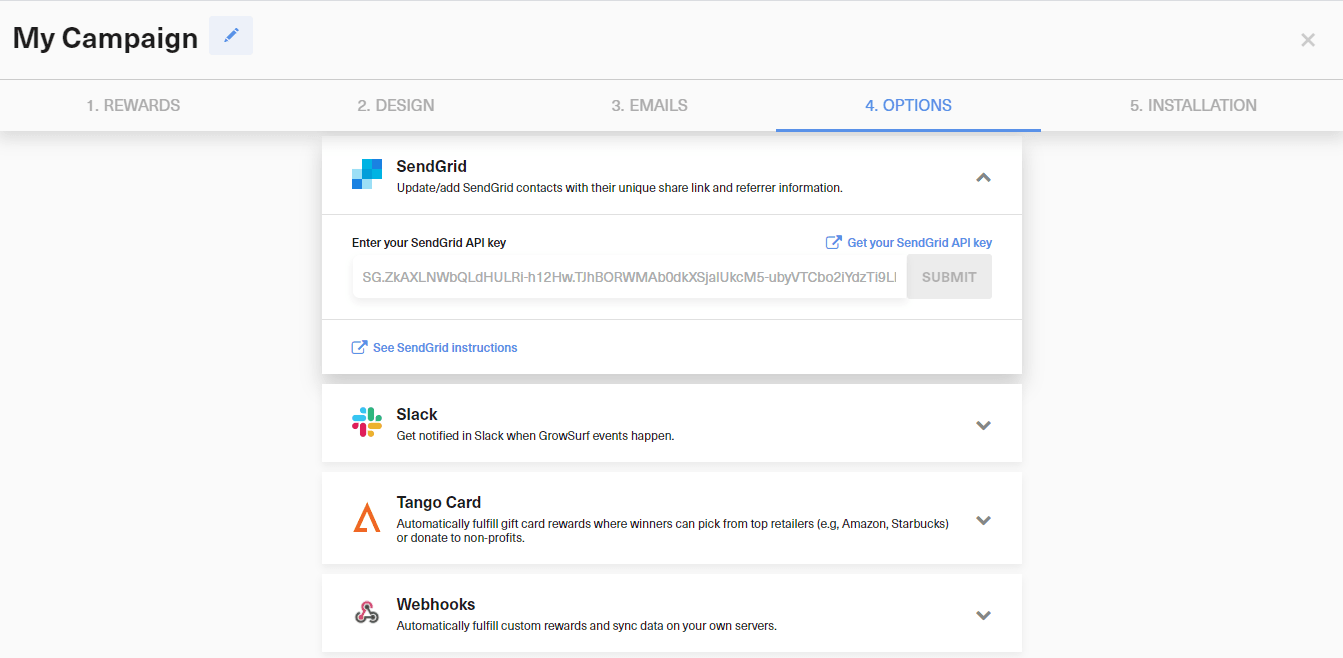
Create a SendGrid API key with Marketing access, connect it in GrowSurf, and select the list you want to keep updated. This guide works best for the documented SendGrid workflows where your automation or email send reads participant data from that synced list.
Use growsurf_share_url when you want the email to give the participant an instant share link. Use the GrowSurf referral portal URL pattern from the SendGrid tutorials when the message should send them back to their portal to track rewards, copy assets, or keep sharing:
https://grow.surf/YOUR_CAMPAIGN_ID?grsf_email={{email}}https://grow.surf/YOUR_CAMPAIGN_ID base with your own portal URL.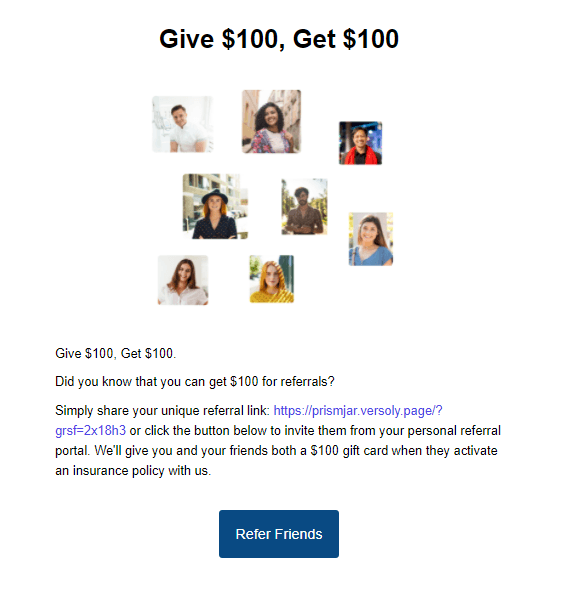
For reminder-style emails, pair the main CTA with fields that answer the participant's next question right away:
growsurf_total_referral_count shows current progressgrowsurf_next_milestone adds urgency when milestone rewards are enabledgrowsurf_referral_status can help explain why the participant is seeing the message now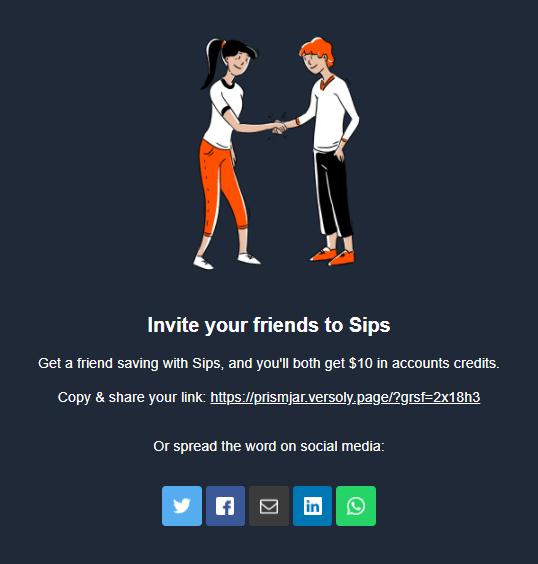
The GrowSurf SendGrid tutorials include examples that add a compact referral module to an existing email, which is useful for onboarding drips or product-update sends where the referral CTA is important but not the whole message.
SendGrid's current Marketing Campaigns guidance notes that contact updates can continue processing in the background. Wait for the list update to finish before you send. For ongoing reminder programs, keep your unsubscribe method configured in SendGrid as well so recipients can opt out without marking the email as spam.
This pattern works well for reminder or progress emails that should reopen the participant's referral portal:
<a href="https://grow.surf/YOUR_CAMPAIGN_ID?grsf_email={{email}}">
  View your referral progress
</a>
<p>You currently have {{growsurf_total_referral_count}} referrals.</p>
<p>{{growsurf_next_milestone}}</p>
Replace YOUR_CAMPAIGN_ID with your GrowSurf campaign ID, or swap the base URL for your custom referral portal domain.
Reminder emails perform best when the participant sees one obvious next step: open the referral portal, copy the link, or share with friends. Keep the referral module focused.
growsurf_next_milestone is powerful, but only if your GrowSurf campaign has milestone rewards with clear next-step text already set up.
SendGrid's current unsubscribe guidance covers both Marketing Campaigns unsubscribe settings and API-based unsubscribe tags. Make sure your recurring referral emails include the right unsubscribe method for the way you send them.
Sync participants into a SendGrid marketing list, then use GrowSurf referral fields inside reusable email templates.
View Guide →
Use GrowSurf-synced Customer.io attributes to send personalized referral emails with the right share link, counts, and milestone copy.
View Guide →
Use GrowSurf contact properties in HubSpot emails and workflows so every participant sees their own referral link and referral context.
View Guide →growsurf_share_url or the GrowSurf referral portal?Use growsurf_share_url when you want the participant to copy or share the link immediately. Use the referral portal URL when the email should bring them back to their dashboard, rewards progress, or campaign assets.
Yes. GrowSurf's SendGrid docs list fields such as growsurf_total_referral_count and growsurf_next_milestone, which makes them a good fit for reminder and progress emails.
Based on SendGrid's current Email API docs, dynamic templates receive values through dynamic_template_data. GrowSurf's native SendGrid docs today focus on Marketing Campaigns contact sync and template fields, so this guide stays focused on the no-code SendGrid email workflows GrowSurf documents directly.
Trusted by marketing and product teams at fast-growing B2C, fintech, and SaaS companies
Successfully submitted!
Error! Please try again
See referral programs that our customers have implemented.
