

 Salesforce
 Stripe
 HubSpot
 Chargebee
 Recurly
 PayPal
 Tango Card



Learn more
Built for startups,
scaled for unicorns
Successfully submitted!
Error! Please try again
See what it takes to set up a referral/affiliate program
Explore GrowSurf's powerful referral marketing platform
Watch a video demo of setting up a referral/affiliate program
GrowSurf plugs into your existing tools
GrowSurf vs other referral software providers
Explore our free suite of referral marketing tools.
Explore our free suite of tools built for startups.
Get discounts on top software and services like Notion, Deel, Apollo, and 1Password.
Explore Deals →
Our free loyalty software lets you reward your customers when they leave reviews, share on social media, and mention your brand.
Get It Free →Can you guess which startups made these growth tactics famous? Test your knowledge of innovative marketing strategies that led to explosive growth.
Play Now →
Want the full setup walkthrough?
Use these docs for exact setup steps, supported fields, and troubleshooting.
GrowSurf's native Slack integration gives you a live feed of referral-program activity inside Slack, which is often enough for a shared leaderboard channel or manual leaderboard updates.
GrowSurf does not include a native Slack leaderboard bot. If you want ranked summaries, pinned scorecards, or custom bot messages, use the Slack alerts as the event source and let Zapier or a webhook-based workflow handle the formatting.
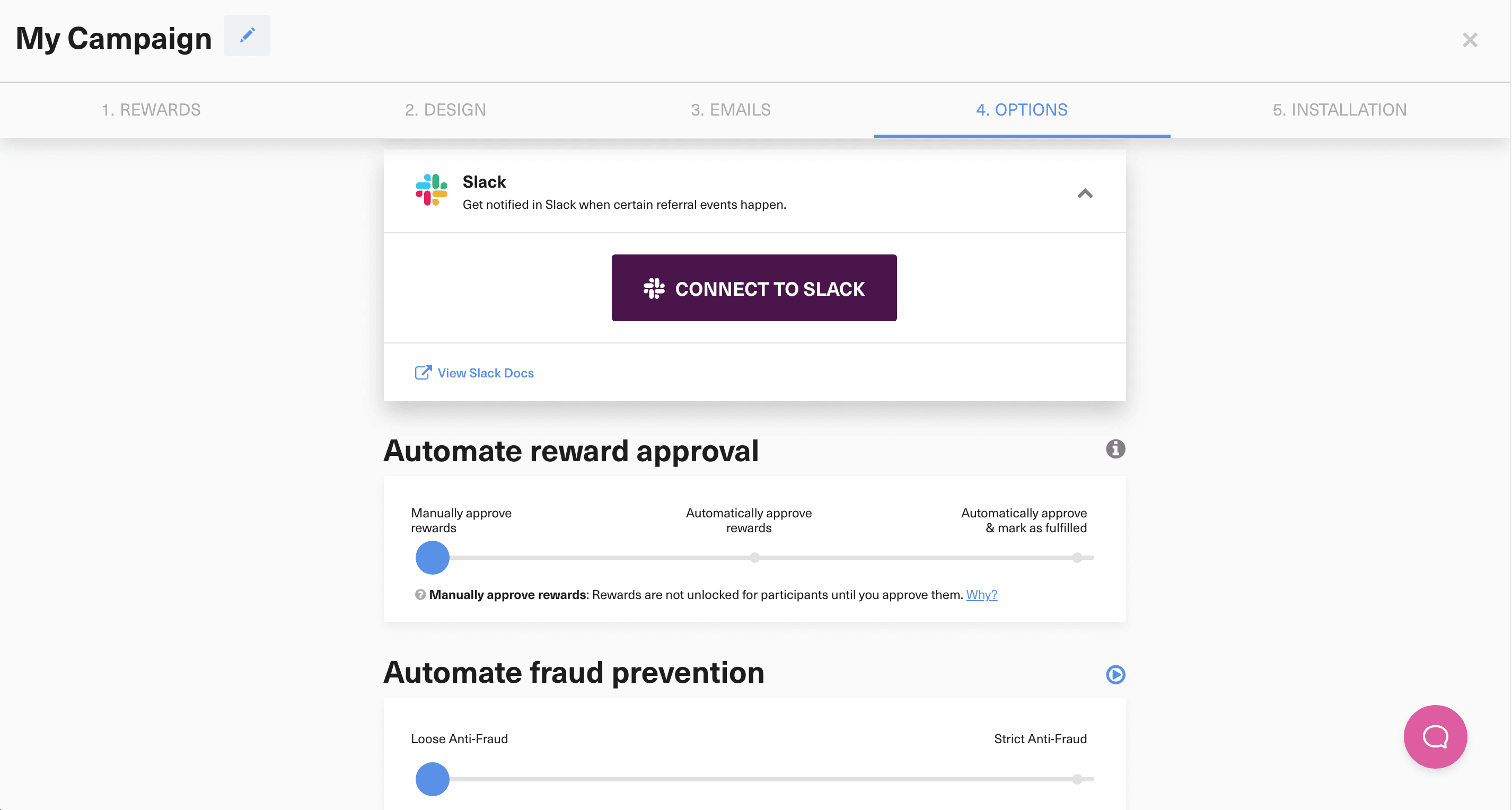
Open your GrowSurf program and connect Slack from the integrations area. This gives you a native channel for participant and reward activity before you add any extra automation.
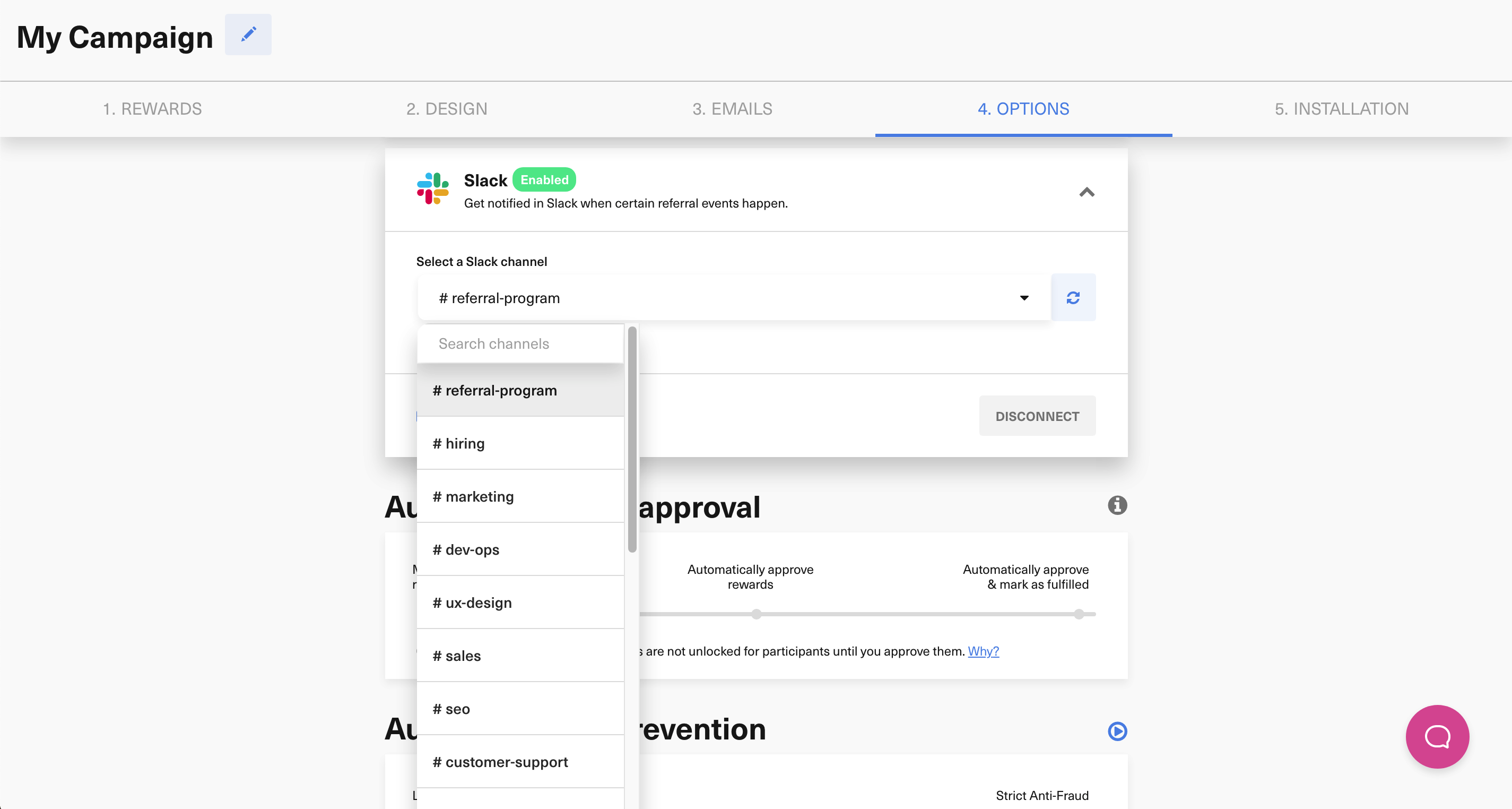
Use a dedicated leaderboard or referral-ops channel when possible. That makes it easier to keep the event stream readable and avoids mixing leaderboard updates with unrelated team chatter.
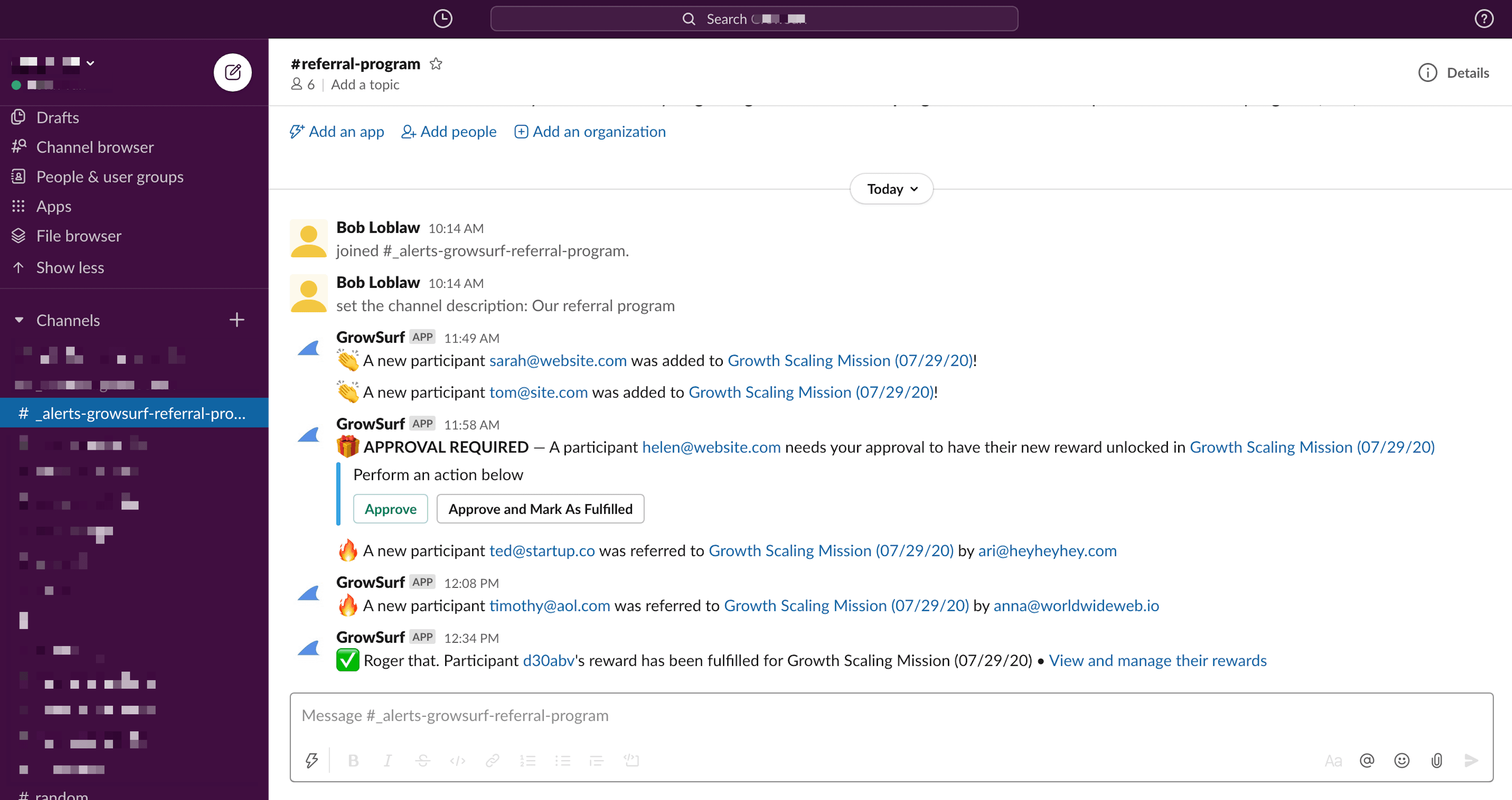
Use GrowSurf's Slack notification settings to post only the referral events that matter for leaderboard movement. In most programs, the best signals are participant activity and reward-related milestones rather than every possible alert.
If a simple event feed is enough, stop at the native Slack integration. If you want a true leaderboard bot or scheduled score summary, send the same GrowSurf events into Zapier for a no-code workflow or into webhooks for a custom service.
Any leaderboard message in Slack should be treated as a presentation layer. Referral counts, participant records, and reward state should still come from GrowSurf when it is time to audit results or resolve disputes.
Before you launch the leaderboard publicly, run a small live test with real participant activity and confirm the Slack feed stays in sync with the behavior GrowSurf records.
Even if you later post polished leaderboard summaries elsewhere, keep one channel that receives the underlying GrowSurf alerts. It makes troubleshooting much easier when the bot output looks off.
If you build on top of the native alerts, use the extra automation to aggregate or rank events. Reposting the same raw alerts as a bot usually adds noise instead of clarity.
Connect Slack to GrowSurf, pick the right channel, and keep participant and reward alerts visible to the team that needs to act on them.
View Guide →
Use GrowSurf events in Zapier when Slack alerts need channel routing, branching, or message logic beyond the native Slack integration alone.
View Guide →
Use GrowSurf webhooks to store share links, participant details, and referral milestones in your own app without polling the API.
View Guide →No. GrowSurf natively sends notifications into Slack, but ranked summaries or leaderboard-bot behavior need a second layer such as Zapier or a webhook-based service.
Start with Zapier if you want the simplest no-code workflow. It is a good fit when you want to react to GrowSurf events and post formatted Slack messages without building your own service.
Use webhooks when you need custom ranking logic, your own data store, or a more tailored Slack bot experience than a no-code workflow can provide.
Trusted by marketing and product teams at fast-growing B2C, fintech, and SaaS companies
Successfully submitted!
Error! Please try again
See referral programs that our customers have implemented.
