

 Salesforce
 Stripe
 HubSpot
 Chargebee
 Recurly
 PayPal
 Tango Card



Learn more
Built for startups,
scaled for unicorns
Successfully submitted!
Error! Please try again
See what it takes to set up a referral/affiliate program
Explore GrowSurf's powerful referral marketing platform
Watch a video demo of setting up a referral/affiliate program
GrowSurf plugs into your existing tools
GrowSurf vs other referral software providers
Explore our free suite of referral marketing tools.
Explore our free suite of tools built for startups.
Get discounts on top software and services like Notion, Deel, Apollo, and 1Password.
Explore Deals →
Our free loyalty software lets you reward your customers when they leave reviews, share on social media, and mention your brand.
Get It Free →Can you guess which startups made these growth tactics famous? Test your knowledge of innovative marketing strategies that led to explosive growth.
Play Now →
Want the full setup walkthrough?
Use these docs for exact setup steps, supported fields, and troubleshooting.
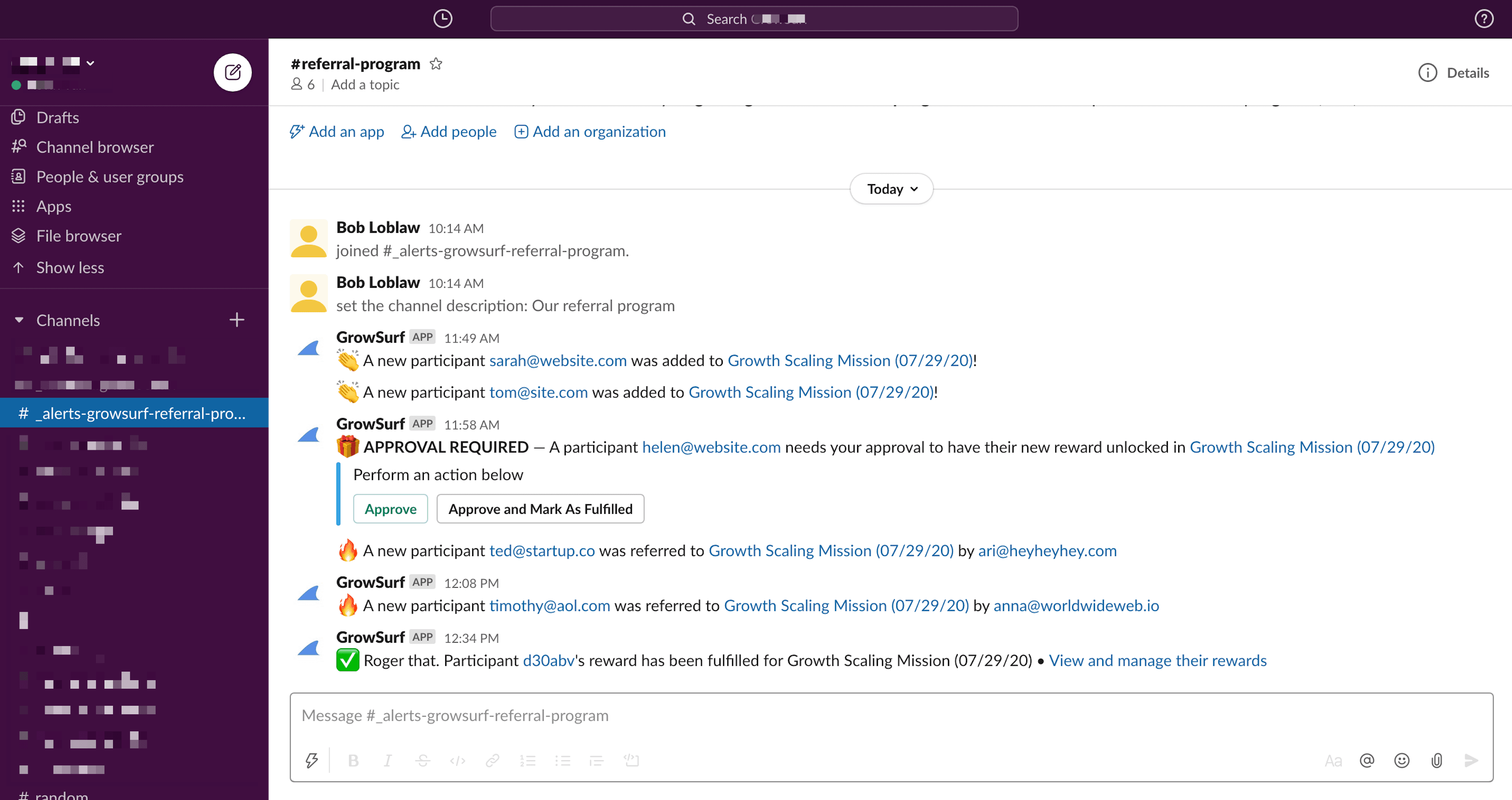
GrowSurf's native Slack integration sends referral-program activity into the Slack channel you choose, so your team can see participant and reward events without leaving Slack.
Use it when you want faster visibility for growth ops, support, or reward approvals. Slack becomes the team's notification surface, while GrowSurf stays the source of truth for program activity and reward state.
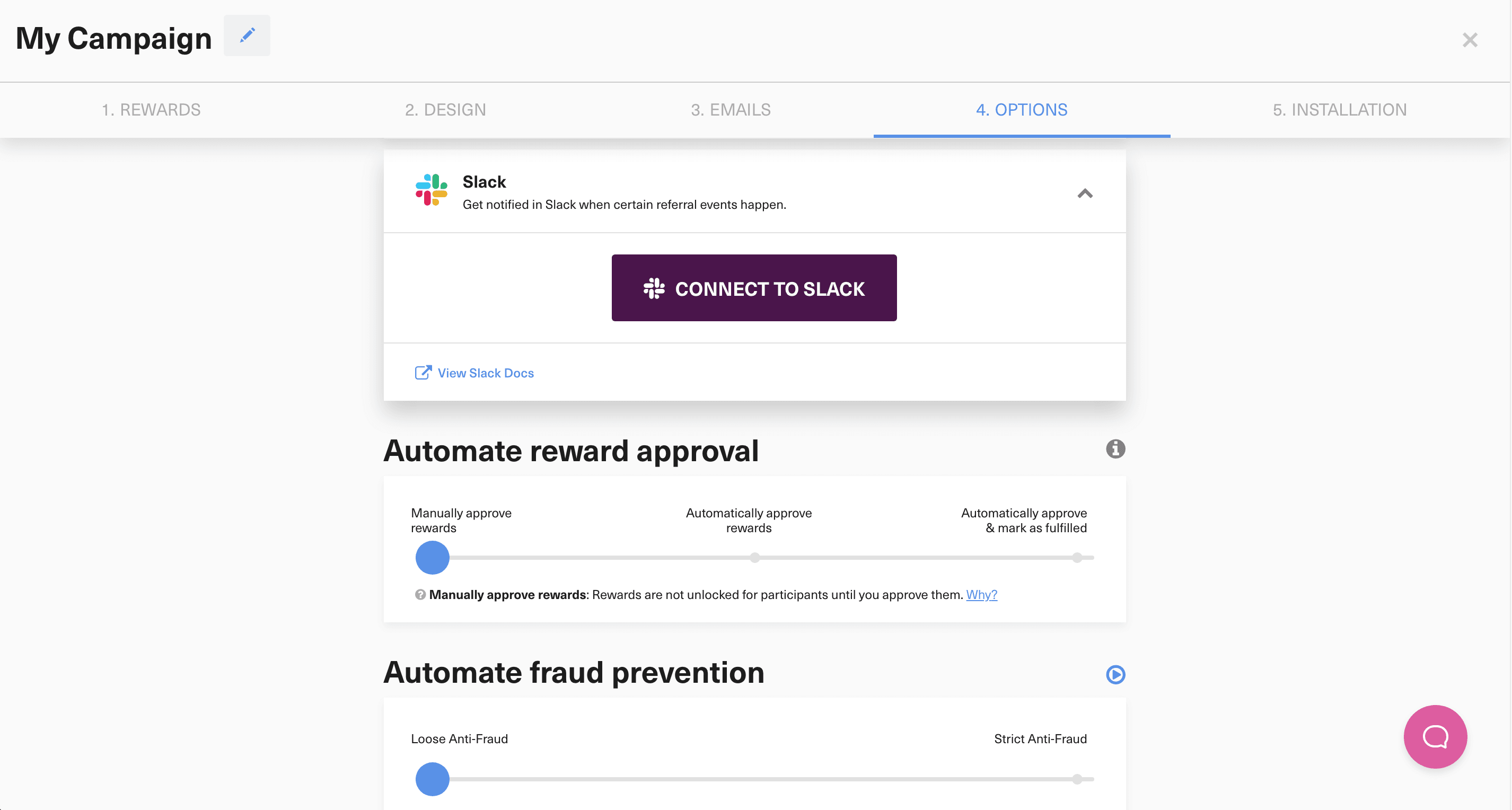
Open your GrowSurf program, go to the integrations area, and click Connect to Slack. This is the native setup path for sending referral notifications into Slack.
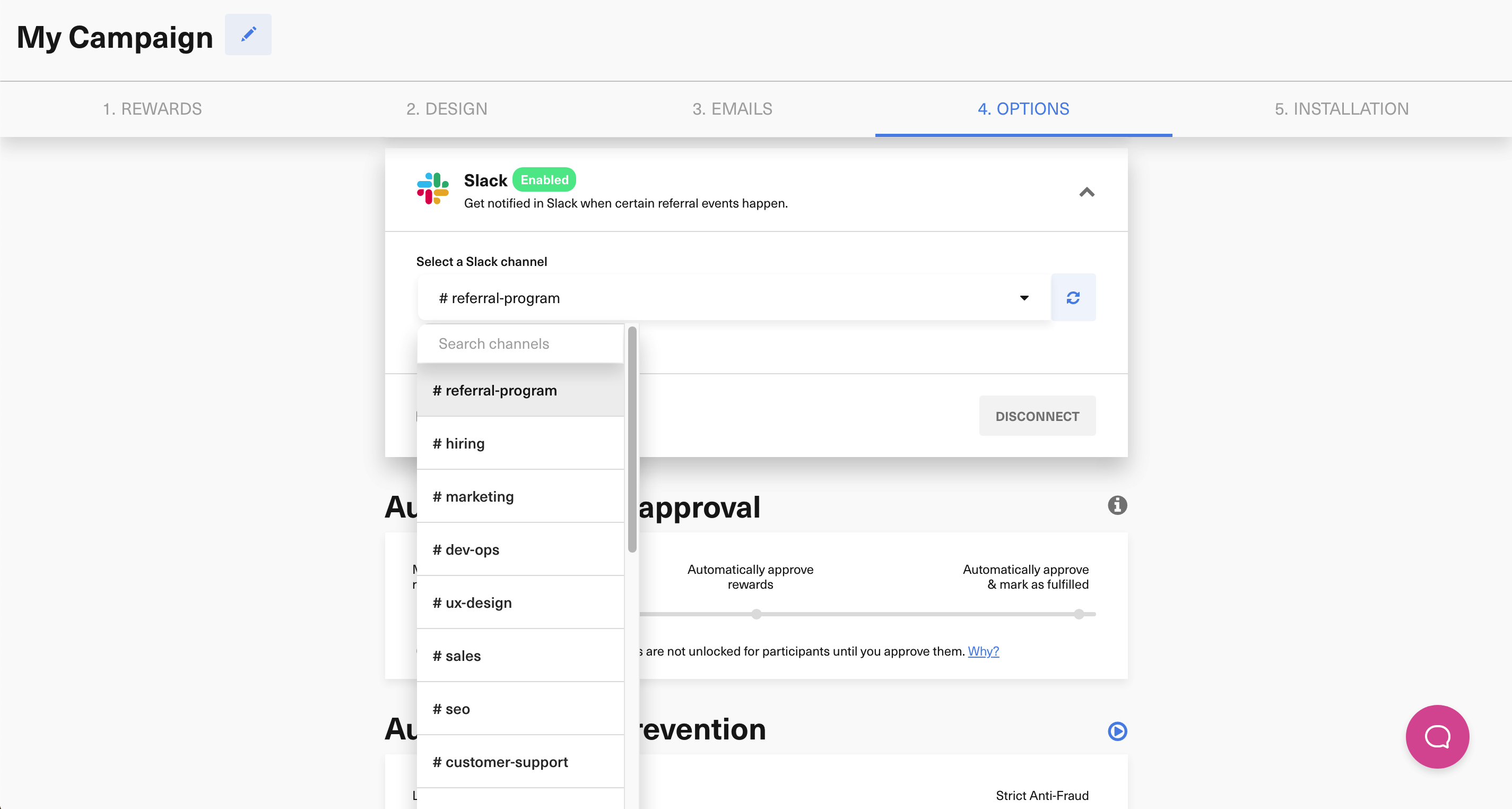
After you approve Slack access, select the channel where GrowSurf alerts should land. Pick the channel your team already uses for referral-program operations so the alerts are visible to the right people.
Use the advanced Slack settings in GrowSurf to keep the event mix focused. A tight alert set is usually best:
Slack is where the team sees and reacts to alerts. GrowSurf should still be the place you check when you need the full participant timeline, reward status, or program details.
Before you rely on the channel day to day, trigger a real participant or reward event in the program and confirm the message lands in the right Slack channel with the level of detail your team expects.
A single referral-program channel is usually easier to manage than dropping GrowSurf alerts into a general team room. It keeps the notifications visible without burying unrelated work.
If your team uses Slack to approve or follow up on rewards, keep those alerts on. If nobody acts on them in Slack, turn them off and keep the channel focused.
Use GrowSurf's native Slack notifications as the live event stream for a leaderboard channel, then add Zapier or webhooks only if you need custom ranking logic.
View Guide →
Use GrowSurf events in Zapier when Slack alerts need channel routing, branching, or message logic beyond the native Slack integration alone.
View Guide →
Use GrowSurf webhooks to store share links, participant details, and referral milestones in your own app without polling the API.
View Guide →Yes. GrowSurf's Slack docs note that New Participant Reward alerts can expose reward approval and fulfillment actions directly inside Slack.
Yes. The Slack integration includes advanced notification-event settings, so you can keep the channel focused on the participant and reward events your team actually uses.
No. Slack is best for visibility and quick action. GrowSurf should remain your source of truth for participant history, reward state, and overall program activity.
Trusted by marketing and product teams at fast-growing B2C, fintech, and SaaS companies
Successfully submitted!
Error! Please try again
See referral programs that our customers have implemented.
