

 Salesforce
 HubSpot
 Chargebee
 Recurly
 PayPal
 Tango Card
 Webhooks
 Zapier



Learn more
Built for startups,
scaled for unicorns
Successfully submitted!
Error! Please try again
See what it takes to set up a referral/affiliate program
Explore GrowSurf's powerful referral marketing platform
Watch a video demo of setting up a referral/affiliate program
GrowSurf plugs into your existing tools
GrowSurf vs other referral software providers
Explore our free suite of referral marketing tools.
Explore our free suite of tools built for startups.
Get discounts on top software and services like Notion, Deel, Apollo, and 1Password.
Explore Deals →
Our free loyalty software lets you reward your customers when they leave reviews, share on social media, and mention your brand.
Get It Free →Can you guess which startups made these growth tactics famous? Test your knowledge of innovative marketing strategies that led to explosive growth.
Play Now →
Want the full setup walkthrough?
Use these docs for exact setup steps, supported fields, and troubleshooting.
Use Stripe Referral Trigger when a paid Stripe charge should be the moment a referral counts. This is a strong fit for subscription businesses that only want to reward the referrer after the customer actually starts paying.
GrowSurf matches the Stripe customer email to the participant record, triggers the referral, and writes referral metadata back to the Stripe customer so your team can verify who referred whom.
If your program does not add participants automatically, call growsurf.addParticipant() or the GrowSurf REST API before the Stripe payment happens. Referral Trigger can only credit the right referrer when the customer already exists in GrowSurf.
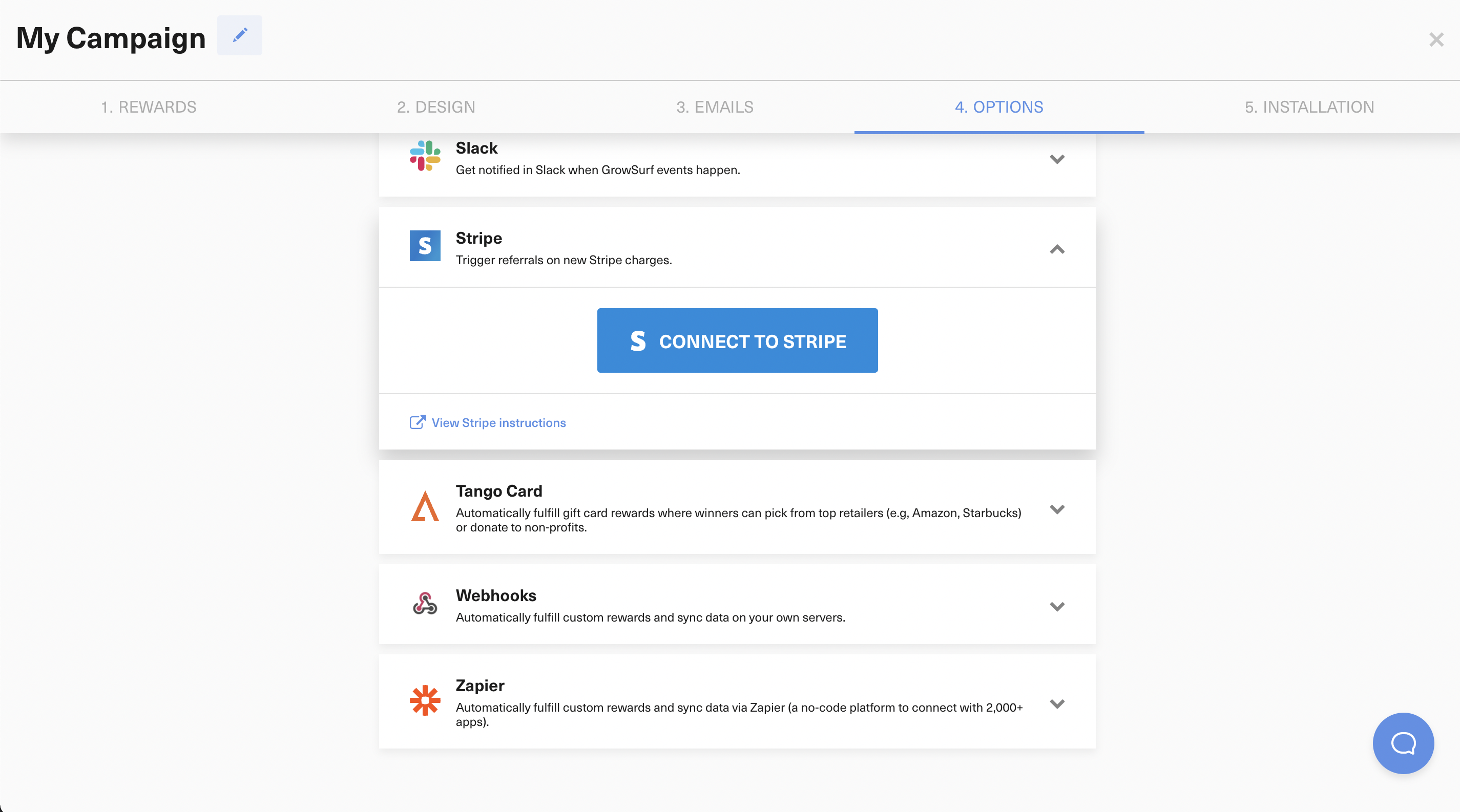
In referral programs, Referral Trigger is enabled by default after you connect Stripe. Leave this on when a successful Stripe charge should count as the qualifying referral event.
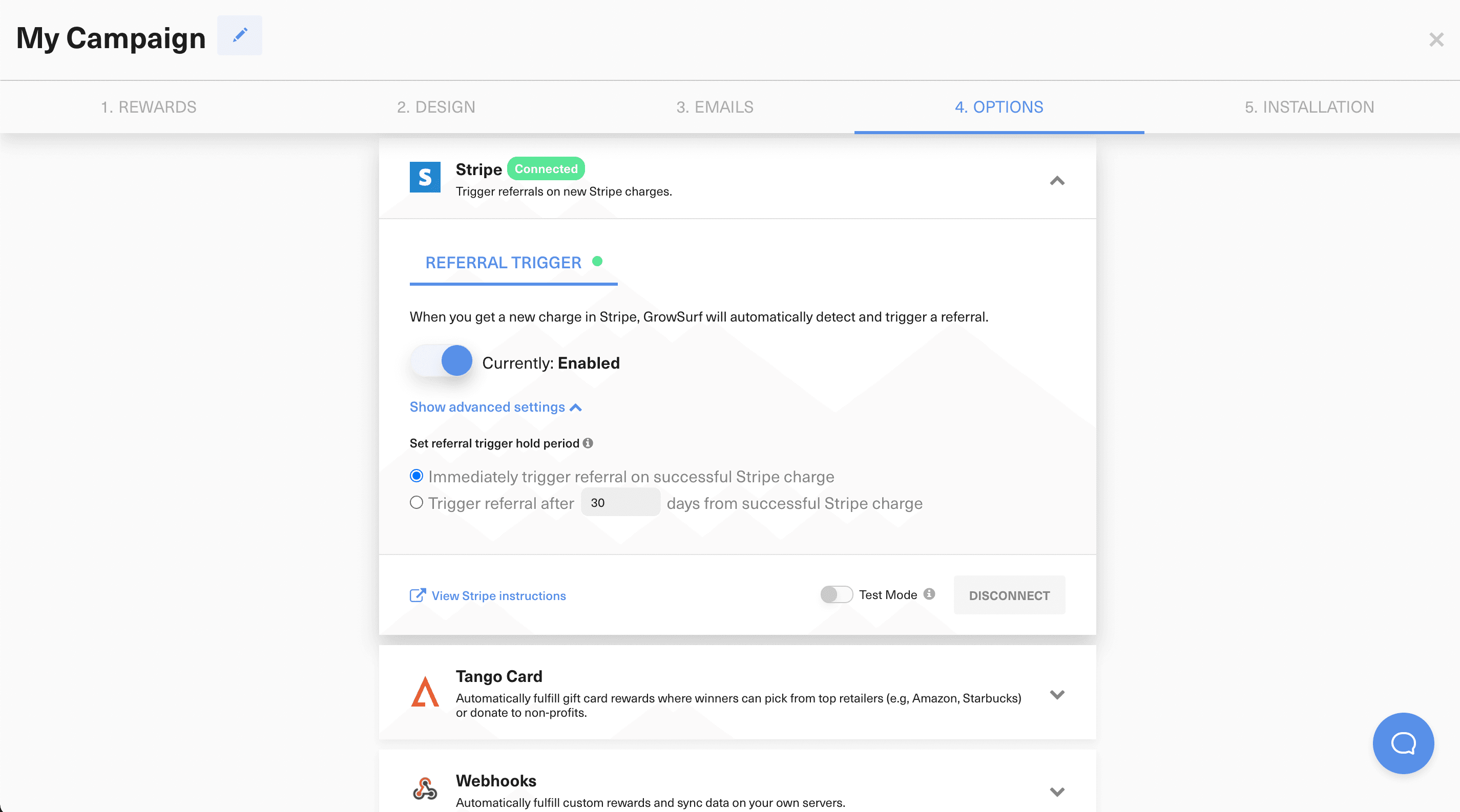
Use the advanced Referral Trigger settings when you want to delay the referral until a refund window has passed. If a refund or chargeback happens during that hold period, GrowSurf cancels the pending referral.
GrowSurf writes referral-related metadata to the Stripe customer record, including the participant ID, referrer ID, and referrer email. That makes Stripe a useful place to double-check which referral relationship was attached to a given customer.
Test mode and sandbox data are supported, but live referrals will not trigger while test mode is enabled. If a Stripe customer changed their email address right before paying, allow a few minutes for the Stripe webhook update to reach GrowSurf before you retry the flow.
Email matching is the core of this workflow. When the emails drift apart, referral tracking becomes much harder to debug.
The activity log usually tells you whether GrowSurf saw the payment, whether the customer was matched, and whether the referral is still waiting inside a hold period.
Use Stripe coupons or credits as subscription rewards so referred revenue unlocks a billing benefit without manual coupon creation.
View Guide →Use GrowSurf to issue Stripe coupons for referrers or referred friends, and optionally surface an upfront promotion code before checkout.
View Guide →Connect GrowSurf rewards to Stripe credits when referrals should add balance to the right customer account automatically.
View Guide →No. The native Stripe integration handles the trigger itself. The only extra implementation you may need is creating the participant first if your campaign does not do that automatically.
Yes. This setup is specifically useful when you want a Stripe charge from a subscription customer to be the qualifying referral event.
Start by checking whether test mode is still enabled, whether the customer existed as a participant, and whether the referral is currently sitting inside a hold period.
Trusted by marketing and product teams at fast-growing B2C, fintech, and SaaS companies
Successfully submitted!
Error! Please try again
See referral programs that our customers have implemented.
