

 Salesforce
 Stripe
 HubSpot
 Chargebee
 Wise
Wise Recurly
 Braze
Braze Zapier
 Webhooks
 Bask Health
 Embeddables
 Customer.io






Learn more
Built for lean teams,
scaled for category leaders
Thanks. You're signed up.
Something went wrong. Please try again.

Want the full setup walkthrough?
Use these docs for exact setup steps, supported fields, and troubleshooting.
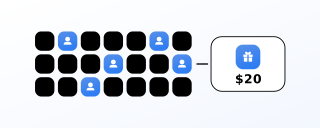
Tango Card fulfills GrowSurf referral rewards as e-gift cards. When a participant unlocks a connected reward, GrowSurf emails them a Tango Card Reward Link and they pick from top retailers — or donate the value to a non-profit instead.
Tango Card itself is free. You pay only the face value of the gift cards you issue.
The Tango Card integration is available to companies based in USA, Canada, the United Kingdom, France, Germany, Italy, the Netherlands, Spain, Argentina, Australia, Brazil, India, Singapore, and the United Arab Emirates. Supported currencies are USD, CAD, GBP, EUR, INR, SGD, ARS, AUD, AED, and BRL.
Your program’s default currency decides which country your winners redeem in — a USD program issues gift cards redeemable in the United States. Pick the currency before you connect. If you need a currency outside that list, use Zapier or Webhooks with your own external Tango Card account.
Open Program Editor > 4. Options > Integrations and search for Tango Card.

Expand the card and select Connect to Tango Card.

GrowSurf creates a Tango Card account on your behalf — you do not create one separately. That account is distinct from any external Tango Card account you already have; Tango Card support can move funds across if you ask them to.
Select Connect a Reward, choose the gift cards, set the amount, and save. From then on, any winner who unlocks that reward is emailed a Tango Card Reward Link for that amount.
On a double-sided reward you choose who gets the gift card: the referrer, the referred friend, or both. If different outcomes should be worth different amounts, dynamic rewards vary the value by attributes of the referrer or the referred friend.
Tango Card rewards are paid from a balance you fund upfront. Select Add Funds, pick a funding method, and follow the instructions. Then use Refresh Balance to confirm the money landed. A balance that cannot cover a redemption means the winner never gets their Reward Link, so fund before the first reward is unlocked, not after.
It determines the country your winners can redeem in. Set it to match where your audience actually is before you connect Tango Card.
If the program has manual reward approval enabled, Reward Link emails go out only after you approve the reward. That is expected, not a failure.
Tango Card and Tremendous can both run on the same program, but never on the same reward — the winner would be paid twice.
ACH, wire, and check are free. Credit card costs 3.5% and clears slower. Both details matter before your first reward is unlocked.
View Guide →
Connect Tremendous from inside GrowSurf, attach it to a reward, and every winner picks their own gift card or prepaid Visa.
View Guide →
Use GrowSurf's native PayPal payouts integration to send one-time cash referral rewards after a reward is unlocked or approved.
View Guide →No. GrowSurf creates one for you when you connect. It is separate from any external Tango Card account you already own.
Nothing to use. You pay the face value of the gift cards you issue, plus a card-processing fee only if you fund by credit card.
Yes. A Reward Link can be redeemed for an e-gift card from a top retailer or as a donation to a non-profit. The winner chooses.
Use Zapier or Webhooks with your own external Tango Card account instead of this integration.
Launch a refer-a-friend or affiliate program that lowers your acquisition costs and builds customer loyalty, with little engineering work.
Trusted by marketing and product teams that grow through customer, user, and partner referrals.
Thanks. You're signed up.
Something went wrong. Please try again.
For telehealth owners and managers: see how a patient-to-patient referral program would grow your company. If you qualify, we pay for your time.
Thanks. Pick a time for your demo.
Something went wrong. Please try again.
Join telehealth brands that grow through patient referrals
Trusted by marketing and product teams at fast-growing telehealth companies
For owners and managers at consumer telehealth companies only, with an existing patient base, evaluating a referral program, planning to launch within 30 days. Not available to current or past GrowSurf accounts, trials, or anyone who already booked a demo. One per company. We confirm every booking for qualification before the demo. Sent after you attend.
See referral programs that our customers have implemented.
Thanks. View the GrowSurf customer examples.
Something went wrong. Please try again.