

 Salesforce
 HubSpot
 Chargebee
 Recurly
 Tango Card



Learn more
Built for startups,
scaled for unicorns
Successfully submitted!
Error! Please try again
See what it takes to set up a referral/affiliate program
Explore GrowSurf's powerful referral marketing platform
Watch a video demo of setting up a referral/affiliate program
GrowSurf plugs into your existing tools
GrowSurf vs other referral software providers
Explore our free suite of referral marketing tools.
Explore our free suite of tools built for startups.
Get discounts on top software and services like Notion, Deel, Apollo, and 1Password.
Explore Deals →
Our free loyalty software lets you reward your customers when they leave reviews, share on social media, and mention your brand.
Get It Free →Can you guess which startups made these growth tactics famous? Test your knowledge of innovative marketing strategies that led to explosive growth.
Play Now →
PARTICIPANT_REACHED_A_GOAL webhook event to kick off your own payout or fulfillment workflow when a native reward integration is not the right fit.Want the full setup walkthrough?
Use these docs for exact setup steps, supported fields, and troubleshooting.
GrowSurf can send reward-ready webhook events straight to your endpoint whenever a participant unlocks a reward, so your own payout, credit, or fulfillment system can take over from there.
This is the right pattern when the reward needs a custom delivery path, a private internal system, or business logic that sits outside GrowSurf's native reward integrations.
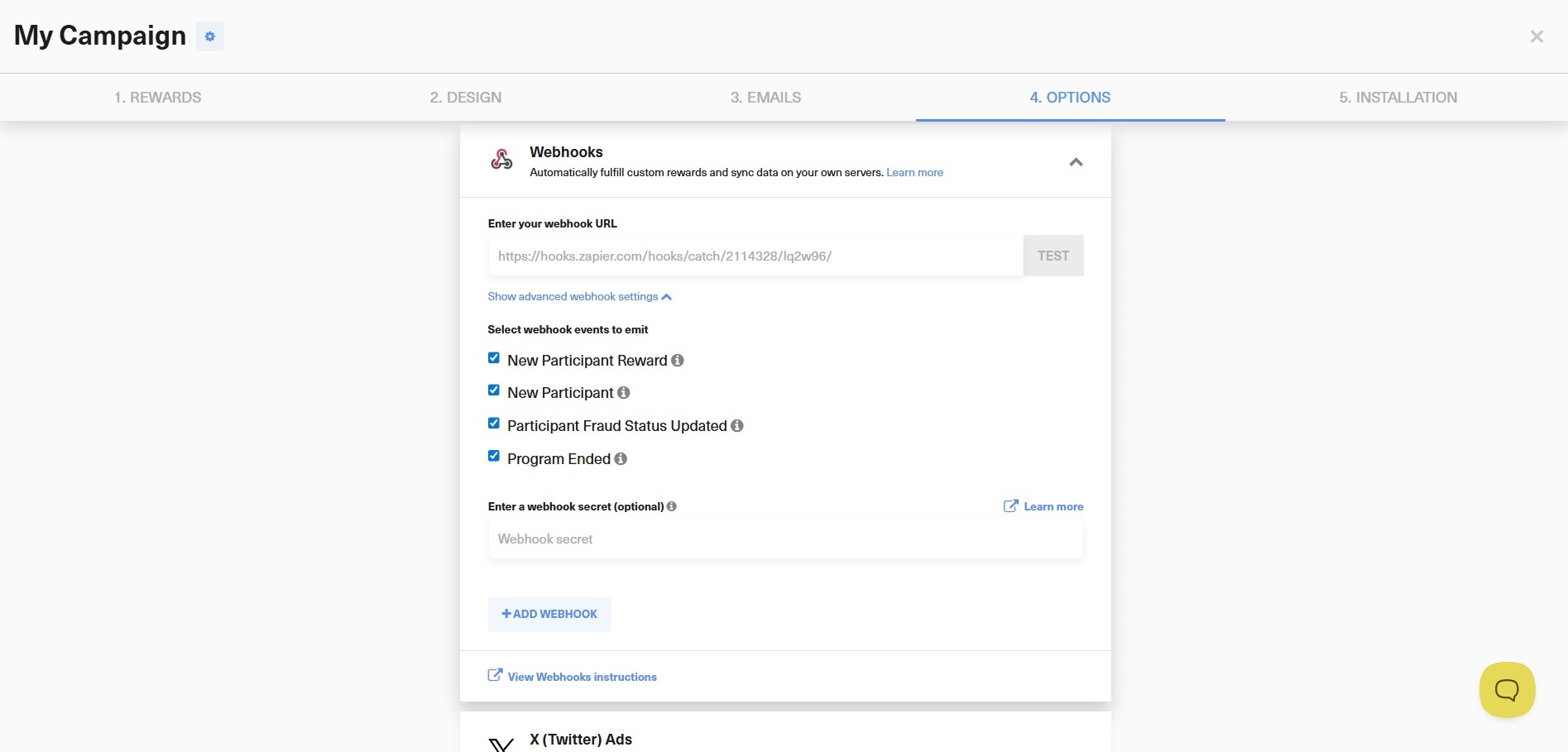
Open the Webhooks card in the Options step, add the endpoint that should receive reward events, and publish your changes. Use the built-in test request before you wire that endpoint into a real fulfillment flow.
PARTICIPANT_REACHED_A_GOAL and branch from the payloadThis is the key webhook event for custom reward delivery. The payload includes the participant, reward, and campaign objects so your service can decide whether to issue store credit, send an internal job, or create a payout in another system.
data.reward.approved to wait for the approved reward when manual reward approval is enabled.data.reward.isReferrer to tell whether the reward belongs to the referrer or the referred friend in a double-sided reward setup.data.reward.metadata when your own system needs extra values like a SKU, amount, or fulfillment tier.The reward event already gives you the participant identity, reward title or description, and campaign context. Keep GrowSurf as the source of truth for reward eligibility, then let your own service handle the delivery method that GrowSurf does not natively cover.
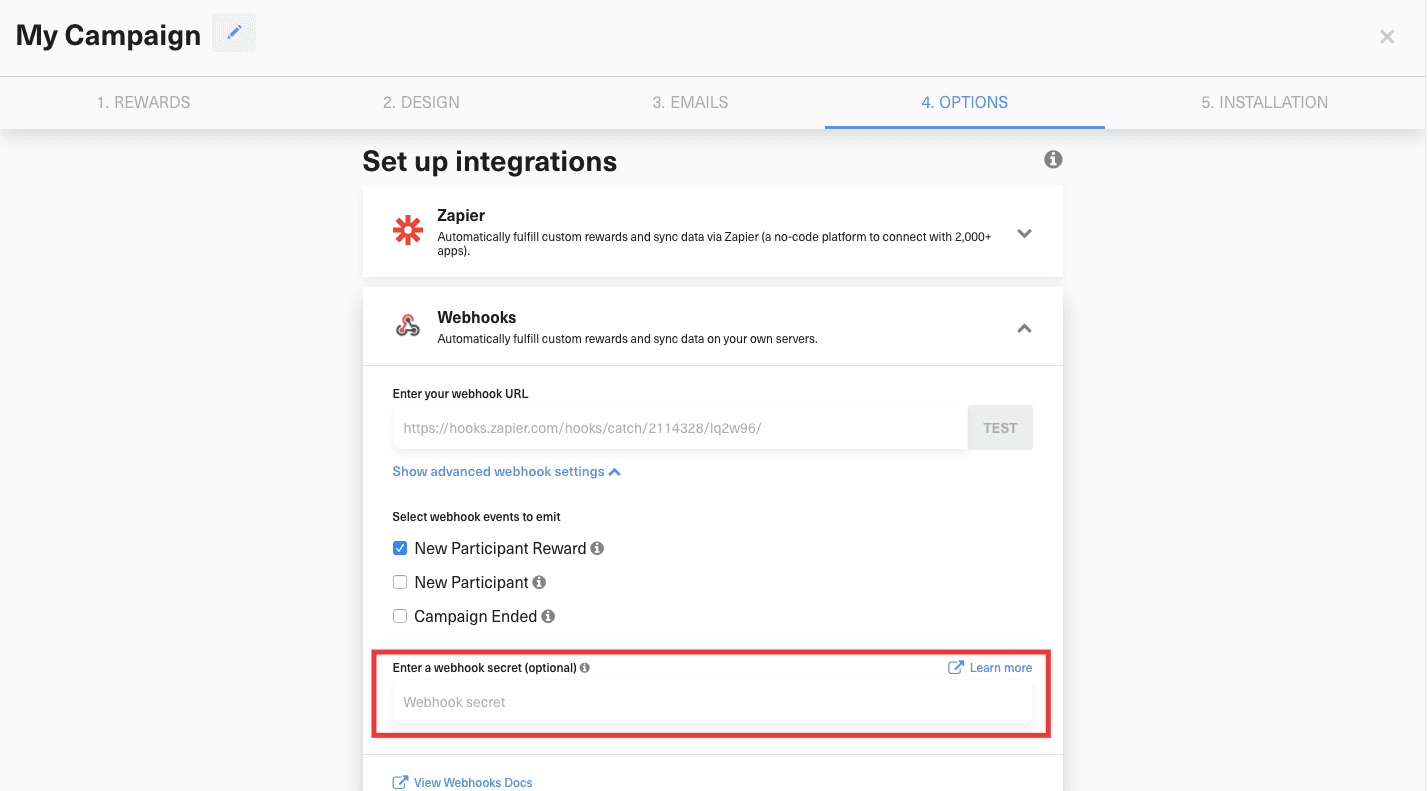
Turn on a webhook secret so GrowSurf includes the GrowSurf-Signature header on outgoing requests. Validate that signature before your endpoint creates a payout, ships a reward, or credits a balance.
GrowSurf automatically retries failed webhook deliveries with exponential backoff. If something breaks in production, the current app's Webhook Event Logs help you inspect failing deliveries while you repair the endpoint or re-enable a disabled webhook.
app.post('/growsurf/webhooks', function(req, res) {
  const body = req.body;

  if (body.event === 'PARTICIPANT_REACHED_A_GOAL' && body.data.reward.approved) {
    fulfillReward({
      email: body.data.participant.email,
      rewardTitle: body.data.reward.title,
      isReferrerReward: body.data.reward.isReferrer,
      metadata: body.data.reward.metadata || {}
    });
  }

  res.json({ received: true });
});Send GrowSurf's test request to webhook.site or your own staging endpoint first so you can confirm the reward fields your fulfillment service will receive.
If your reward values vary by tier, SKU, or amount, store that data on the reward and read it back from data.reward.metadata inside the webhook payload.

Use GrowSurf's native PayPal payouts integration to send one-time cash referral rewards after a reward is unlocked or approved.
View Guide →
Use Stripe coupons or credits as subscription rewards so referred revenue unlocks a billing benefit without manual coupon creation.
View Guide →
Use GrowSurf as the trigger app in Zapier when referral events should launch no-code actions across the rest of your stack.
View Guide →Yes. When manual reward approval is enabled, GrowSurf sends the event once while the reward is pending and again after it is approved. Use data.reward.approved to tell those states apart.
Check data.reward.isReferrer. It is true for the referrer's reward and false for the referred friend's reward.
Yes. Reward metadata is included on the webhook payload, so you can store extra values there and read them back when the reward is unlocked.
Trusted by marketing and product teams at fast-growing B2C, fintech, and SaaS companies
Successfully submitted!
Error! Please try again
See referral programs that our customers have implemented.
