

 Salesforce
 Stripe
 HubSpot
 Chargebee
 Recurly
 PayPal
 Tango Card
 Webhooks



Learn more
Built for startups,
scaled for unicorns
Successfully submitted!
Error! Please try again
See what it takes to set up a referral/affiliate program
Explore GrowSurf's powerful referral marketing platform
Watch a video demo of setting up a referral/affiliate program
GrowSurf plugs into your existing tools
GrowSurf vs other referral software providers
Explore our free suite of referral marketing tools.
Explore our free suite of tools built for startups.
Get discounts on top software and services like Notion, Deel, Apollo, and 1Password.
Explore Deals →
Our free loyalty software lets you reward your customers when they leave reviews, share on social media, and mention your brand.
Get It Free →Can you guess which startups made these growth tactics famous? Test your knowledge of innovative marketing strategies that led to explosive growth.
Play Now →
Want the full setup walkthrough?
Use these docs for exact setup steps, supported fields, and troubleshooting.
Use this workflow when GrowSurf should decide when an email is sent, but another email tool should handle the actual send.
The best trigger depends on the outcome you want. New Participant is useful for welcome or onboarding emails, New Participant Reward works for reward-earned messages, and Campaign Ended is a clean option for wrap-up or results emails.
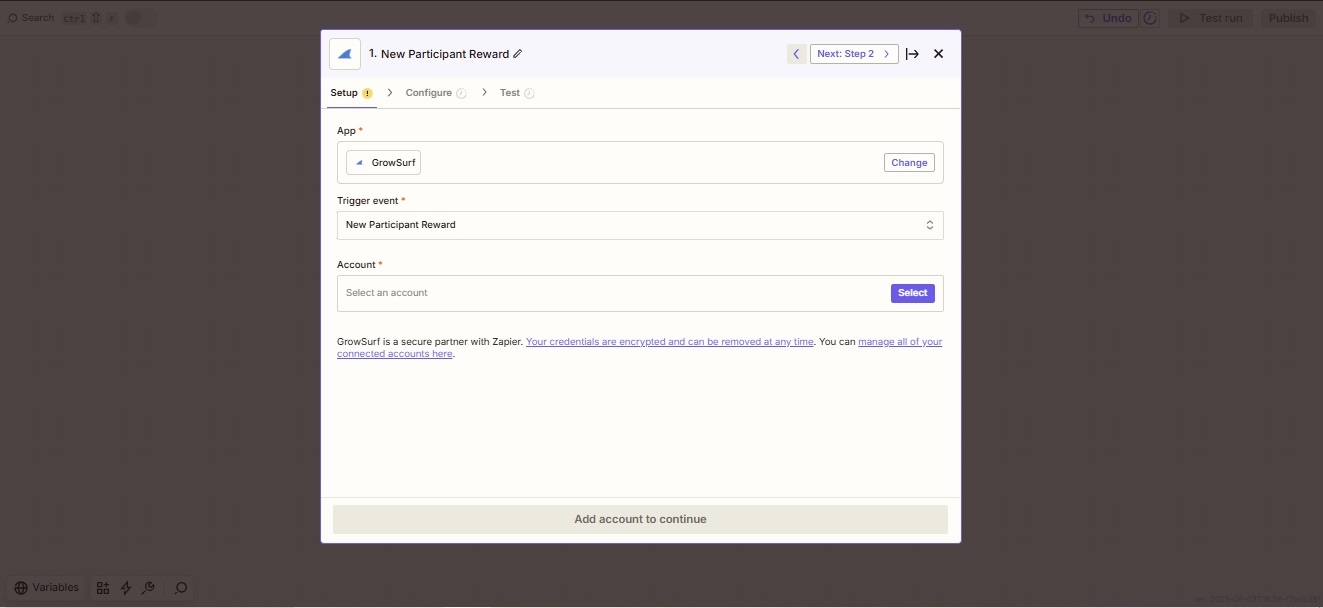
Create a new Zap, connect GrowSurf, and pick the trigger event that matches the message timing you need.
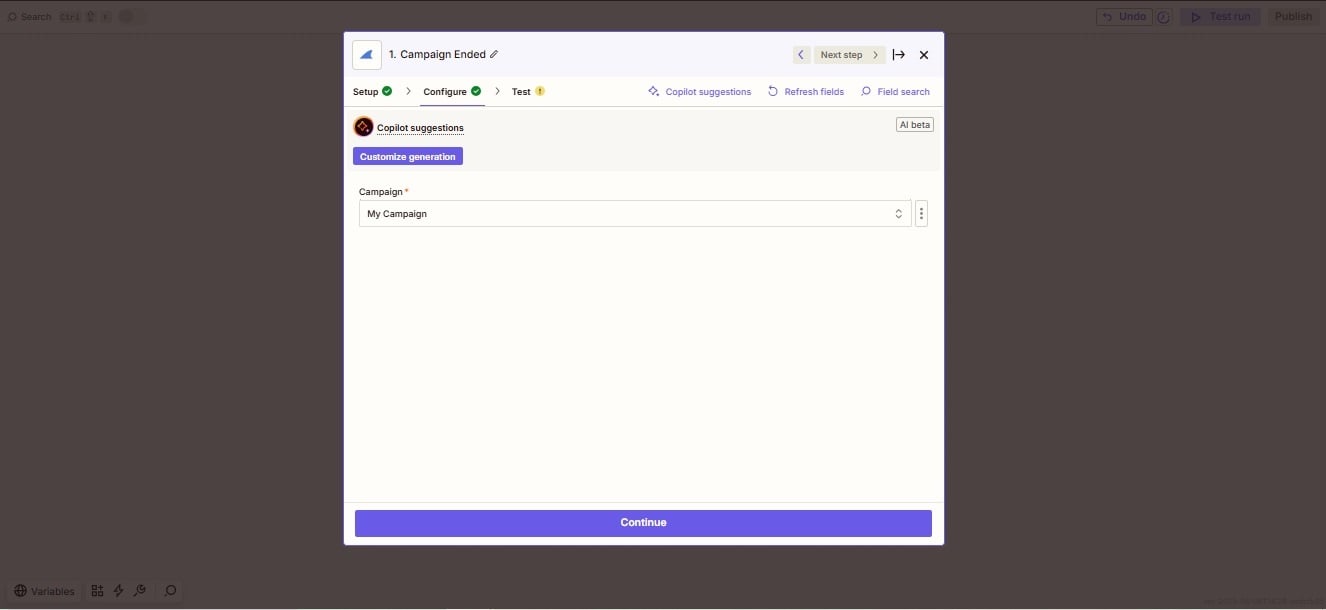
Zapier's sample records help with field mapping, but they are not a substitute for checking the final email against a real campaign event.
Use your preferred email app or Email by Zapier for the action step. Map GrowSurf fields such as participant email, share URL, milestone text, or referral totals into the subject line and body where they matter.
If the email should only go to referrers, approved reward earners, or referred participants, add a Filter before the email action. That is the cleanest way to avoid sending the wrong message to the wrong audience.
Once the workflow is live, use Zap History to verify the payload, the email action, and the final recipient all look right on the first real run.
It is usually better to create one Zap for a welcome email and another for a reward-earned email than to overload a single workflow with too many branches.
If the email should get the participant sharing quickly, link to the share URL. If it should bring them back to their dashboard or rewards view, link to the referral portal instead.
GrowSurf's troubleshooting notes make the same point as the Zap editor: test data exists to help you configure the Zap, but the live campaign event is the real validation step.
Use GrowSurf as the trigger app in Zapier when referral events should launch no-code actions across the rest of your stack.
View Guide →
Sync GrowSurf merge tags into your Mailchimp Audience so every referral email can show the right share link, progress update, and reward message.
View Guide →
Sync participants into a SendGrid marketing list, then use GrowSurf referral fields inside reusable email templates.
View Guide →New Participant is best for welcome and onboarding emails, New Participant Reward fits reward-earned messages, and Campaign Ended works for summary or wrap-up sends.
Usually use the native integration first when it already supports the segmentation or personalization you need. Zapier is most useful when the email tool is not natively supported or when you need a custom no-code action path.
GrowSurf's Zapier docs note that double-sided rewards can create events for both participants. Add a Filter or use Paths so each message only goes to the intended person.
Trusted by marketing and product teams at fast-growing B2C, fintech, and SaaS companies
Successfully submitted!
Error! Please try again
See referral programs that our customers have implemented.
